Best S3-Compatible Object Storage Specialists (Independent Clouds)
Some clouds do one thing: S3-compatible object storage, priced and tuned for it. These are the specialists to compare when you want predictable storage costs without the egress surprises of the hyperscalers. This page lists the independent object-storage clouds, their endpoint formats, and how to connect each one.
This is one category in our complete list of S3-compatible storage providers. Several of these have a preconfigured connector in Blober; the rest use the generic S3-Compatible connector. Confirm endpoints in each provider's dashboard, since regions change over time. The endpoint formats below come from each provider's own documentation, cross-checked against current S3 client references[1].
Each entry lists an addressing style. Virtual-hosted puts the bucket in the subdomain (https://my-bucket.s3.example.com); path-style puts it in the URL path (https://s3.example.com/my-bucket). Most providers here use virtual-hosted, and Blober picks the style from the endpoint field you fill in. The endpoint formats below show hostnames; in Blober, include https:// in the endpoint field. The endpoint setup notes explain it in full.
Wasabi Hot Cloud Storage
Section titled "Wasabi Hot Cloud Storage"Wasabi is flat-rate object storage with no egress fees and no API request charges, popular for backups and media archives.
- Endpoint format:
s3.<region>.wasabisys.com(for examples3.wasabisys.comfor US East 1,s3.eu-central-1.wasabisys.com). - Regions: Virginia (US East 1 and 2), Texas, Oregon, San Jose, Toronto, Amsterdam, Frankfurt, London (two regions), Paris, Milan, Tokyo, Osaka, Singapore, and Sydney[2].
- Addressing: virtual-hosted.
- Notes: egress and API requests are not separately billed under Wasabi's published pricing terms, but minimum storage rules still matter: a 1 TB minimum and a 90-day minimum storage duration apply[3]. Blober has a preconfigured Wasabi connector.
Backblaze B2 Cloud Storage
Section titled "Backblaze B2 Cloud Storage"Backblaze B2 is among the lowest per-GB object storage prices, with an S3-compatible API alongside its native one.
- Endpoint format:
s3.<region>.backblazeb2.com(for examples3.us-west-004.backblazeb2.com). - Regions: US West, US East, and EU Central account regions; copy the exact endpoint from the bucket's Endpoint field, since Backblaze says an account is associated with a single region and S3 endpoints use
s3.<region>.backblazeb2.com[4]. - Addressing: virtual-hosted.
- Notes: free egress is up to 3x average monthly data stored, then additional egress is billed per GB[5]. Blober has a preconfigured Backblaze B2 connector. See also How to Switch Wasabi to Backblaze B2.
Cloudflare R2
Section titled "Cloudflare R2"Cloudflare R2 is object storage with zero egress fees, served from Cloudflare's global edge network.
- Endpoint format:
<account-id>.r2.cloudflarestorage.com. - Regions: buckets are automatically distributed; the region is set to
auto. - Addressing: virtual-hosted.
- Notes: Cloudflare documents
autoas the S3 API bucket region, with empty andus-east-1accepted as aliases for compatibility[6]. R2 has no egress bandwidth charges, though operation and Infrequent Access retrieval charges can still apply[7]. Blober has a preconfigured Cloudflare R2 connector. See How to Move Azure Blob to Cloudflare R2.
Rabata
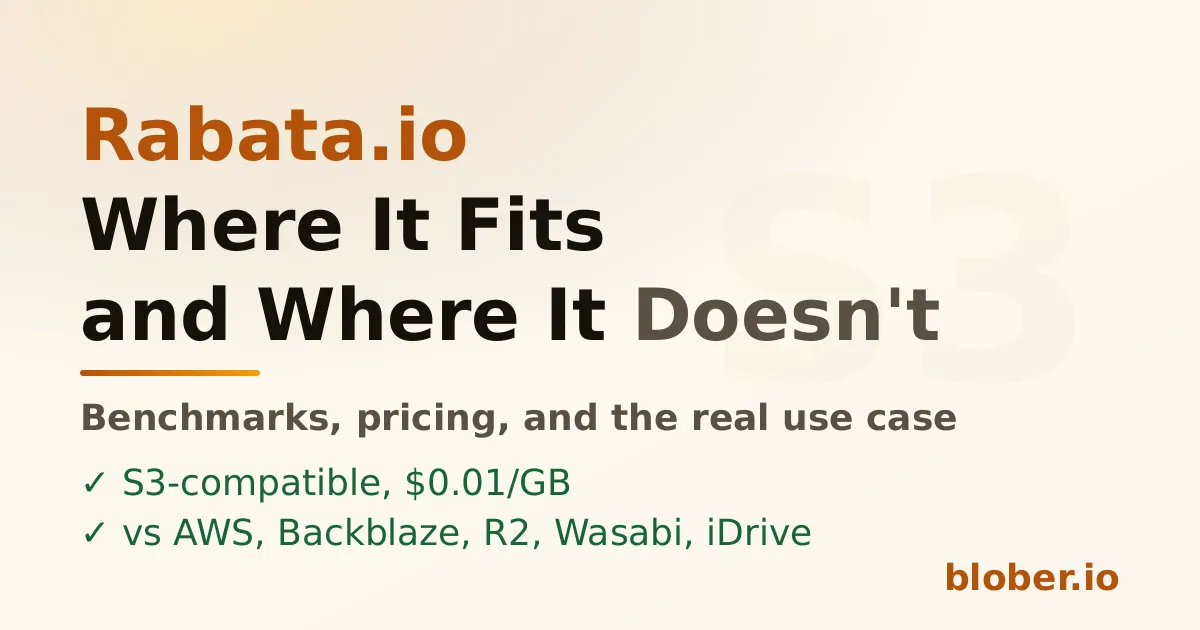
Section titled "Rabata"Rabata is S3-compatible secure cloud storage with flat, transparent pricing and no API request fees.
- Endpoint format:
s3.<region>.rabata.io(for examples3.eu-west-2.rabata.io). - Regions: US East (
us-east-1, N. Virginia) and EU West (eu-west-2, London); Rabata's quickstart examples uses3.us-east-1.rabata.io, and its billing page maps Hot Storage tous-east-1and Backup toeu-west-2[8]. - Addressing: virtual-hosted.
- Notes: two flat-priced tiers. Hot Storage (
us-east-1) is $0.01/GB and Backup (eu-west-2) is $49 per 10 TB block, with no API request charges and free ingress. Backup has no egress fees, with egress capped at 2x your stored volume[9]. Blober has a preconfigured Rabata connector.
Storj is decentralized cloud storage with an S3-compatible hosted gateway. Data is encrypted and erasure-coded across a global network of nodes.
- Endpoint format:
gateway.storjshare.io(plus regional gatewaysgateway.eu1.storjshare.io,gateway.us1.storjshare.io,gateway.ap1.storjshare.io). - Regions: global; set S3-compatible tools to
globalwhen they require a region[10]. - Addressing: virtual-hosted.
- Notes: S3 credentials come from an access grant. Storj's S3 compatibility table calls out partial support for some listing and multipart-copy behavior, so treat advanced S3 semantics as provider-specific and verify workflows that depend on exact listing order,
ListMultipartUploads, orUploadPartCopy[11]. Storj also appears on our decentralized storage page.
IDrive e2
Section titled "IDrive e2"IDrive e2 is low-cost S3-compatible object storage with free egress allowances, aimed at backup and archive.
- Endpoint format:
<region>.idrivee2-XX.com, where the host is shown in your console (for exampleq9d9.la12.idrivee2-5.com). - Regions: many across the US, Europe, and Asia-Pacific[12].
- Addressing: virtual-hosted.
- Notes: the endpoint host is account- and region-specific, so copy it from the IDrive e2 dashboard.
Cubbit DS3
Section titled "Cubbit DS3"Cubbit DS3 is a geo-distributed, S3-compatible object storage platform with European data residency.
- Endpoint format:
s3.cubbit.eu, ors3.<tenant>.cubbit.eufor a custom tenant. - Regions: geo-distributed; Cubbit describes DS3 as an S3-compatible object-storage platform that fragments data across its distributed network, so confirm the current region and tenant endpoint in your Cubbit console[13].
- Addressing: virtual-hosted.
- Notes: if you use a custom tenant endpoint, you must use the tenant-specific host; the generic one will not work in that case[14].
Impossible Cloud
Section titled "Impossible Cloud"Impossible Cloud is a European S3-compatible object storage provider with regions in Europe and the US.
- Endpoint format:
<region>.storage.impossibleapi.net(for exampleeu-central-2.storage.impossibleapi.net). - Regions: Frankfurt (
eu-central-2), Amsterdam (eu-west-1), London (eu-west-2), Paris (eu-west-3), Poznan (eu-east-1), Copenhagen (eu-north-1), and New York (us-east-1)[15]. - Addressing: virtual-hosted.
- Notes: the public limitations page documents bucket/object limits and object-name conflict rules, not a blanket transfer problem. Browse, upload, download, and copy should be fine for ordinary transfers, but validate workflows that depend on exact AWS-only edge behavior or conflicting folder/object keys[16].
Seagate Lyve Cloud
Section titled "Seagate Lyve Cloud"Seagate Lyve Cloud is enterprise-grade S3-compatible storage from Seagate.
- Endpoint format:
s3.<region>.<account>.lyve.seagate.com, where the account name is part of the host (for examples3.us-west-1.global.lyve.seagate.com). - Regions: US West (California), EU West (Ireland), and more.
- Addressing: virtual-hosted.
- Notes: the distinctive setup detail is the account-specific host: copy the S3 endpoint from Lyve Cloud for your account and region instead of treating
lyve.seagate.comas a generic endpoint[17].
Synology C2 Object Storage
Section titled "Synology C2 Object Storage"Synology C2 is S3-compatible object storage from the NAS maker, with no API request fees, download fees, or deletion penalties.
- Endpoint format:
<region>.s3.synologyc2.net(for exampleeu-001.s3.synologyc2.net,us-001.s3.synologyc2.net). - Regions: Europe and the US; Synology documents these data centers on its object-storage overview and exposes C2 Object Storage through C2 OneStorage pricing[18].
- Addressing: virtual-hosted.
- Notes: no charge for egress or API requests is listed for C2 Object Storage under C2 OneStorage pricing[19]. It is a natural pairing for Synology NAS owners who want an off-site S3 copy.
MEGA S4 Object Storage
Section titled "MEGA S4 Object Storage"MEGA S4 is an S3-compatible object store with regional endpoints and a published free-egress allowance.
- Endpoint format:
s3.<region>.megas4.com(for examples3.eu-amsterdam.megas4.com). - Regions: Amsterdam, Luxembourg, Paris, Barcelona, Montreal, Vancouver, Tokyo[20].
- Addressing: virtual-hosted.
- Notes: MEGA says buckets are not restricted to one region; pick the endpoint closest to your users or workloads. MEGA's object-storage page describes up to 5x average monthly stored data as free egress, so check the current plan terms before using it for high-volume delivery[21].
Tebi is a geo-distributed S3-compatible object store with a global endpoint and optional regional endpoints.
- Endpoint format:
s3.tebi.io. - Regions: global endpoint via GeoDNS, plus Germany, US East, US West, and Singapore regional S3 endpoints[22].
- Addressing: virtual-hosted.
- Notes: Tebi storage classes control where data is physically stored and how many copies are kept; use the console settings for current placement and performance choices[23].
Storadera
Section titled "Storadera"Storadera is a European S3-compatible object storage provider with flat, simple pricing.
- Endpoint format:
<region>.s3.storadera.com(for exampleeu-east-1.s3.storadera.com). - Regions: Europe; confirm the current regional endpoint in the console.
- Addressing: virtual-hosted.
- Notes: Storadera publishes no upload charges and no download charges under fair use, where the allowed monthly download amount equals the stored amount[24].
Telnyx Cloud Storage
Section titled "Telnyx Cloud Storage"Telnyx Cloud Storage is S3-compatible object storage from the communications platform Telnyx.
- Endpoint format:
<region>.telnyxcloudstorage.com(for exampleus-central-1.telnyxcloudstorage.com). - Regions: US Central, US East, US West, and EU Central[25].
- Addressing: virtual-hosted.
- Notes: Telnyx billing is based on stored bytes and API operation counts; its docs list separate US and EU storage/operation pricing[26].
Tigris
Section titled "Tigris"Tigris is a globally distributed S3-compatible object store (built with Fly.io) that routes through a single endpoint.
- Endpoint format:
t3.storage.dev. - Regions: San Jose, Chicago, Ashburn, Amsterdam, Frankfurt, London, Singapore, Tokyo. Set the region to
auto; the same page also lists additional Fly.io locations, so check the docs for the current list[27]. - Addressing: virtual-hosted.
- Notes: buckets can be global, multi-region, dual-region, or single-region; the single endpoint handles routing.
FileLu S5
Section titled "FileLu S5"FileLu S5 is an S3-compatible object store with a single global endpoint and regional options.
- Endpoint format:
s5lu.com(global), withus.s5lu.com,eu.s5lu.com,ap.s5lu.com, andme.s5lu.comfor regions. - Regions: Global, US East, EU Central, AP Southeast, ME Central[28].
- Addressing: not explicitly documented; start with path-style in the generic connector unless your FileLu client configuration confirms virtual-hosted support.
- Notes: predictable pricing with no separate transfer or API charges.
Petabox
Section titled "Petabox"Petabox is S3-compatible object storage with regions across several continents and free ingress.
- Endpoint format:
s3.<region>.petabox.io(for examples3.us-east-1.petabox.io), ors3.petabox.iofor US East. - Regions: Virginia, Frankfurt, Singapore, Bahrain, Sao Paulo.
- Addressing: virtual-hosted.
- Notes: confirm the regional endpoint in the Petabox console[29].
Zata is an S3-compatible object storage gateway with a focus on South Asia.
- Endpoint format:
idr01.zata.ai. - Regions: Indore, India (South Asia endpoint).
- Addressing: virtual-hosted.
- Notes: confirm the endpoint in the Zata console[30].
Filebase
Section titled "Filebase"Filebase is an S3-compatible gateway that stores objects on decentralized networks (IPFS and others) behind a familiar S3 API.
- Endpoint format:
s3.filebase.io. - Regions: single global endpoint; Filebase uses region
autofor SigV4 signing. - Addressing: both path-style (
https://s3.filebase.io/<bucket>/<key>) and virtual-hosted (https://<bucket>.s3.filebase.io/<key>) are supported[31]. - Notes: public-bucket reads should use the virtual-hosted URL. Filebase also appears on our decentralized storage page.
Frequently Asked Questions
Section titled "Frequently Asked Questions"Which S3-compatible specialist has no egress fees? Several limit or remove separate egress charges, but the details differ. Cloudflare R2, Wasabi, Synology C2, Impossible Cloud, and Telnyx publish zero-egress or no-separate-egress positioning; Backblaze B2 includes free egress up to 3x average monthly stored data; MEGA S4 publishes up to 5x; Rabata Backup and Storadera use fair-use caps. See Cloud Storage Ingress vs Egress Fees for the split.
Are these as reliable as AWS S3? Durability and availability are each provider's own design, and many publish strong durability figures. Compatibility refers to the API, not to a guarantee of identical reliability, so check the provider's SLA for your use case.
Can I migrate from AWS S3 to one of these specialists? Yes. Because they share the core S3 API, Blober copies directly from S3 to the specialist by setting the source and destination endpoints. Validate provider-specific behavior if you rely on advanced S3 features.
Which preconfigured connectors does Blober include? For this category, Wasabi, Backblaze B2, Cloudflare R2, and Rabata are preconfigured. The rest connect through the generic S3-Compatible connector.
Related Guides
Section titled "Related Guides"- The Complete List of S3-Compatible Providers
- Cloud Object Storage Providers
- Cloud Storage Ingress vs Egress Fees
- How to Switch Wasabi to Backblaze B2
- What S3-Compatible Really Means
Get Blober
Section titled "Get Blober"Connect to any S3-compatible specialist by URL and move data in or out directly, without filling your local disk.