Skip to content

object storage

13 posts with the tag "object storage"

Archiving Large Research and Scientific Datasets Across Clouds

Archiving large research and scientific datasets across clouds

Research datasets are large, occasionally needed years later, and often spread across storage paid for by different grants or collaborators. Archiving them well means picking durable storage, moving the data without a scripting project, and using transfers that resume when a multi-day run gets interrupted.

Anyone who has managed a lab's data knows the pattern. A dataset lives on a cluster's object store, a copy sits in a collaborator's account, and the grant that funded the original storage is ending. The data has to move, it is enormous, and nobody wants to own the migration.

Choose Storage That Suits an Archive

Section titled "Choose Storage That Suits an Archive"

Active analysis and long-term archive have different needs. For the archive, the priorities are durability and a cost model that fits data you read back rarely:

  • Object storage such as Backblaze B2, Wasabi, or Cloudflare R2 is built for exactly this: large objects, high durability, S3-compatible so your existing tools work.
  • Compare on egress and minimum storage duration, not the headline rate. For an archive you touch a few times a year, those terms decide the real cost far more than the storage price.
  • Keep a second copy. A single archive is one copy. Durable does not mean infallible, and a second location is what the 3-2-1 rule is for.

Moving the Data Without a Scripting Project

Section titled "Moving the Data Without a Scripting Project"

The usual options at this scale are command-line tools and custom scripts, which is fine if you have an engineer to spare and a problem when you do not. The bottleneck is rarely the copy itself. It is listing millions of small files, keeping throughput up with parallelism, and resuming cleanly when a run that takes days gets interrupted.

Blober handles those parts from a desktop app. It connects to S3, B2, Wasabi, R2, DigitalOcean Spaces, Azure Blob, and local storage, copies between them directly without staging a full copy on disk, runs transfers in parallel, and has skip-existing so a paused or failed run picks up where it left off instead of starting over. For a dataset larger than any one machine's disk, that combination is the difference between a finished archive and an abandoned one.

An archive nobody can navigate is only half useful. As you move data, keep a simple record: what went where, when, and the rough file count, so a future you or a future student can find a dataset without reverse-engineering the folder tree. A short README in the destination bucket pays for itself the first time someone needs the data after you have moved on.

Where should I archive large research datasets? Durable object storage such as Backblaze B2, Wasabi, or Cloudflare R2, chosen on egress and minimum storage duration rather than the headline rate, with a second copy in another location.

How do I move a multi-terabyte dataset between clouds? Use a tool that transfers directly, runs in parallel, and resumes. Blober copies between object stores and local storage from a desktop app, with skip-existing so interrupted runs continue rather than restart.

What makes large transfers fail? At scale, listing millions of small files and surviving interruptions are the hard parts, not the copy. Parallelism and resumable, skip-existing transfers are what get a multi-day run to finish.

Is object storage good for research archives? Yes. It is durable, built for large objects, and usually S3-compatible, so existing tools work. Keep a second copy elsewhere to satisfy 3-2-1.

Move multi-terabyte datasets between object stores and local storage without a scripting project. Blober transfers in parallel, preserves structure, and resumes interrupted runs.

Download Blober at blober.io

Cloudflare R2 for AI Training Data: Why Zero Egress Changes the Math

Cloudflare R2 as a home for AI training data, with zero egress on repeated reads

Why Egress Is the Hidden Tax on Training Data

Section titled "Why Egress Is the Hidden Tax on Training Data"

Training a model means reading the same dataset over and over, once per epoch, often from GPUs that sit outside your storage provider's network. On most object stores you pay an egress fee every time that data leaves the bucket. Cloudflare R2 does not charge egress fees, so reading a dataset a hundred times costs the same in transfer as reading it once. For read-heavy AI work, that quietly changes the math.

People size storage by the price per terabyte and then get surprised by the transfer line on the bill. For an archive you rarely open, egress barely matters. For a training set you stream through a data loader thousands of times, egress is the cost.

What Makes Training Data Different From an Archive

Section titled "What Makes Training Data Different From an Archive"

Training data has a few traits that make egress the deciding factor:

  • It is read many times. Every epoch reads the whole set again. Hyperparameter sweeps and multiple runs multiply that.
  • It is large. Image, video, audio, and text corpora run to terabytes, and embeddings pile on more.
  • The compute is often elsewhere. GPUs in another cloud or a rented cluster mean the data crosses a network boundary on every read, which is exactly what egress charges for.

Put those together and a metered-egress store can cost more to read than to hold.

Two properties do the work. First, R2 does not charge egress fees, so repeated reads from outside Cloudflare do not accumulate transfer cost. Second, R2 is S3-compatible, so the data loaders, SDKs, and tools your pipeline already uses point at it by changing the endpoint and the keys. You do not rewrite your training code to adopt it.

A couple of honest caveats, because the math is not free in every direction. R2 has its own operation and request considerations, and throughput depends on how your loader and network are set up. If your training compute lives in the same cloud as your current data, reads inside that cloud may already avoid egress, so R2's advantage is largest when storage and compute would otherwise sit on different networks. Confirm Cloudflare's current terms before you commit a pipeline to them.

A training corpus rarely starts life in one place. It is scraped to a local disk, staged in an S3 bucket, or scattered across a few accounts from different collaborators. Consolidating it into one R2 bucket is the setup step.

Blober moves data into R2 directly from AWS S3, Backblaze B2, Wasabi, DigitalOcean Spaces, Azure Blob, Dropbox, Google Drive, or local storage. It copies in parallel, keeps the folder structure intact, and has skip-existing, so the first run stages the whole corpus and later runs only carry the new files as the dataset grows. You are not downloading the set to a laptop and pushing it back up, which matters when the corpus is bigger than any one machine's disk.

  1. Choose R2 as the dataset home if your training compute reads it repeatedly from outside Cloudflare.
  2. Stage the corpus into an R2 bucket with Blober, in parallel and with structure preserved.
  3. Point your S3-compatible data loader at the R2 endpoint and train.
  4. Re-run Blober with skip-existing as you add data, so only the new files move.

Keep a second copy somewhere else as well. One bucket is one copy, and the 3-2-1 rule applies to a dataset you cannot easily recreate just as much as to family photos.

Does Cloudflare R2 charge egress fees? No. R2 does not charge egress fees for reading your data out, which is its main draw for read-heavy workloads like model training. Confirm the current terms on Cloudflare's site before committing.

Is Cloudflare R2 good for machine learning datasets? Yes, especially when your training compute reads the dataset repeatedly from outside Cloudflare's network. Zero egress removes the per-read transfer cost that dominates training storage bills.

Is R2 S3-compatible for data loaders? Yes. R2 exposes an S3-compatible API, so existing S3 data loaders, SDKs, and tools work by changing the endpoint and credentials.

How do I move my training data into R2? Use a tool that transfers directly and in parallel. Blober stages datasets into R2 from S3, B2, Wasabi, Spaces, Azure Blob, and local storage, with skip-existing for incremental updates.

Stage your training data into R2 without a scripting project. Blober moves datasets into R2 from S3, B2, Wasabi, Spaces, Azure Blob, and local storage, in parallel and with structure intact.

Download Blober at blober.io

What S3-Compatible Really Means (and Why It Matters When You Switch)

What S3-compatible means and why it matters when switching providers

What "S3-Compatible" Actually Means

Section titled "What "S3-Compatible" Actually Means"

S3-compatible means a storage service speaks the same API language as Amazon S3. Tools, SDKs, and apps built for S3 work with it without code changes. It does not mean the service is run by Amazon, and it does not promise every feature is identical.

The S3 API became a de facto standard. Once enough tools spoke it, new providers had a choice: invent their own interface and ask everyone to re-tool, or speak S3 and work on day one with the entire existing ecosystem. Most chose S3.

The API Is the Standard, Not the Company

Section titled "The API Is the Standard, Not the Company"

Think of it like a power socket. The plug shape is the standard, and any device with that plug works in the wall, regardless of which utility generates the electricity. S3 compatibility is the plug shape. Backblaze B2, Wasabi, Cloudflare R2, and DigitalOcean Spaces all expose an S3-compatible endpoint, so the same aws s3 commands, the same rclone config, and the same desktop tools point at any of them by changing the endpoint and the keys.

This is the quiet superpower of S3 compatibility: it makes providers swappable. If your app reads and writes through the S3 API, moving from one S3-compatible store to another is mostly a matter of changing the endpoint and the credentials, not rewriting code. That keeps you from being locked in by your tooling, and it means a provider's pricing model or a new egress policy does not trap your data with them.

What Compatibility Does Not Guarantee

Section titled "What Compatibility Does Not Guarantee"

Compatible is not identical. A few things still vary between S3-compatible providers, so check them before you commit:

  • Feature coverage. Lifecycle rules, versioning, object lock, and multipart limits differ. Most common operations are covered; the long tail is not always.
  • Performance and consistency. Throughput, latency, and edge-case consistency behavior are the provider's own.
  • Regions and durability. Where your data physically sits, and how many copies are kept, is a provider decision.
  • The pricing model. Egress and minimum storage duration are where S3-compatible providers differ most, and those terms decide the real cost of an archive far more than the headline storage rate.

Azure Blob Storage uses its own API rather than the S3 API, so it is not S3-compatible in the same drop-in way. The concepts line up (an S3 bucket maps to a container, an object to a blob), but a tool pointed at S3 will not talk to Azure Blob without a translation layer. That is worth knowing if your stack assumes S3 everywhere.

When you do need S3-compatible applications to run against Azure, an S3 gateway sits in front of Azure Blob and converts S3 API calls to Azure Blob calls on the fly:

  • Flexify.IO runs an S3 gateway in front of Azure Blob Storage.
  • s3proxy is an open-source proxy that presents an S3 API backed by Azure Blob and other stores.
  • VersityGW is an open-source S3 gateway with pluggable backends.
  • MinIO is S3-compatible storage that has been used to put an S3 API in front of other backends.

For .NET projects, FluentStorage takes a different route. Rather than a gateway, it is a polymorphic cloud storage abstraction layer, so one codebase targets S3, Azure Blob, and other stores without per-provider code.

Moving Between S3-Compatible Stores

Section titled "Moving Between S3-Compatible Stores"

Because the API is shared, moving data between S3-compatible providers is a clean operation. Blober connects to S3, Backblaze B2, Wasabi, Cloudflare R2, and DigitalOcean Spaces, and its generic S3 connector points at any other S3-compatible endpoint by URL, so a provider it does not list by name still works. It also bridges to non-S3 services like Azure Blob, Dropbox, and Google Drive. You point it at a source and a destination and it copies between them directly, without staging a full copy on your disk.

Is Backblaze B2 S3-compatible? Yes. B2 exposes an S3-compatible API, so S3 tools and SDKs work against it by changing the endpoint and keys.

Is Azure Blob Storage S3-compatible? Not natively. Azure Blob uses its own API. The concepts map across (container for bucket, blob for object), but S3 tools need a translation layer to talk to it.

Does S3-compatible mean exactly the same as AWS S3? No. It means the same API language. Features like lifecycle rules and versioning, plus performance, regions, and the pricing model, vary by provider.

Can I switch S3-compatible providers without changing my app? Usually yes, if your app uses the S3 API. You change the endpoint and credentials. Check that the specific features you rely on are supported by the new provider first.

Switch object-storage providers without the re-tooling headache. Blober moves data between S3, B2, Wasabi, R2, Spaces, and more, directly and without filling your local disk.

Download Blober at blober.io

DigitalOcean Spaces: Regions, Cross-Region Replication, and Backup

DigitalOcean Spaces regions and cross-region replication explained

Spaces Regions and the Replication Question

Section titled "Spaces Regions and the Replication Question"

The problem: people assume DigitalOcean Spaces replicates across regions the way Amazon S3 can, so a single Space feels like a backup. It is not. A Space lives in one region, and DigitalOcean does not copy it to another region for you.

The short answer: pick the region closest to your users when you create a Space, and if you want a second copy in another region or another provider, you have to make it yourself. This page lists the regions, explains what Spaces does and does not replicate, and shows how to create a real backup copy.

Each Space is tied to one datacenter region, chosen at creation and fixed afterward. The current Spaces regions and their locations:

Region codeLocation
NYC3New York City, United States
SFO3San Francisco, United States
AMS3Amsterdam, Netherlands
FRA1Frankfurt, Germany
SGP1Singapore
SYD1Sydney, Australia
BLR1Bangalore, India

DigitalOcean adds regions over time, so check their documentation for the latest availability. The practical rule is unchanged: choose the region nearest the people who read the data most, because a Space only serves from its own region's endpoint.

Does DigitalOcean Spaces Do Cross-Region Replication?

Section titled "Does DigitalOcean Spaces Do Cross-Region Replication?"

No. DigitalOcean Spaces does not offer built-in cross-region replication. There is no setting that mirrors a Space in NYC3 to a Space in FRA1, and no automatic failover to another region.

This is the main difference from Amazon S3, which has Cross-Region Replication (CRR) as a bucket feature. On Spaces, if you want the same objects in two regions, you copy them there yourself and keep them in sync by re-copying when things change.

A few consequences worth knowing:

  • A region outage affects a single Space directly. With no replica, you cannot fail over to another region automatically.
  • Compliance or latency in a second geography means creating a second Space and populating it yourself.
  • There is no native "backup to another region" button. Backup is something you set up, not something Spaces does for you.

DigitalOcean Spaces includes a built-in CDN that caches your objects at edge locations for faster delivery. This is easy to mistake for replication, but it is not. The CDN caches copies for performance and can expire them at any time. The authoritative copy still lives in one region, and if that object is lost, the cache does not protect you. Edge caching speeds up reads; it does not give you a durable second copy.

How to Copy a Space to Another Region or Provider

Section titled "How to Copy a Space to Another Region or Provider"

Since Spaces will not replicate for you, the job is a straightforward copy, and Blober handles it without scripts or AWS-CLI loops.

  • Spaces to another Spaces region. Connect your DigitalOcean account in Blober. It detects every Space across all regions in one view, so you can copy objects from a Space in one region into a Space you create in another. Run it again later to refresh the copy, skipping objects that already exist.
  • Spaces to another provider. Use the same flow to copy a Space to AWS S3, Backblaze B2, Wasabi, Cloudflare R2, Azure Blob, Google Drive, Dropbox, or local and NAS storage, for an offsite backup that does not depend on DigitalOcean at all.
  • Resumable. Large copies survive a dropped connection and continue where they stopped.

This gives you the second copy that Spaces does not provide on its own, in whichever region or provider you choose.

If the goal is not a backup but a move, the steps are the same, just pointed at one destination. The most common move is to Amazon S3, which has the storage tiers and ecosystem Spaces lacks. There is a full walkthrough in How to Migrate from DigitalOcean Spaces to AWS S3, including how Blober detects Spaces across all seven regions and maps them to S3 storage classes.

For very large Spaces with millions of objects, see Migrating 100 Million Files from DigitalOcean to Backblaze.

Does DigitalOcean Spaces support cross-region replication? No. There is no built-in cross-region replication. To have a Space's objects in a second region, you copy them yourself, which Blober can do across all regions in one workflow.

Which regions can I create a Space in? Currently NYC3, SFO3, AMS3, FRA1, SGP1, SYD1, and BLR1. DigitalOcean occasionally adds regions, so confirm on their site.

Can I move a Space from one region to another? Not in place. You create a new Space in the target region and copy the objects over. Blober copies between regions directly without downloading everything to your computer first.

Is the Spaces CDN a backup? No. The CDN caches objects at the edge for faster delivery and can evict them at any time. The durable copy still sits in one region. For a backup, make a separate copy in another region or provider.

How do I migrate from DigitalOcean to AWS? Connect both in Blober, set DigitalOcean as the source and S3 as the destination, and run. The DigitalOcean Spaces to AWS S3 guide covers it step by step.

Make the second copy that DigitalOcean Spaces will not make for you, to another region or another provider. Blober is a one-time purchase with no per-GB fees.

Download Blober at blober.io

Data Holders: How Blober Fits Your Workflow

Data holders - how Blober fits your workflow for centralized cloud file management

Data holders are individuals and organizations that accumulate, manage, and preserve large volumes of digital files as a core part of their work. They aren't just storing files - they're responsible for keeping data accessible, organized, and safe across years and even decades.

Data holders include:

  • Photographers and videographers with terabytes of RAW footage and project archives
  • Researchers and academics maintaining datasets, papers, and experimental outputs
  • Small businesses managing client records, invoices, contracts, and media assets
  • IT administrators responsible for infrastructure backups and compliance archives
  • Content creators with libraries of video, audio, and design files across platforms
  • Legal and medical professionals bound by retention requirements for sensitive records
  • Personal archivists preserving family photos, home videos, and documents

What unites them is a common problem: data grows, scatters, and becomes harder to manage over time.


Most data holders didn't plan to end up with files in five different places. It happens organically:

  1. Files start local - on a laptop, NAS, or external drive
  2. Cloud adoption fragments storage - Google Drive for sharing, Dropbox for syncing, an S3 bucket for backups
  3. Platform lock-in creeps in - GoPro Cloud holds your footage, iCloud holds your photos, OneDrive holds your documents
  4. Manual management breaks down - folder naming conventions drift, backups become inconsistent, some files have three copies while others have none

The result is a scattered, fragile data footprint where no single tool gives you visibility across all your storage.

SymptomRoot Cause
"I know I have that file somewhere"Files spread across 3-5 providers with no unified view
"My backup is months out of date"Manual backup processes that require constant attention
"I'm paying for storage I barely use"Redundant copies in expensive tiers that should be archived
"I can't move my data without paying egress"Provider lock-in via egress fees and proprietary APIs
"Organizing everything would take weeks"Flat folder structures with no metadata-driven automation

Blober is a desktop application purpose-built for data holders who need to move, organize, and back up files across cloud providers and local storage - without recurring fees.

1. One Interface for All Your Storage

Section titled "1. One Interface for All Your Storage"

Blober connects to the storage providers data holders actually use:

ProviderTypical Use Case
AWS S3Production infrastructure, enterprise backups
Backblaze B2Affordable long-term archive
WasabiHot storage with no egress fees
Cloudflare R2CDN-adjacent delivery, zero egress
Google Cloud StorageWorkspace-integrated projects
Azure Blob StorageEnterprise and compliance workloads
DigitalOcean SpacesDev team object storage
GoPro CloudAction camera footage (Blober exclusive)
DropboxFile sharing and synchronization
Local / NASOn-premise primary storage

No other single tool covers this range - especially GoPro Cloud, which Blober is the only application to support.

2. Direct Cloud-to-Cloud Transfers

Section titled "2. Direct Cloud-to-Cloud Transfers"

Instead of downloading files to your machine and re-uploading them, Blober transfers data directly between providers. This matters for data holders because:

  • Saves time - a 2 TB migration doesn't bottleneck on your home internet
  • Saves bandwidth - your ISP data cap stays intact
  • Reduces failure points - no half-downloaded files sitting on your local disk

Data holders accumulate files over years. Manually sorting them into folders is unsustainable. Blober supports path templates that use file metadata to auto-organize during transfer:

/{year}/{month}/{camera_model}/{filename}

A flat dump of 50,000 files becomes a clean archive:

/2025/06/HERO13 Black/GX015742.MP4
/2025/06/Canon EOS R5/IMG_4521.CR3
/2026/01/iPhone 15 Pro/IMG_0032.HEIC

This works for any transfer - cloud-to-cloud, cloud-to-local, or local-to-cloud.

4. Scheduled and Resumable Transfers

Section titled "4. Scheduled and Resumable Transfers"

Backup workflows for data holders need to be reliable, not heroic. Blober supports:

  • Resumable transfers - if your connection drops or your machine restarts, pick up where you left off
  • Incremental syncs - only transfer files that are new or changed since the last run
  • Large-file handling - multi-part uploads for files in the tens of gigabytes

No babysitting required. Set up a transfer, let it run, and come back to a completed job.

Most cloud migration tools charge per-GB or require annual subscriptions with data caps. For data holders who move terabytes regularly, those costs compound:

ToolPricing ModelCost for 10 TB/year
Flexify.io~$0.03/GiB per migration~$300+ (plus egress)
MultCloud$99.98/year for 2.4 TB cap~$400+ (need multiple renewals)
rcloneFree but manual$0 (but hours of CLI configuration)
BloberOne-time purchaseOne price, unlimited transfers

You buy Blober once. Transfer 1 TB or 100 TB - the price doesn't change.


Setup: 8 TB of footage across GoPro Cloud, a local NAS, and Google Drive. Delivers finals via Dropbox.

With Blober:

  • Connects GoPro Cloud and pulls all footage to Backblaze B2 as a cold archive
  • Moves finished projects from local NAS to Cloudflare R2 for client delivery
  • Uses path templates to organize by project date and camera model
  • Runs periodic syncs from Google Drive to B2 to keep a second backup

Result: One tool replaces four manual processes. Total cost: one Blober license.

Setup: 500 GB of compliance documents in Azure Blob Storage. Daily operational files in Google Workspace. Regulatory requirement for off-site backup.

With Blober:

  • Transfers compliance archive from Azure to Backblaze B2 as a secondary backup
  • Syncs critical Google Drive folders to a local NAS nightly
  • Uses Blober's incremental sync so only changed files move each day

Result: Meets audit requirements for geographic redundancy without provisioning a second enterprise cloud account.

Setup: 12 TB of experimental datasets in AWS S3. New data generated weekly. Grants require data preservation for 10 years.

With Blober:

  • Migrates completed datasets from S3 Standard to Backblaze B2 (80% storage cost reduction)
  • Keeps active datasets in S3 for compute-adjacent access
  • Uses metadata templates to organize by experiment ID and date
  • Resumable transfers handle multi-GB dataset files without corruption

Result: Storage costs drop dramatically while preservation requirements are met.


rclone is a powerful open-source CLI tool, and many data holders start there. But it has real limitations for ongoing data management:

CapabilityrcloneBlober
GUI for browsing filesNo (CLI only)Yes
GoPro Cloud supportNoYes (exclusive)
Dropbox supportYesYes
Visual transfer progressLimitedFull progress dashboard
Resumable multi-part uploadsPartialBuilt-in
Path template organizationManual scriptingVisual template builder
Error handling and retryConfig flagsAutomatic
Setup timeHours (config per remote)Minutes (OAuth flows)

rclone is great for scripted, automated pipelines. Blober is built for data holders who want reliable transfers without writing shell scripts.


  1. Audit your storage - list every provider and local device where you keep files
  2. Identify your archive tier - choose an affordable destination like Backblaze B2 or Wasabi for long-term storage
  3. Connect everything in Blober - add each provider via OAuth or API key
  4. Set up your first migration - pick a source, pick a destination, configure a path template
  5. Let Blober handle the rest - resumable transfers, incremental syncs, and metadata organization do the heavy lifting

Data holders shouldn't need a subscription to manage their own files. Blober runs locally on your machine - your credentials never pass through third-party servers, your transfer bandwidth isn't metered, and your workflow isn't gated by monthly caps.

One license. Unlimited providers. Unlimited data.

Get Blober and take control of your data workflow.

Stop Paying Rent to Move Your Own Files

You uploaded 2 TB of photos, videos, and backups to the cloud. Life was good - until you wanted to move them somewhere else.

Suddenly, you're hit with egress fees, per-GB migration charges, and the realization that your cloud provider has been counting on you never leaving. It's your data. But moving it costs real money - every single time.

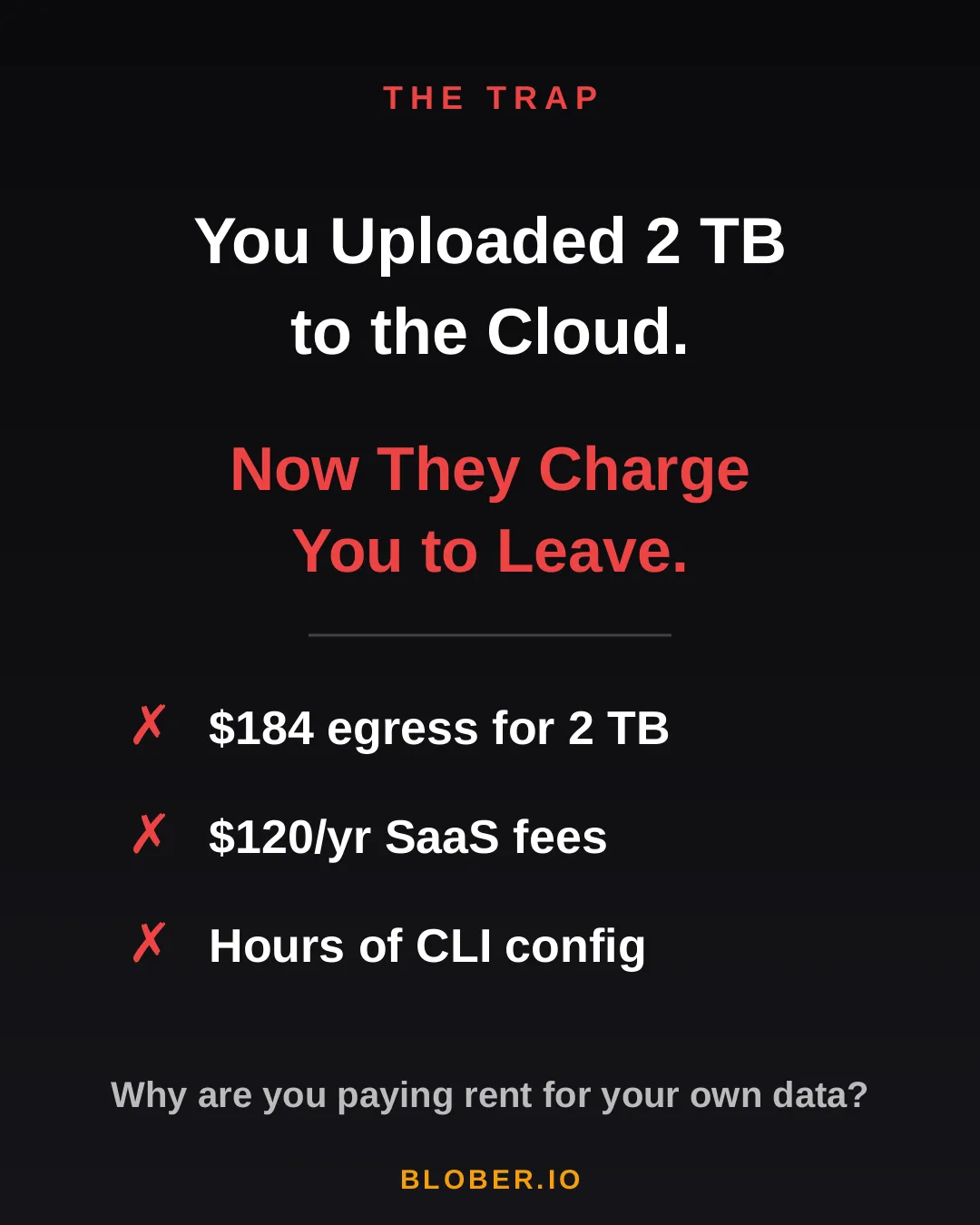
AWS charges ~$0.09/GB for egress. That's $184 just to download 2 TB of your own files. Want to use a SaaS migration tool? That's another $10-20/month, with transfer caps. Prefer the open-source CLI route? Clear your afternoon - you'll need it for YAML configs, credential files, and provider-specific quirks.

The trap: cloud providers charge you egress fees, SaaS tools charge subscriptions, and CLI tools cost you hours of setup time

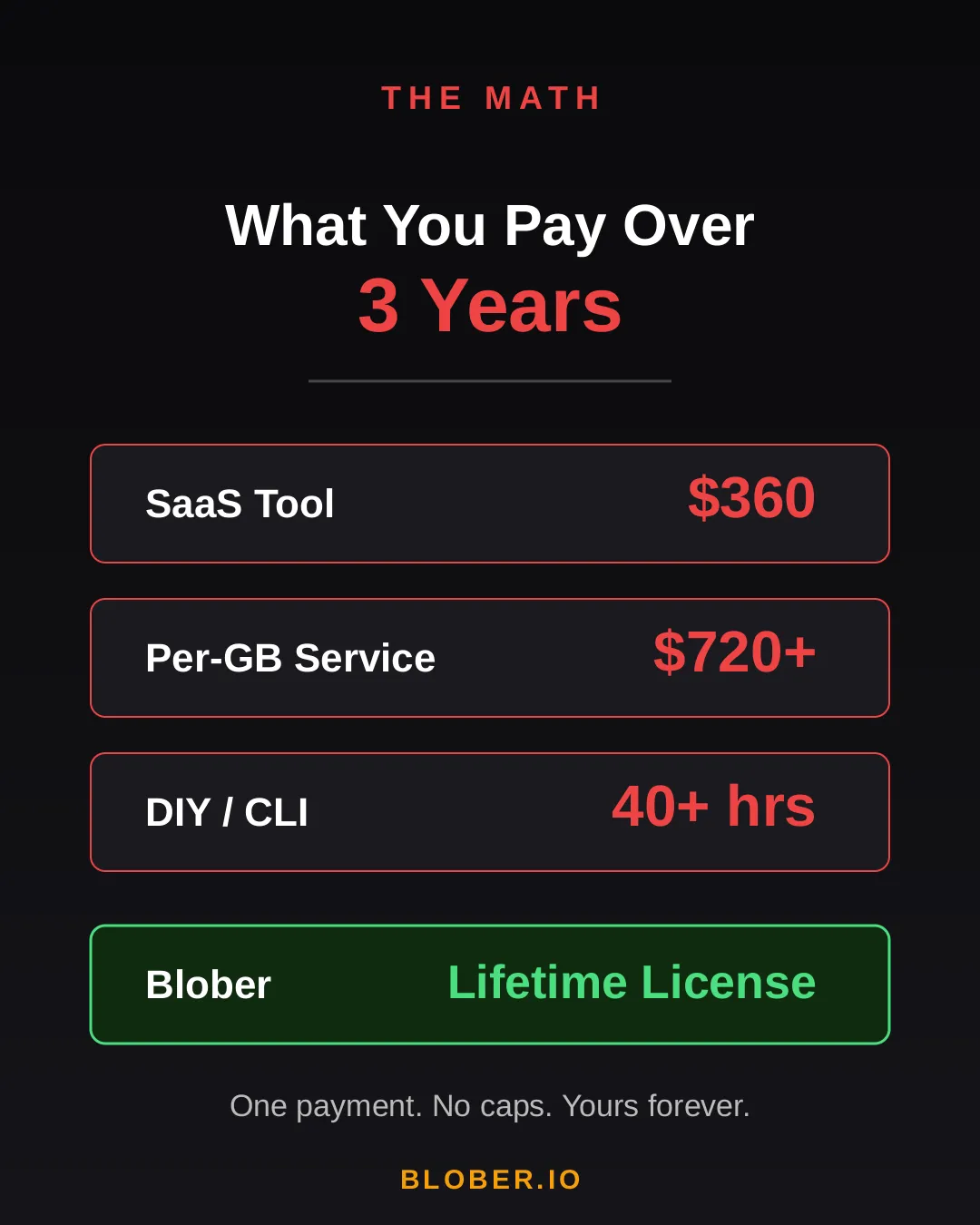
Let's talk real numbers. Over three years, here's what you'll pay using common approaches:

Approach3-Year CostCatch
SaaS Migration Tool~$360Monthly sub + data caps
Per-GB Service~$720+$0.03/GB, billed every transfer
DIY with CLI40+ hoursConfig per provider, no UI, breaks silently
BloberOne paymentUnlimited transfers. Forever.

The subscription model is designed to extract value from you month after month. The per-GB model punishes you for having more data. The CLI path trades money for your time.

Blober breaks the cycle. Pay once. Transfer as much as you want, as many times as you want. No meter running. No renewal emails. No "upgrade to unlock more."

Cost comparison over 3 years: SaaS tools cost $360, per-GB services cost $720+, DIY CLI costs 40+ hours, Blober costs one single payment

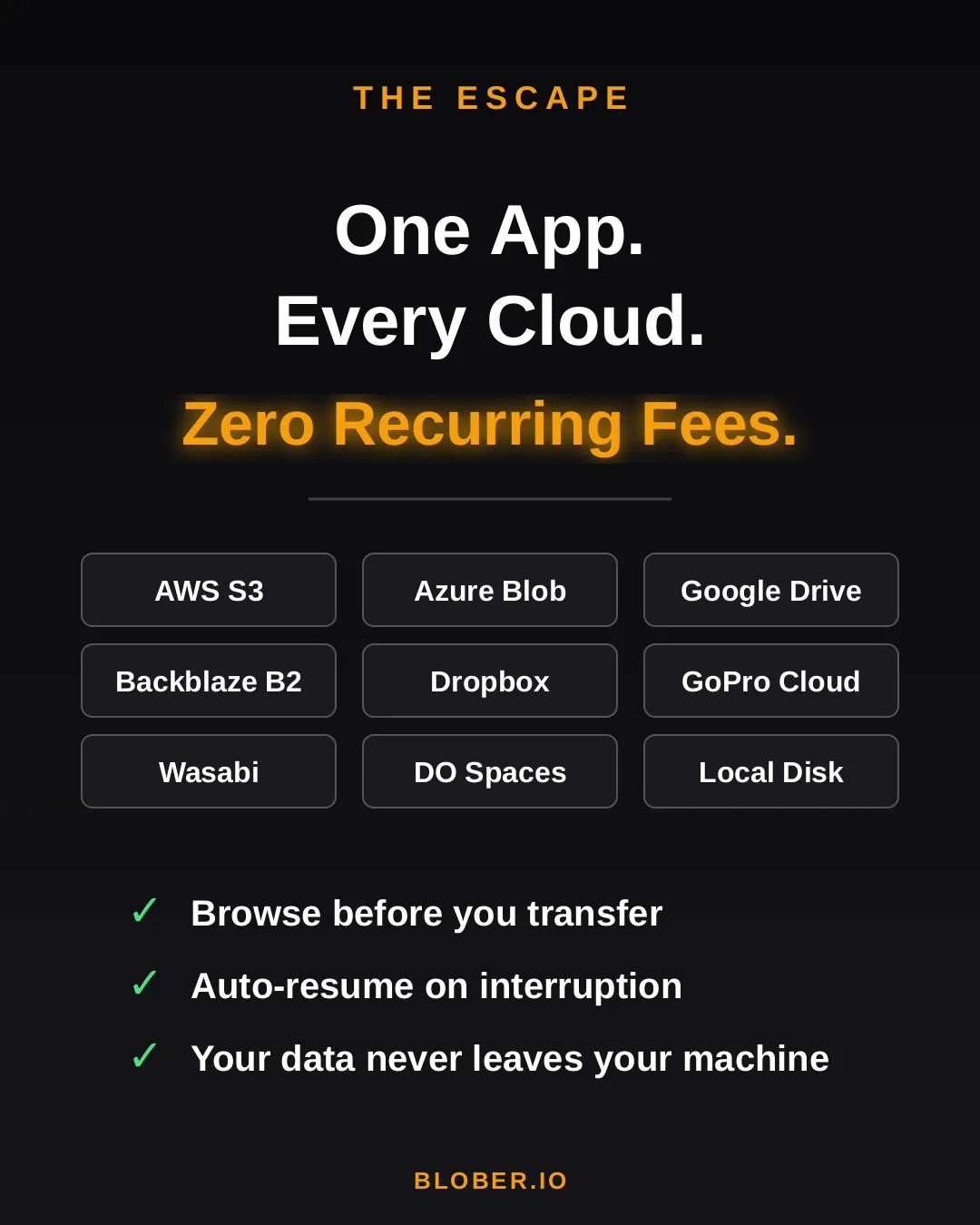
Blober is a desktop app - not a SaaS, not a CLI tool, not a cloud service. It runs on your Mac, Windows, or Linux machine and connects directly to your cloud providers:

  • AWS S3 - buckets and objects, any region
  • Azure Blob Storage - containers and blobs
  • Google Drive - files and folders, including shared drives
  • GoPro Cloud - back up your action footage locally or to any cloud
  • Backblaze B2 - the affordable S3 alternative
  • Dropbox - personal and business accounts
  • Cloudflare R2 - zero-egress object storage
  • Wasabi - hot storage without the cold fees
  • DigitalOcean Spaces - all regions, auto-detected
  • Local Disk - any folder on your machine

Your files never touch a middleman server. Blober streams directly between your machine and the provider APIs. Browse your cloud storage visually, select what you want, pick a destination - done.

If a transfer gets interrupted (bad WiFi, laptop closed, provider hiccup), Blober picks up where it left off. No re-uploading. No duplicate files.

Blober connects many cloud providers in one app: AWS S3, Azure Blob, Google Drive, GoPro Cloud, Backblaze B2, Dropbox, Cloudflare R2, Wasabi, DigitalOcean Spaces, local disk, and more

Here's what switching to Blober actually looks like:

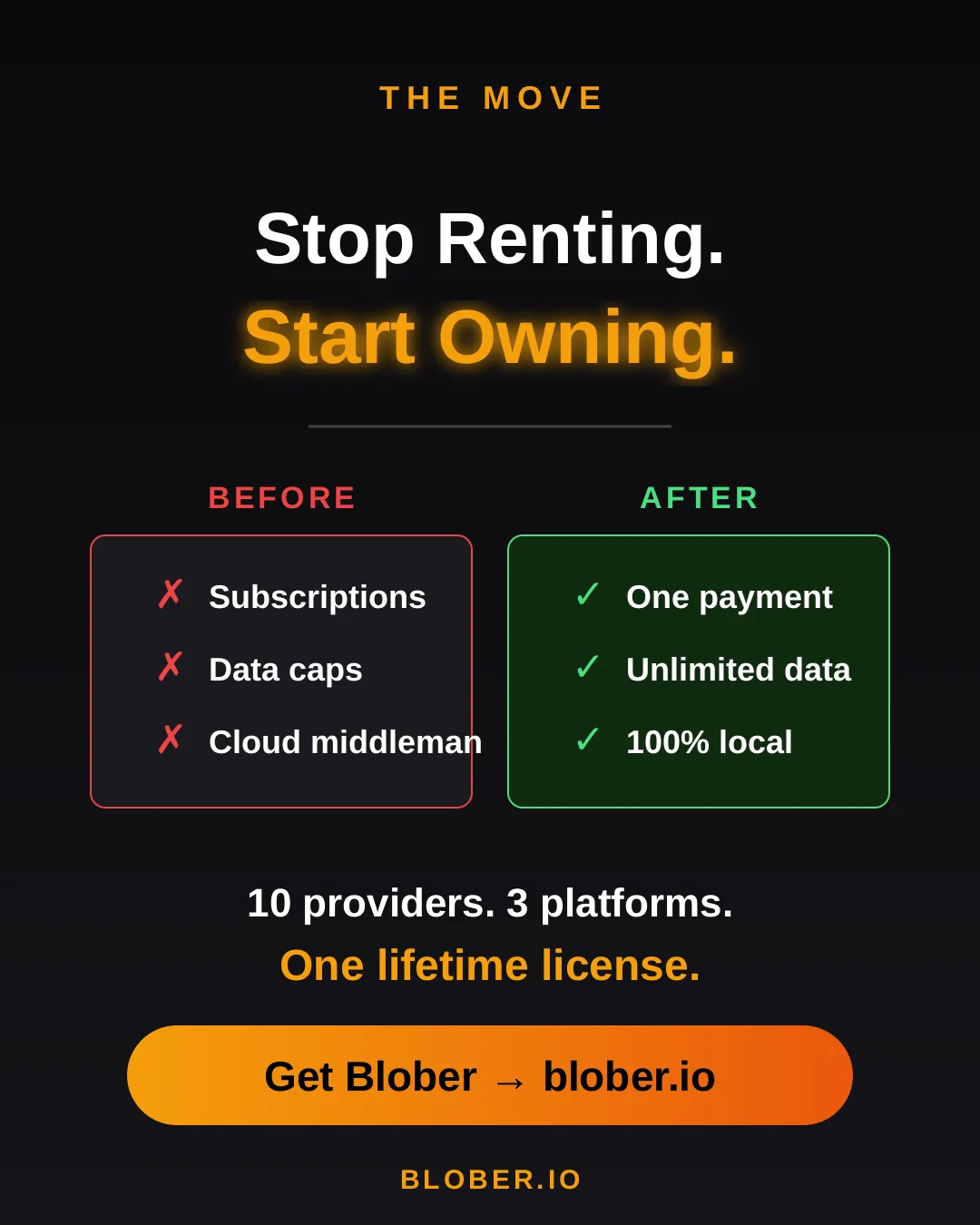
Before: You're juggling browser tabs, CLI sessions, and a spreadsheet tracking which files went where. A SaaS tool emails you that you've hit your 1.2 TB monthly cap. You Google "rclone config azure" for the third time.

After: You open Blober. Connect your accounts. Drag from source to destination. Walk away. It just works.

No internet needed for local-to-local moves. No data ever leaves your machine unless you're sending it to a cloud provider you chose.

Before and after comparison: monthly subscriptions, data caps, and files routed through servers vs. one-time payment, unlimited transfers, and 100% local execution with Blober
  • Photographers & videographers moving terabytes of footage from GoPro Cloud or Google Drive to cheaper archival storage
  • Developers & DevOps engineers migrating between S3-compatible providers without writing scripts
  • Small businesses consolidating cloud storage without paying an enterprise migration service
  • Privacy-conscious users who want their files transferred directly, not through a third-party cloud
  • Anyone tired of paying monthly fees to tools that move files you already own

Your data. Your machine. Your rules.

One payment. Unlimited transfers. No expiration.

Download Blober => blober.io

Migrating 100M+ Files from DigitalOcean Spaces to Backblaze B2

Migrating 100 million files from DigitalOcean Spaces to Backblaze B2

A media company has 25TB of data spread across 120 million files in DigitalOcean Spaces. Monthly bill: roughly $500/month. They want to move everything to Backblaze B2 to cut costs and get more flexibility.

This is a real-world pattern we see a lot. Let's walk through what it actually takes.


ItemDetailsEstimated Cost
Blober LicenseOne-time purchase, no subscriptionSee pricing
DigitalOcean Egress~24TB billable at $0.01/GiB (first 1TB free)~$240
Backblaze IngressFree. Backblaze never charges for uploads$0
Backblaze API CallsUploads are free Class A calls, minor listing costs~$2
Total (excluding license)~$242

After migrating, the monthly bill drops from ~$500 on DigitalOcean to ~$150 on Backblaze B2. With a one-time license and no per-GB transfer fees, the move pays for itself within the first month.


This is where it gets interesting. Backblaze actively wants people to switch to their platform and they back that up with real programs:

  • Free egress up to 3x your average monthly storage on B2, which means once you're on Backblaze, downloading your own data doesn't cost extra in most scenarios.
  • Unlimited free egress through CDN and compute partners like Cloudflare, Fastly, Bunny.net, and Vultr.
  • Assisted data migration is listed as a standard B2 feature on their pricing page.
  • Universal Data Migration is available for larger committed contracts (50TB+ on pay-as-you-go, or included with B2 Reserve annual plans).

Backblaze explains their philosophy well in this blog post: Cloud Egress Fees: What They Are and How to Reduce Them. The short version is that they believe egress fees are vendor lock-in, and they want to make switching easy.

Even if your dataset is under the 50TB threshold, it's worth contacting their sales team. With a 25TB dataset and willingness to commit for 12 months, there's a solid chance they'll help reduce or cover the DigitalOcean egress fees to get you onboarded.


Let's be honest here. 25TB is a lot of data.

Every file needs its own set of API calls: list from the source, download, then upload to the destination. Each round-trip carries network latency regardless of file size. When you multiply that per-object overhead across 120 million files with 25TB of bandwidth on top, the aggregate time adds up fast.

For a client-side migration where data streams through your local machine, you're looking at:

  • Several weeks of continuous runtime depending on your connection speed and latency
  • Your machine needs to stay on and connected the entire time
  • If your ISP has a monthly data cap, 25TB will almost certainly exceed it
  • 16GB+ RAM recommended for handling the file listing at this scale

This isn't a Blober limitation. Any client-side tool (rclone, Cyberduck, whatever) will face the same physics. Data has to travel from DigitalOcean's datacenter to your machine, then from your machine to Backblaze's datacenter. That's two full trips through your ISP.


Phase 1: Let the Datacenters Do the Heavy Lifting

Section titled "Phase 1: Let the Datacenters Do the Heavy Lifting"

Contact Backblaze's sales team and ask about their assisted migration options. For datasets at this scale, they partner with migration services that can move data directly between datacenters at speeds your home connection can't match. What takes weeks on a home connection can take hours on a datacenter link.

Reach out here: Backblaze Sales

Phase 2: Use Blober for Everything After

Section titled "Phase 2: Use Blober for Everything After"

Once the initial bulk migration is done, Blober becomes your daily tool for managing files across providers. New uploads, folder syncs, log rotations, moving files between buckets, all handled from your desktop with no per-GB fees and no subscriptions. Your credentials stay on your machine and never touch a third-party server.


Monthly Cost Comparison (Post-Migration)

Section titled "Monthly Cost Comparison (Post-Migration)"
DigitalOcean SpacesBackblaze B2
Storage (25TB)~$500/mo~$174/mo
Egress (3TB/mo)~$30/moFree (within 3x allowance)
Total~$530/mo~$174/mo
Annual~$6,360/yr~$2,088/yr

That's about $4,200 saved per year, every year.


For large-scale one-time migrations, use Backblaze's own migration programs. They want your business and they'll often help you get there.

For everything after that, Blober gives you a one-time license to manage, sync, and move files across any supported provider, with no recurring costs and no third party ever touching your credentials.

What Is Blober? Cloud File Transfer Made Simple

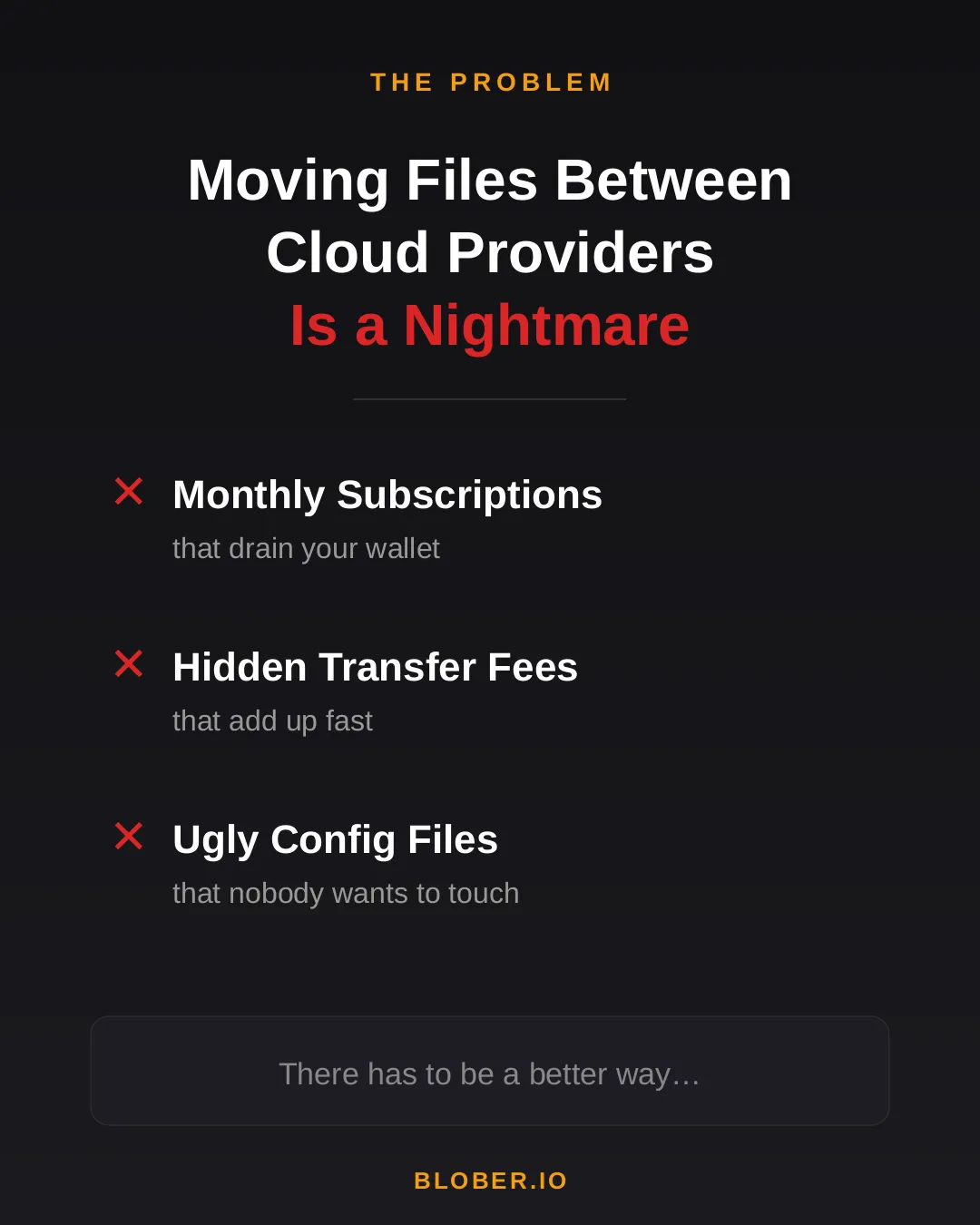
Transferring files between cloud providers today means monthly subscriptions, surprise transfer fees, and wrestling with CLI config files. Most tools are either expensive SaaS platforms or developer-only terminals with steep learning curves.

The problem with moving files between cloud providers - monthly subscriptions, hidden transfer fees, and ugly config files

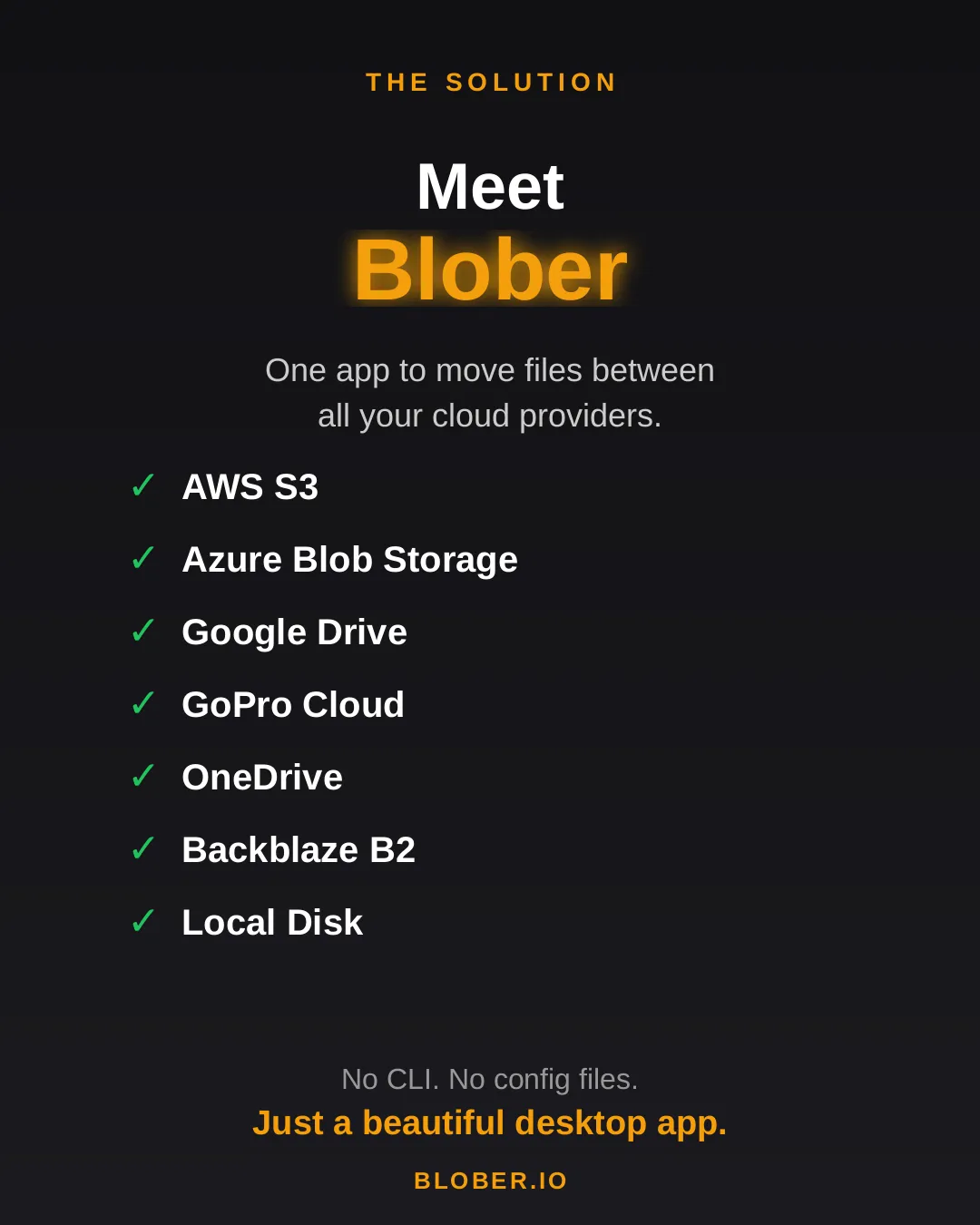
Blober is a desktop app that connects all your cloud storage in one place. AWS S3, Azure Blob Storage, Google Drive, GoPro Cloud, Backblaze B2, Wasabi, local disk, and more - all supported out of the box. No CLI. No config files. Just a beautiful, intuitive interface.

Meet Blober: one app to move files between AWS S3, Azure Blob, Google Drive, GoPro Cloud, Backblaze B2, Wasabi, local disk, and more

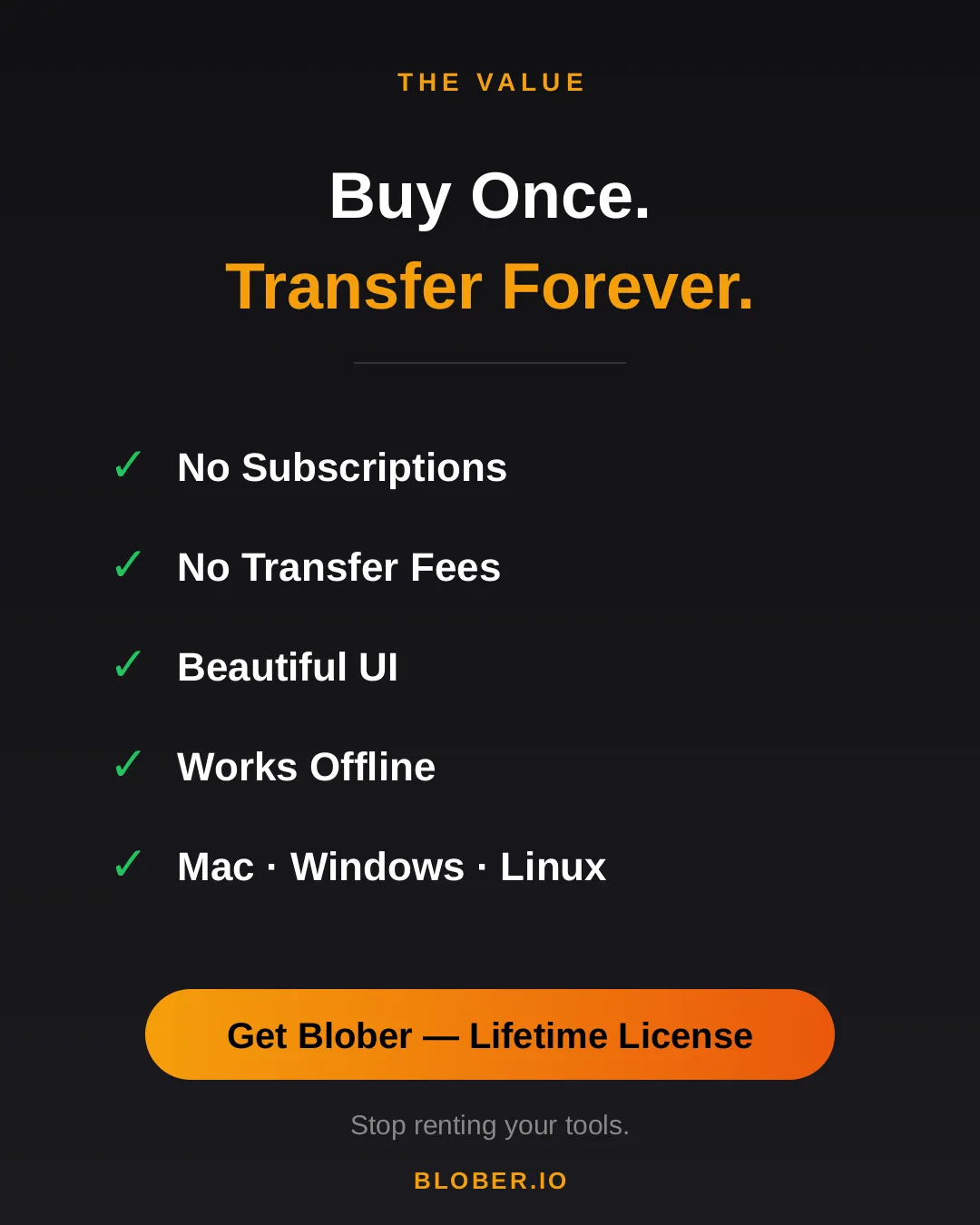
Buy once, transfer forever. No subscriptions. No transfer fees. Blober runs natively on Mac, Windows, and Linux - and it works offline too.

Blober: buy once, transfer forever. No subscriptions, no transfer fees, beautiful UI, works offline, runs on Mac, Windows, and Linux

Stop renting your tools. Download Blober =>

The True Cost of Cloud Data Migration in 2026

The true cost of cloud data migration - cost comparison chart

The Hidden Tax on Moving Your Own Data

Section titled "The Hidden Tax on Moving Your Own Data"

Moving data between cloud providers should be simple. You own the files - you just want them somewhere else. But the cloud industry has turned data migration into a profit center, layering fees at every step: egress charges, per-GB migration fees, monthly subscriptions, and data traffic caps.

Here's what cloud data migration actually costs in 2026, and why Blober's one-time pricing model is a fundamentally better deal for anyone who transfers data more than once.


Flexify charges a per-GiB fee for every migration, on top of your cloud provider's egress charges.

Migration SizeFlexify Fee (~$0.03/GiB)Provider Egress (AWS ~$0.09/GB)Total
100 GB$3$9~$12
1 TB$30$92~$122
10 TB$307$922~$1,229
100 TB$3,072$9,216~$12,288

These are per-job costs. Run the same migration next month? Pay again. Sync regularly? The meter never stops.

Flexify does offer managed migrations for 10+ TB where provider egress may be avoided through direct peering - but those require contacting sales and negotiating custom pricing.

2. Annual Subscriptions with Data Caps (MultCloud)

Section titled "2. Annual Subscriptions with Data Caps (MultCloud)"

MultCloud charges an annual subscription that includes a fixed amount of transfer traffic:

PlanAnnual CostData AllowanceCost Per TB Transferred
Free$05 GB/monthN/A (60 GB/year cap)
1,200 GB plan$59.99/year1,200 GB/year~$50/TB
2,400 GB plan$99.98/year2,400 GB/year~$42/TB

Hit the cap? Transfers stop until you renew. Need to move 5 TB? You'll need to buy the top-tier plan and wait over two years to exhaust the quota - or pay for multiple years upfront.

Over three years, MultCloud costs $180-$300 in subscriptions alone, and you're still capped on how much data you can actually move.

Blober charges a one-time license fee. No per-GB charges. No annual renewal. No data caps.

Migration SizeBlober CostProvider Egress (your standard cloud fees)
100 GB✅ One-time licenseStandard egress only
1 TB✅ Same licenseStandard egress only
10 TB✅ Same licenseStandard egress only
100 TB✅ Same licenseStandard egress only

The only variable cost is your cloud provider's standard egress fee - which you'd pay with any tool, including rclone. There is no Blober surcharge.


Per-GB fees and subscriptions compound over time. If you migrate data regularly - monthly syncs, media archives, backup rotations - the cost gap widens fast:

ScenarioFlexify (per-GB)MultCloud (subscription)Blober (one-time)
One 1 TB migration~$122$59.99/year✅ One-time
Monthly 500 GB sync~$732/yearExceeds cap✅ One-time
3 years of regular use$2,196+$180-$300✅ One-time

For users who transfer data as part of their regular workflow - not a one-time event - subscription and per-GB models are an ongoing tax. Blober eliminates it.


rclone is free and open-source. On raw cost, nothing beats free.

But rclone's cost is measured in time, not money:

  • Setup time - configuring remotes, flags, and cron jobs
  • Debugging time - when a transfer fails silently or a flag is wrong
  • Maintenance time - updating scripts when providers change APIs

For engineers who already live in the terminal, rclone is excellent. For everyone else, the time cost is significant and ongoing. Blober trades a one-time purchase for a visual, persistent workflow engine that eliminates scripting overhead entirely.


Regardless of which tool you use, cloud provider egress fees apply when downloading data. These are charged by your cloud provider, not by Blober:

ProviderStorage (TB/mo)Egress (per GB)Notes
AWS S3$26$0.09Egress-heavy workloads get expensive
Azure Blob Storage$20$0.08First 100 GB/month free
Google Cloud Storage$23$0.11Varies by region
Backblaze B2$6.95Free (up to 3x)Free egress up to 3x stored
Wasabi$6.99FreeNo egress fees ever
Cloudflare R2$15FreeZero egress by design
DigitalOcean Spaces$5 (250 GB)$0.011 TB outbound included

Pro tip: If you're choosing a destination for long-term storage, providers like Backblaze B2 ($6.95/TB/mo, free egress), Wasabi ($6.99/TB/mo, no egress fees), and Cloudflare R2 (zero egress) offer significantly lower total cost of ownership than AWS, Azure, or GCS. Blober supports all of them.


ToolCost ModelBest For
Flexify.ioPer-GB + egressEnterprise one-time migrations
MultCloudAnnual subscriptionLight, occasional consumer transfers
rcloneFree (time cost)Engineers comfortable with CLI
BloberOne-time licenseAnyone who transfers data regularly, values simplicity, or needs GoPro Cloud support

If you transfer data more than once - or plan to - a one-time license pays for itself after a single job. No subscriptions. No per-GB surprises. No data caps.

Get Blober =>

Blober vs Flexify

Blober vs Flexify - comparison of cloud migration tools

Both Blober and Flexify.io solve the same core problem: moving large volumes of data between cloud storage providers. They approach the problem from fundamentally different architectural and economic philosophies.

Flexify.io (founded 2015, Tampa FL) is a managed, cloud-based migration and virtualization platform built for enterprises moving tens or hundreds of terabytes in controlled, one-time projects. Blober is a local-first desktop workflow engine designed for continuous, repeatable transfers, with no subscriptions, no per-GB fees, and no third-party servers touching your data.


Flexify.io

  • Cloud-hosted migration engines deployed on Flexify-managed infrastructure
  • Data routes through Flexify servers (or, for managed 10 TB+ migrations, direct cloud-to-cloud)
  • Usage-based pricing: you pay per GiB transferred
  • Emphasis on API virtualization: translates Amazon S3 API to Azure Blob Storage on-the-fly
  • Supports ~25 object-storage providers (S3-compatible, Azure, GCS, Alibaba, etc.)

Blober

  • Runs entirely on your local machine (Windows, macOS, Linux)
  • Transfers go directly between your machine and each storage provider - no intermediary servers
  • All credentials stored locally and never transmitted to a third party
  • Supports unique providers like GoPro Cloud that no other migration tool covers

This distinction matters for users who care about cost predictability, credential ownership, data sovereignty, and ongoing workflows rather than one-time migrations.


AspectBloberFlexify.io
Pricing style✅ One-time licenseUsage-based (per GiB)
Current costDiscounted beta pricing~$0.03/GiB Flexify fee + provider egress ($0.05-$0.09/GiB)
Subscription✅ NoneSign-up required ($20 free credit)
Long-term cost✅ Fixed foreverGrows with every transfer
1 TB migration✅ One-time price~$80 to $120+ in fees

For a single 1 TB migration from AWS S3 to Google Cloud Storage, Flexify's self-service rate is approximately $0.08 to $0.12 per GiB, which works out to $80 to $120+ for that one job. With Blober, only your provider's standard egress fees apply; there is no Blober per-GB charge.


FeatureBloberFlexify.io
Cloud-to-cloud transfer✅ YesYes
Local filesystem integration✅ YesLimited
GoPro Cloud support✅ Yes❌ No
Metadata-based path templating✅ YesNo
Persistent task history✅ YesManaged dashboard
Workflow reuse✅ YesLimited
Resumable workflows✅ YesYes
API accessNoYes
Virtual S3 endpointNoYes
Credential storage✅ Local onlyCloud-managed
Data path✅ DirectThrough Flexify servers

With Flexify, your storage credentials are stored on their servers and your data may transit through Flexify-managed infrastructure. For regulated industries, sensitive media archives, or personal data, this introduces a third-party dependency and potential compliance exposure.

Blober eliminates this concern entirely:

  • Credentials never leave your machine. No third-party vault, no OAuth token stored in a SaaS dashboard
  • Data flows directly between your local machine and each cloud provider
  • Blober works offline with a one-time license
  • Full control over when, where, and how your data moves

Blober is the only migration tool that supports GoPro Cloud, letting GoPro users back up or transfer their media archives to any supported provider (AWS S3, Backblaze B2, Wasabi, local disk, etc.). Neither Flexify, rclone, nor MultCloud offer GoPro Cloud integration.

This makes Blober the go-to choice for photographers, videographers, and agencies managing GoPro footage across storage tiers.


Flexify.io is a mature enterprise platform (since 2015) with production-scale deployments and petabytes migrated. Blober is newer and currently in beta, with faster iteration and less operational overhead.

Blober offsets its maturity gap with:

  • Aggressive beta pricing: lock in your license before prices go up
  • Rapid feature development with direct community influence on the roadmap
  • No lock-in to ongoing fees: one purchase, unlimited use
  • Desktop-native architecture that is inherently simpler and more predictable

Choose Blober if you:

  • Transfer data regularly, not just once
  • Want full control over credentials and data flow
  • Need GoPro Cloud support (only Blober has it)
  • Prefer a native desktop UI over enterprise SaaS dashboards
  • Want predictable lifetime pricing with no per-GB surprises
  • Care about data sovereignty, with no third-party servers touching your files

Download Blober at blober.io

Blober vs Flexify vs rclone

Blober vs Flexify vs rclone - three cloud transfer tools compared

Three tools dominate cloud data transfer in 2026 - each solving the problem from a completely different angle. Here's how they compare.


DimensionBloberFlexify.iorclone
Architecture✅ Local-first desktopManaged SaaSCLI utility
Pricing✅ One-time licenseUsage-based (~$0.03-$0.04/GiB + egress)Free
Ease of use✅ High (native GUI)Medium (web dashboard)Low (terminal only)
Provider count9+ and growing~25 (object storage)70+
GoPro Cloud supportYes (exclusive)❌ No❌ No
Credential control✅ Local onlyCloud-managedLocal config file
Data path✅ Direct (no middleman)Through Flexify serversDirect (local)
Workflow persistence✅ Built-inDashboard-basedNone (manual scripts)
Task history & resume✅ Built-inDashboard-basedLogs only
Metadata path templates✅ YesNoManual scripting
AutomationLimitedHighVery high
API virtualizationNoYes (S3-to-Azure gateway)No
Enterprise scaleHighHighHigh
Open sourceNoNoYes
Best forAgencies, creators, engineersEnterprises (petabyte migrations)Engineers, sysadmins

ScenarioBloberFlexify.iorclone
100 GB migration✅ One-time~$8 - $12Free
1 TB migration✅ One-time~$80 - $120+Free
10 TB migration✅ One-time~$800 - $1,200+Free
Recurring monthly✅ $0Compounds every runFree

Flexify charges per GiB transferred plus cloud provider egress fees. Costs add up fast for recurring workflows. rclone is free but demands engineering time. Blober sits in the sweet spot: pay once, transfer forever.


ConcernBloberFlexify.iorclone
Credentials stored✅ Local onlyFlexify serversLocal config file
Data transits 3rd party✅ NoYes (Flexify infra)No
Account required✅ NoYesNo
Offline operation✅ YesNoYes

For regulated industries, sensitive media archives, or personal data - avoiding third-party intermediaries is not a preference, it is a requirement. Both Blober and rclone keep your data path clean. Flexify introduces a managed middleman.


Blober is the only transfer tool that supports GoPro Cloud. Neither Flexify nor rclone can access GoPro's storage. If you manage GoPro footage - whether as a creator, agency, or production house - Blober is the only option for migrating that media to professional storage like Backblaze B2, AWS S3, or your local NAS.


  • rclone is the most powerful tool if you are deeply technical, automation-driven, and comfortable with terminal workflows. It is free and supports 70+ providers.
  • Flexify.io is ideal for enterprises running massive one-time migrations under strict SLAs, especially when virtual S3 endpoints or managed infrastructure are required. Budget accordingly - costs scale with data volume.
  • Blober fills the gap between them: professional-grade transfers with a native desktop GUI, local credential control, visual workflows, predictable one-time pricing, and exclusive GoPro Cloud support.

Blober's beta pricing locks in a lifetime license at a fraction of the cost competitors charge for a single large migration. For users who value simplicity, sovereignty, and long-term savings - Blober is the clear choice.

Blober vs MultCloud

Blober vs MultCloud - one-time pricing versus subscription cloud transfer

MultCloud (founded 2012, Hong Kong) is a web-based platform for transferring, syncing, and managing files across 30+ cloud services. It is subscription-based and routes all data through MultCloud's servers.

Blober is a local-first desktop application that transfers data directly between your machine and cloud providers, with no middleman, no subscription, and no data caps.

Both tools target non-technical users who want cloud-to-cloud transfers without writing scripts. The difference lies in architecture, pricing, and trust.


MultCloud

  • Web-based SaaS: runs entirely in your browser
  • All data routes through MultCloud's servers in Hong Kong
  • Requires an account and OAuth access to your cloud accounts
  • Subscription required for meaningful use (free tier: 5 GB/month)

Blober

  • Native desktop application (Windows, macOS, Linux)
  • Data flows directly between your machine and each cloud provider
  • No intermediary servers. Your files never touch a third party
  • Credentials stored locally, never transmitted

AspectBloberMultCloud
Pricing style✅ One-time licenseSubscription (annual)
Free tierN/A (beta pricing)5 GB/month, 2 transfer threads
Mid-tier plan-$59.99/year for 1,200 GB/year
Top-tier plan-$99.98/year for 2,400 GB/year
Transfer threadsAutomatic parallelismFree: 2 threads, Paid: 10 threads
Data capNoneCapped per plan (5 GB to 2,400 GB/year)
Long-term cost (3y)✅ One-time purchase$180 to $300+

MultCloud's data traffic limits are a hard ceiling. Once you exhaust your annual quota, transfers stop until you renew. Blober has no transfer caps. Move as much data as your bandwidth allows.


FeatureBloberMultCloud
Cloud-to-cloud transfer✅ YesYes
Local filesystem integration✅ YesNo (web-only)
GoPro Cloud supportYes (exclusive)❌ No
Storage-optimized transfers✅ YesGeneric
Workflow persistence✅ YesScheduled tasks
Task history and logs✅ YesBasic dashboard
Metadata path templates✅ YesNo
Resumable transfers✅ YesLimited
Sync (two-way)PlannedYes
Email-to-cloud (PDF)NoYes
Credential storage✅ Local onlyMultCloud servers (OAuth)
Data path✅ DirectThrough MultCloud servers

This is where the difference is starkest. MultCloud requires OAuth access to your cloud accounts and routes all transferred data through its own servers. Their privacy page states data is "temporarily cached" during operations.

Blober takes the opposite approach:

  • Credentials never leave your machine. No OAuth tokens stored on third-party servers
  • Data flows directly between your local machine and each cloud provider
  • No account needed. Blober works with a license key, offline
  • No data caching. Nothing is stored, buffered, or logged on remote servers

For users transferring personal photos, sensitive business documents, or media archives, the question is simple: do you want your data flowing through servers in Hong Kong, or directly from your machine to your cloud provider?


MultCloud supports 30+ consumer cloud services (Google Drive, Dropbox, OneDrive, etc.) but does not support GoPro Cloud. If you need to move GoPro footage to professional storage like Backblaze B2, AWS S3, or Wasabi, MultCloud cannot help.

Blober is the only transfer tool with native GoPro Cloud integration, which makes it essential for photographers, videographers, and agencies managing action camera footage.


Choose Blober if you:

  • Need to move large volumes of data without annual caps
  • Want predictable, one-time pricing, not $60 to $100/year forever
  • Prefer local execution over web-based SaaS
  • Require data sovereignty, with no files routing through third-party servers
  • Need GoPro Cloud support (only Blober has it)
  • Value detailed task history, resumable workflows, and metadata-based organization
  • Care about credential security, with no OAuth tokens stored in the cloud

Blober vs rclone

Blober vs rclone - visual UI versus CLI for cloud transfers

rclone is the industry-standard CLI tool for cloud storage automation among developers and sysadmins. It is extremely powerful, supports over 70 storage providers, and is completely free and open-source. Its tradeoff is complexity - every job requires flags, config files, and terminal expertise.

Blober is built for users who want rclone-level capability without managing flags, scripts, or terminal state. It replaces stateless CLI execution with persistent, visual workflows that anyone can set up and repeat.


rclone

  • Command-line only (experimental web GUI exists, but limited)
  • Configuration files and flags - every job requires manual setup
  • Excellent for scripting and cron-based automation
  • Steep learning curve for non-technical users
  • No built-in workflow persistence - you must manage your own scripts

Blober

  • Native desktop GUI (Windows, macOS, Linux)
  • Visual setup of sources, destinations, and filters
  • Saved workflows with one-click execution
  • Built-in task history with resumable state
  • Designed for repeatability and clarity - no terminal required

FeatureBloberrclone
Interface✅ GUICLI
Provider countGrowing70+
GoPro Cloud support✅ Yes❌ No
Local filesystem✅ YesYes
Cloud-to-cloud✅ YesYes
Workflow persistence✅ YesNo (manual scripts)
Metadata path templates✅ YesManual scripting
Task history & resume✅ YesLogs only
EncryptionPlannedBuilt-in
AutomationLimitedExtensive
Open sourceNoYes
Data path✅ DirectDirect (local)

rclone supports over 70 providers - but GoPro Cloud is not one of them. If you shoot with GoPro cameras and want to move your media from GoPro's cloud to Backblaze B2, AWS S3, Wasabi, or your local NAS, rclone simply cannot help.

Blober is the only transfer tool with native GoPro Cloud integration, making it the obvious choice for photographers, videographers, action sports creators, and agencies managing GoPro media libraries.


rclone requires upfront configuration, careful flag selection, and scripting discipline to safely repeat jobs:

Terminal window
rclone copy remote:bucket/path dest:bucket/path \
--transfers 4 --checkers 8 --retries 3 \
--filter-from filters.txt --log-file transfer.log

Forget a flag? Change a path? The job silently behaves differently. There is no built-in history of what ran, when, or whether it succeeded.

Blober stores each workflow as a durable configuration with immutable execution history. If a transfer is interrupted, Blober resumes based on stored state rather than re-running a stateless command.

This difference becomes critical for:

  • Long-running transfers over unreliable connections
  • Media archives with thousands of files
  • Users who run transfers infrequently and forget the exact flags
  • Teams where multiple people need to trigger the same workflow

Both rclone and Blober are local-first tools - your credentials stay on your machine. This is a shared advantage over SaaS competitors like Flexify and MultCloud where credentials and potentially data flow through third-party servers.

Where Blober adds value over rclone:

  • No terminal exposure - credentials are managed in a secured desktop app, not plaintext config files
  • Encrypted credential storage - not a ~/.config/rclone/rclone.conf file on disk
  • Visual audit trail - every transfer logged with timestamps, file counts, and status

AspectBloberrclone
CostOne-time licenseFree
SupportProduct supportCommunity forums
UpdatesIncluded with licenseCommunity-driven
Target userCreators, agencies, engineersEngineers, sysadmins

rclone being free is a genuine advantage. Blober earns its price by saving time, reducing errors, and opening cloud transfers to users who would never touch a terminal.


Choose Blober if you:

  • Prefer visual tools over terminal commands
  • Want repeatable workflows without writing scripts
  • Need GoPro Cloud support (only Blober has it)
  • Need clarity, task history, and one-click resumption
  • Transfer data occasionally but need it to work reliably every time
  • Value convenience and productivity over maximum flexibility
  • Want credentials stored securely - not in a plaintext config file

Download Blober at blober.io