Skip to content

backup

7 posts with the tag "backup"

GoPro Cloud Backup: 6 Methods Compared (and the Best for Each Job)

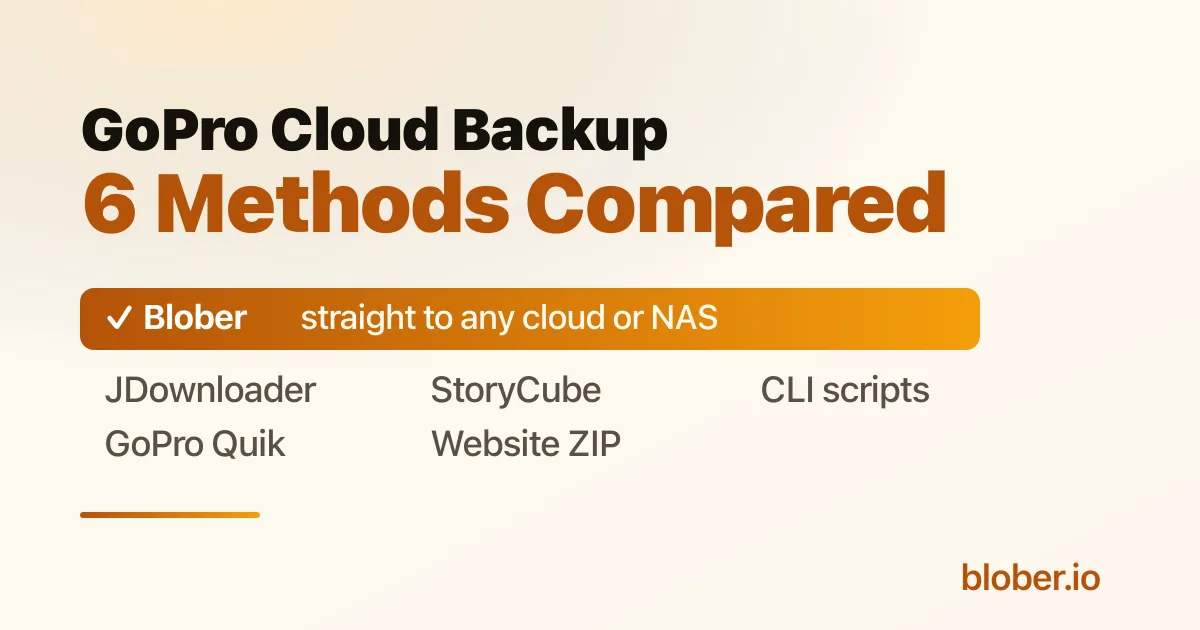
GoPro Cloud backup methods compared, with Blober the best for moving footage to another cloud or NAS

Backing Up a Full GoPro Cloud Library

Section titled "Backing Up a Full GoPro Cloud Library"

The problem: GoPro Cloud has no "Download All" button. The website lets you grab about 25 files at a time as a ZIP, and large batches often stall. For a year of 5.3K footage, clicking through 25-file batches is not a real plan.

The short answer: there are five honest ways to get your whole library out, and they split into two camps. Most of them download your footage to your computer first and leave the rest to you. One of them, Blober, moves the library straight from GoPro Cloud to another cloud or a NAS with no download-and-reupload round trip. Which one is "best" depends on where you want the footage to land. Below is each option, what it does well, and where it slows down.

Why Bulk Download Is Hard in the First Place

Section titled "Why Bulk Download Is Hard in the First Place"

GoPro Cloud is built around the capture-and-edit loop, not around handing you your raw archive. Three facts shape every method here:

  • The web portal caps batch downloads at roughly 25 files, bundled into a ZIP. Big batches time out, and you repeat the process by hand.
  • There is no public API and no official cloud-to-cloud export.
  • Your library is tied to the subscription. Cancel it and access ends, so a copy you own matters.

Keep those in mind and the trade-offs between the methods make sense.

Method 1: The GoPro Website (Manual ZIP Download)

Section titled "Method 1: The GoPro Website (Manual ZIP Download)"

How it works: sign in at gopro.com, open your media library, select up to 25 items, and download the batch as a ZIP. Repeat until you have everything.

Good for: a small number of clips, or grabbing one shoot. It is official, free with your subscription, and needs nothing installed.

Watch for: the 25-file cap turns a large library into dozens of manual rounds. Large ZIPs can fail or time out, and you only find out after the wait. Everything lands on your local disk, so getting it into another cloud later is a separate job.

Method 2: The GoPro Quik App (Phone or Tablet)

Section titled "Method 2: The GoPro Quik App (Phone or Tablet)"

How it works: open Quik, go to Media then Cloud, select your files (you can select all), tap share, and save them to your device. From there you move them off the phone.

Good for: people who mostly shoot and review on a phone and only need a modest number of clips on the camera roll. Official and free with the subscription.

Watch for: the files land in phone storage first, which fills fast with 5.3K video, and you still have to move them to a computer or another cloud afterward. It runs one device at a time and is slow over a phone connection. Not practical for hundreds of gigabytes.

Method 3: ASUS StoryCube (Windows)

Section titled "Method 3: ASUS StoryCube (Windows)"

How it works: StoryCube is an ASUS-engineered, AI-powered media manager. As of October 2025 it is the first Windows app to connect to GoPro Cloud, including .360 footage. It auto-organizes clips by activity, previews and reframes GoPro MAX footage, and lets you drag clips into editors like Adobe Premiere Pro or CapCut.

Good for: Windows creators who want to organize and edit, especially 360 video. The AI sorting and 360 reframing are genuinely useful, and ASUS laptop buyers may get a GoPro Premium subscription included. If your goal is to edit on a PC, this is a strong, official option.

Watch for: it runs on Windows only, so Mac and Linux users are out. It is built to organize and edit on your machine, not to migrate your library into Dropbox, Google Drive, a NAS, or object storage. As a back-up-to-anywhere tool, that is the gap.

Method 4: JDownloader 2 (Free Download Manager)

Section titled "Method 4: JDownloader 2 (Free Download Manager)"

How it works: JDownloader is a free, open-source download manager with a GoPro Plus Media Library plugin. You add your GoPro account, paste the media-library link, and it scans your whole library and batch-downloads it to a local folder with no 25-file cap.

Good for: a free way to pull your entire library down to your computer in one pass. It is open source, cross-platform, and removes the batch limit. If local disk is your destination and you do not mind a busy interface, it does the job at no cost.

Watch for: you type your GoPro password directly into the app's account manager, and an active subscription is required. It downloads to local storage only, so footage destined for Dropbox or a NAS still needs a manual upload after. The general-purpose interface takes a little learning.

Method 5: Open-Source CLI Scripts (e.g. GoPro Plus Downloader)

Section titled "Method 5: Open-Source CLI Scripts (e.g. GoPro Plus Downloader)"

How it works: community projects such as the GoPro Plus Downloader run from the command line or Docker. You supply an auth token and user ID pulled from your browser session, and the script pages through your library and downloads everything, which suits unattended NAS and Synology jobs.

Good for: developers and homelab users who like automation. It is free, open source, has no 25-file limit, and drops cleanly into a Docker or NAS routine.

Watch for: you extract a JWT token and user ID from your browser dev tools, and the token expires, so you redo it now and then. It is command-line first with no graphical browser, and it downloads to a local volume, so onward delivery to another cloud is on you. Maintenance follows the project's author.

Method 6: Blober (Straight to Another Cloud, NAS, or Local)

Section titled "Method 6: Blober (Straight to Another Cloud, NAS, or Local)"

How it works: Blober is a desktop app for Mac, Windows, and Linux that connects to GoPro Cloud as a first-class provider. You sign in through a normal browser login, Blober captures the session, and you get a visual file browser of your whole library. Select one file, a folder, or your entire storage, choose a destination, and run.

Here is what sets it apart from every method above: the destination can be another cloud or a NAS, and the transfer goes directly there. Blober moves GoPro Cloud footage to Dropbox, Google Drive, OneDrive, Backblaze B2, Wasabi, AWS S3, Cloudflare R2, Azure Blob, or DigitalOcean Spaces, as well as to a local drive or a Synology or QNAP share. The files never have to be downloaded to your computer and re-uploaded by hand.

Good for: backing up or migrating a full library to storage you own, or to another cloud, in one step. The parts that matter:

  • No 25-file limit. Transfer 10 files or 10,000 in a single run.
  • Direct cloud-to-cloud movement, so there is no download-then-reupload round trip.
  • Parallel transfers that keep your connection busy, roughly four times faster than GoPro's one-at-a-time app, with auto-resume if the connection drops.
  • A browser-based login, so your credentials are not stored or sent to any server. Everything runs on your machine.
  • Path templates like /{camera_model}/{capture_date}/{filename} that turn a flat dump into a tidy archive.
  • Full original quality, with no re-encoding.

Watch for: Blober is a one-time purchase rather than free. It runs workflows on demand with skip-existing for repeat runs, so it is a refresh you trigger yourself, not a scheduled background sync. If your only goal is a single local copy and cost is the deciding factor, the free tools above also work.

Move your GoPro Cloud library straight to Dropbox, a NAS, or Backblaze B2. Download Blober.

MethodPlatformBeats the 25-file capStraight to another cloud or NASSetupCost
GoPro website (ZIP)Any browserNoNo (local ZIP)NoneFree with subscription
GoPro Quik appiOS, AndroidYesNo (via phone)NoneFree with subscription
ASUS StoryCubeWindows onlyYesNo (organize and edit)App installFree, ASUS-tied
JDownloader 2Win, Mac, LinuxYesNo (local only)ModerateFree
CLI scriptsDocker, CLIYesNo (local only)TechnicalFree
BloberWin, Mac, LinuxYesYesApp installOne-time

Prices and features change, so confirm current details with each provider.

  • You want a few clips fast with nothing installed: the GoPro website is fine.
  • You live in the Quik app and only need some footage on your phone: use Quik.
  • You are on Windows and mainly want to organize and edit, especially 360: StoryCube is a great fit.
  • You want a free full download to your computer and do not mind setup: JDownloader, or a CLI script if you automate a NAS.
  • You want your whole library on another cloud, a NAS, or cheap object storage in one step: Blober, because it is the only option that moves it there directly.

The honest framing: if local disk is your final destination and free is the priority, the free tools are good, and you should use them. The moment your destination is another cloud or a NAS, every other method makes you download first and upload second. That is the step Blober removes.

A Direct Transfer, Start to Finish

Section titled "A Direct Transfer, Start to Finish"
  1. Open Blober and create a workflow. Pick GoPro as the source and click the GoPro login. Sign in, and Blober captures your session.
  2. Browse your library and tick what you want, or select the entire storage.
  3. Choose a destination: Dropbox, Google Drive, Backblaze B2, a NAS, or any supported provider.
  4. Optionally set a path template so files arrive organized by camera and date.
  5. Run it. Watch live progress, and let auto-resume handle any dropouts.

For a large archive you can start it and leave it running overnight.

Can I download my entire GoPro library at once? Not through the GoPro website, which limits you to roughly 25 files per ZIP. JDownloader, CLI scripts, and Blober all remove that cap. Blober also sends the library straight to another cloud or a NAS instead of only to your local disk.

How do I move GoPro Cloud footage to another cloud? Blober transfers GoPro Cloud directly to Dropbox, Google Drive, OneDrive, Backblaze B2, Wasabi, AWS S3, Cloudflare R2, Azure Blob, or DigitalOcean Spaces, with no download-and-reupload step.

What is the best way to download GoPro Cloud videos for free? JDownloader's GoPro Plus plugin, or an open-source CLI script. Both pull your full library to local storage at no cost. You handle any later upload yourself.

Will I lose my footage if I cancel GoPro? Access to the cloud library ends when the subscription ends, and GoPro does not publish how long files are kept afterward. Back up everything before you cancel. See How to Cancel GoPro Plus Without Losing Your Footage.

Does anything handle 360 footage? StoryCube previews and reframes GoPro MAX 360 footage on Windows. Blober transfers the .360 files themselves to your chosen destination at full quality.

Is the browser login safe? Blober uses GoPro's own browser login and keeps the session on your machine. Your password is not stored or sent to any server. The session lasts about 20 hours, then you sign in again.

Keep a copy of your footage on storage you control. Blober is the only app that moves your GoPro Cloud library straight to another cloud, a NAS, or a local drive, and it is a one-time purchase with no subscription and no per-GB fees.

Download Blober at blober.io

DigitalOcean Spaces: Regions, Cross-Region Replication, and Backup

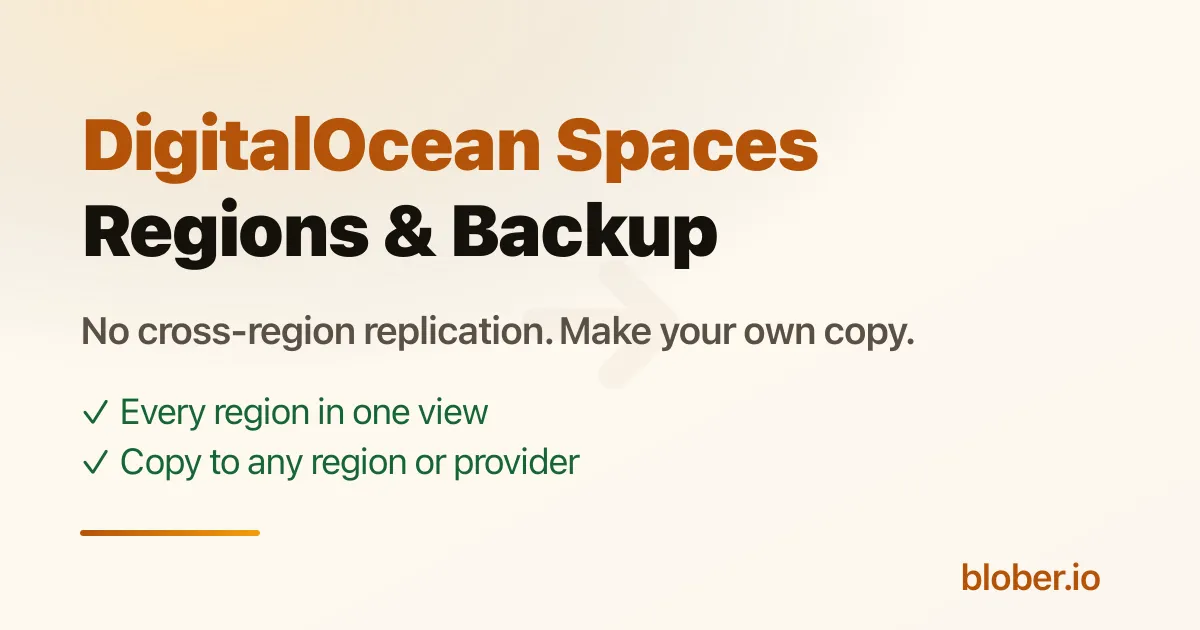
DigitalOcean Spaces regions and cross-region replication explained

Spaces Regions and the Replication Question

Section titled "Spaces Regions and the Replication Question"

The problem: people assume DigitalOcean Spaces replicates across regions the way Amazon S3 can, so a single Space feels like a backup. It is not. A Space lives in one region, and DigitalOcean does not copy it to another region for you.

The short answer: pick the region closest to your users when you create a Space, and if you want a second copy in another region or another provider, you have to make it yourself. This page lists the regions, explains what Spaces does and does not replicate, and shows how to create a real backup copy.

Each Space is tied to one datacenter region, chosen at creation and fixed afterward. The current Spaces regions and their locations:

Region codeLocation
NYC3New York City, United States
SFO3San Francisco, United States
AMS3Amsterdam, Netherlands
FRA1Frankfurt, Germany
SGP1Singapore
SYD1Sydney, Australia
BLR1Bangalore, India

DigitalOcean adds regions over time, so check their documentation for the latest availability. The practical rule is unchanged: choose the region nearest the people who read the data most, because a Space only serves from its own region's endpoint.

Does DigitalOcean Spaces Do Cross-Region Replication?

Section titled "Does DigitalOcean Spaces Do Cross-Region Replication?"

No. DigitalOcean Spaces does not offer built-in cross-region replication. There is no setting that mirrors a Space in NYC3 to a Space in FRA1, and no automatic failover to another region.

This is the main difference from Amazon S3, which has Cross-Region Replication (CRR) as a bucket feature. On Spaces, if you want the same objects in two regions, you copy them there yourself and keep them in sync by re-copying when things change.

A few consequences worth knowing:

  • A region outage affects a single Space directly. With no replica, you cannot fail over to another region automatically.
  • Compliance or latency in a second geography means creating a second Space and populating it yourself.
  • There is no native "backup to another region" button. Backup is something you set up, not something Spaces does for you.

DigitalOcean Spaces includes a built-in CDN that caches your objects at edge locations for faster delivery. This is easy to mistake for replication, but it is not. The CDN caches copies for performance and can expire them at any time. The authoritative copy still lives in one region, and if that object is lost, the cache does not protect you. Edge caching speeds up reads; it does not give you a durable second copy.

How to Copy a Space to Another Region or Provider

Section titled "How to Copy a Space to Another Region or Provider"

Since Spaces will not replicate for you, the job is a straightforward copy, and Blober handles it without scripts or AWS-CLI loops.

  • Spaces to another Spaces region. Connect your DigitalOcean account in Blober. It detects every Space across all regions in one view, so you can copy objects from a Space in one region into a Space you create in another. Run it again later to refresh the copy, skipping objects that already exist.
  • Spaces to another provider. Use the same flow to copy a Space to AWS S3, Backblaze B2, Wasabi, Cloudflare R2, Azure Blob, Google Drive, Dropbox, or local and NAS storage, for an offsite backup that does not depend on DigitalOcean at all.
  • Resumable. Large copies survive a dropped connection and continue where they stopped.

This gives you the second copy that Spaces does not provide on its own, in whichever region or provider you choose.

If the goal is not a backup but a move, the steps are the same, just pointed at one destination. The most common move is to Amazon S3, which has the storage tiers and ecosystem Spaces lacks. There is a full walkthrough in How to Migrate from DigitalOcean Spaces to AWS S3, including how Blober detects Spaces across all seven regions and maps them to S3 storage classes.

For very large Spaces with millions of objects, see Migrating 100 Million Files from DigitalOcean to Backblaze.

Does DigitalOcean Spaces support cross-region replication? No. There is no built-in cross-region replication. To have a Space's objects in a second region, you copy them yourself, which Blober can do across all regions in one workflow.

Which regions can I create a Space in? Currently NYC3, SFO3, AMS3, FRA1, SGP1, SYD1, and BLR1. DigitalOcean occasionally adds regions, so confirm on their site.

Can I move a Space from one region to another? Not in place. You create a new Space in the target region and copy the objects over. Blober copies between regions directly without downloading everything to your computer first.

Is the Spaces CDN a backup? No. The CDN caches objects at the edge for faster delivery and can evict them at any time. The durable copy still sits in one region. For a backup, make a separate copy in another region or provider.

How do I migrate from DigitalOcean to AWS? Connect both in Blober, set DigitalOcean as the source and S3 as the destination, and run. The DigitalOcean Spaces to AWS S3 guide covers it step by step.

Make the second copy that DigitalOcean Spaces will not make for you, to another region or another provider. Blober is a one-time purchase with no per-GB fees.

Download Blober at blober.io

GoPro Cloud Storage: The Complete Guide (Plans, File Types, Sharing, Limits)

GoPro Cloud Storage complete guide - plans, file types, sharing, and limits

The short version: GoPro Cloud is the storage that comes with a GoPro Premium or Premium+ subscription. When your camera charges on Wi-Fi, it auto-uploads your footage at full quality, and you edit and share it from the Quik app. Storage for GoPro-captured video and photos is unlimited; storage for footage from other cameras is capped.

The one limit that matters most: your cloud footage is tied to the subscription. Stop paying and you lose access to it. Everything below explains the plans, file types, sharing, and limits in plain terms, and how to keep a copy you own.

This is a reference page. Each section answers one common question, so jump to whichever one you came for.

GoPro Cloud is an auto-upload and backup service bundled with a GoPro subscription. The idea is simple: plug your camera in to charge, and while it sits on Wi-Fi, the day's footage uploads itself to the cloud at 100% quality. The camera's SD card can then clear, and the Quik app turns your clips into highlight videos you can watch and share from your phone.

It is built around the GoPro workflow, not as a general file locker. The headline feature, unlimited storage, applies only to media captured on a GoPro camera.

GoPro Premium and Premium+: Plans and Features

Section titled "GoPro Premium and Premium+: Plans and Features"

GoPro sells two subscription tiers (the service was previously called GoPro Plus). Here is what each one includes and how the cloud allowance compares to general storage services.

PlanPriceGoPro footageNon-GoPro footage
GoPro Premium$59.99/yrUnlimited cloud storage100 GB
GoPro Premium+$99.99/yrUnlimited cloud storage500 GB
Google One (for comparison)$99.99/yrn/a2 TB total
Apple iCloud+ (for comparison)$119.88/yrn/a2 TB total

Beyond storage, a GoPro Premium subscription also includes:

  • Auto-upload to the cloud at full quality while the camera charges on Wi-Fi
  • Automatic highlight videos generated in the Quik app
  • Guaranteed camera replacement for any reason (subject to GoPro's terms)
  • Up to 50% off accessories at gopro.com
  • Up to $150 off two cameras per year
  • Live streaming

Premium+ adds the larger 500 GB allowance for non-GoPro footage and some advanced editing features in Quik. Prices and inclusions change, so confirm the current numbers on GoPro's subscription page before you buy.

GoPro Cloud stores what your camera produces, plus media you add through the Quik app.

SourceTypical formats
GoPro video.mp4 (HEVC or H.264), .360 on Max and 360 cameras
GoPro photo.jpg, and .gpr RAW (GoPro's DNG-based RAW)
Added through QuikPhotos and videos from your phone or other cameras

The unlimited allowance is for content captured on a GoPro device (Fusion is excluded). Footage from other cameras counts against the 100 GB (Premium) or 500 GB (Premium+) non-GoPro allowance.

Sharing happens mainly through the Quik app and your GoPro account:

  • Highlight videos. Quik auto-edits your uploaded clips into a shareable video you can post or send as a link.
  • Shared links. You can share individual media or edits as links to people who do not have a GoPro account.
  • Social export. Quik exports directly to the usual social platforms at chosen resolutions.

Sharing is designed for finished edits and individual clips, not for handing someone your entire raw library. There is no public API and no bulk export-and-share.

The limits people run into:

  • Unlimited is GoPro-only. Non-GoPro footage is capped at 100 GB on Premium and 500 GB on Premium+. To raise that, upgrade from Premium to Premium+.
  • Auto-upload needs Wi-Fi and power. The camera uploads while charging on a Wi-Fi network. Cellular data fees may apply if you tether.
  • Downloading in bulk is the weak point. The web portal lets you download roughly 25 files at a time as a zip, and large batches frequently fail. There is no "download everything" button.

Upgrading or downgrading between Premium and Premium+ is done in your account settings.

You manage your subscription and view cloud media by signing in at gopro.com and through the Quik mobile app. From your account you can see your plan, change between Premium and Premium+, update billing, and start or stop auto-renew. The Quik app is where you browse uploaded media, build edits, and share.

You cancel a GoPro subscription from your account settings on gopro.com or in the app, by turning off auto-renew. Two things to know before you do:

  • You lose access to your cloud footage when the subscription ends. The cloud library is a benefit of the subscription, not a permanent store.
  • GoPro does not publish an exact retention window for how long already-uploaded media stays on its servers after you cancel. The safe assumption is that you should treat it as gone once your access ends.

The practical takeaway: download or move your footage somewhere you control before you cancel. There is a step-by-step walkthrough in How to Cancel GoPro Plus Without Losing Your Footage.

The Limit Nobody Mentions: Your Footage Lives and Dies With the Subscription

Section titled "The Limit Nobody Mentions: Your Footage Lives and Dies With the Subscription"

GoPro Cloud is convenient, and for an active shooter the unlimited tier is genuinely a good deal. But it is one copy, in one company's cloud, that you can only reach while you keep paying. There is no second copy, no versioning, and no third-party tool with API access if something goes wrong. If you stop paying, change cameras, or GoPro changes its terms, the footage you cannot easily bulk-download is the footage you can lose.

That is not an argument against GoPro Cloud. It is an argument for having a copy of your own alongside it.

Blober is the only desktop app that connects to GoPro Cloud, because no other transfer tool (rclone, MultCloud, Flexify, and the rest) supports it. You sign in to GoPro through Blober, browse your entire library, and send it wherever you want:

  • Your local drive, an external disk, or a NAS
  • Backblaze B2 or Wasabi for cheap long-term storage
  • Dropbox, Google Drive, AWS S3, Azure Blob, Cloudflare R2, or DigitalOcean Spaces

No 25-file zip limit, no manual batches. Connect, select everything, pick a destination, and run, with auto-resume if your connection drops. Keep your GoPro subscription or cancel it; either way the footage is now also on storage you control.

Is GoPro Cloud storage really unlimited? For content captured on a GoPro camera (Fusion excluded), yes. Footage from other cameras counts against a separate allowance: 100 GB on Premium, 500 GB on Premium+.

What file types does GoPro Cloud store? GoPro video (.mp4, and .360 on 360 cameras), GoPro photos (.jpg and .gpr RAW), and media you add through Quik from your phone or other cameras.

How much does GoPro Cloud cost? GoPro Premium is $59.99/year and Premium+ is $99.99/year. Confirm current pricing on GoPro's site, since it changes.

Can I download all my GoPro Cloud footage at once? Not through GoPro's website, which limits you to small zip batches. Blober is the only tool that can browse your full GoPro Cloud library and download or transfer all of it in one workflow.

What happens to my footage if I cancel? You lose access to the cloud library when the subscription ends, and GoPro does not publish how long the data is retained afterward. Download or move it before cancelling.

Does any tool other than Blober connect to GoPro Cloud? No. As of 2026, GoPro Cloud has no public API, and Blober is the only third-party desktop app that supports it as a source.

Keep your GoPro footage on storage you own. Blober is the only app that connects to GoPro Cloud, and it is a one-time purchase with no subscription and no per-GB fees.

Download Blober at blober.io
How to Download All Your GoPro Cloud Videos to Your Computer

GoPro Cloud transfer with Blober, the only app that supports GoPro Cloud backup and download

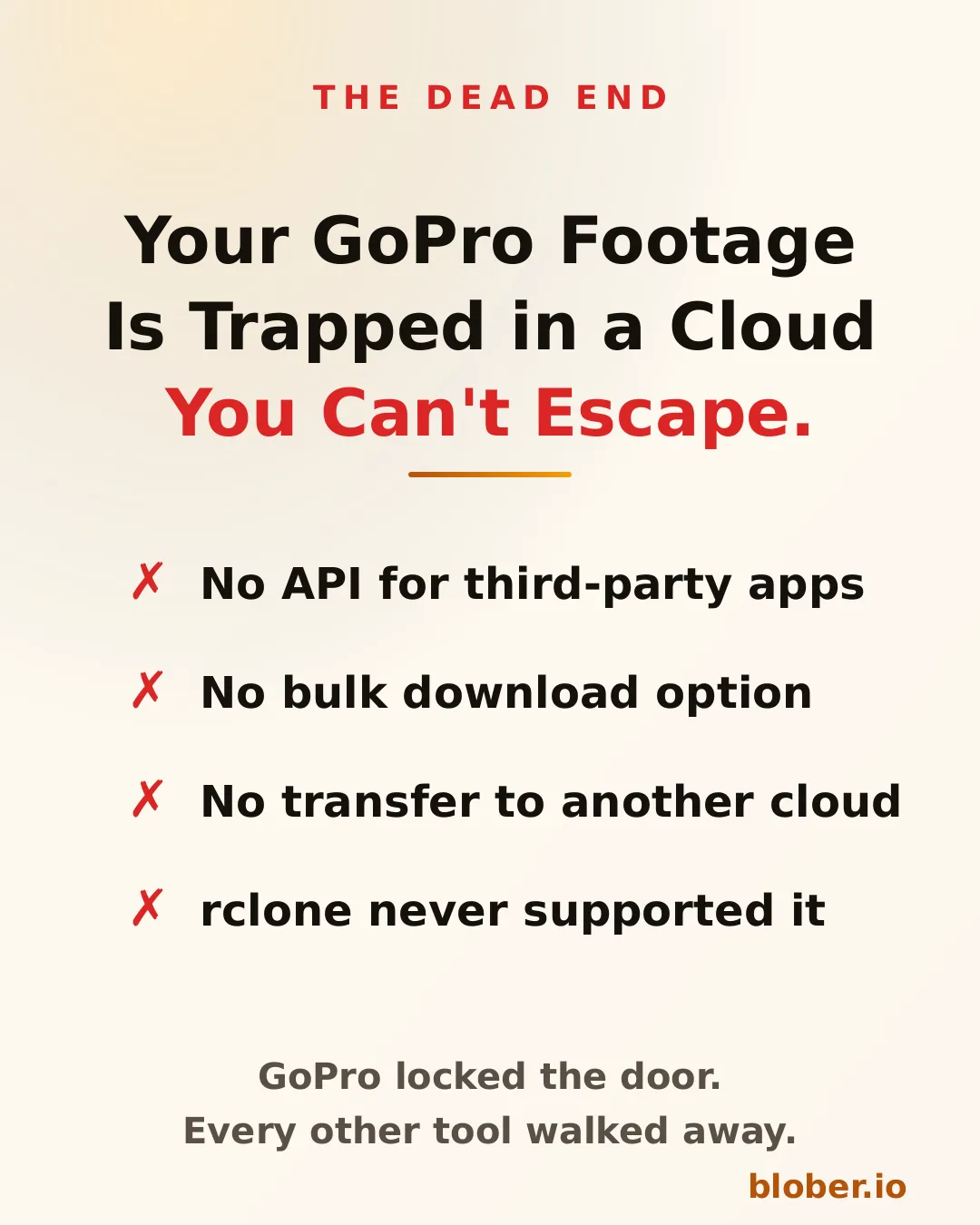
GoPro Cloud stores your footage after it auto-uploads from your camera. But once your videos and photos land there, getting them out is a different story. There is no public API, no bulk download feature, and no way to transfer your media directly to another cloud provider.

If you want to move a single clip, you open the GoPro app on your phone, download it to your device, then manually upload it somewhere else. For a handful of files, that works. For hundreds of gigabytes of 5.3K footage from a year of riding, surfing, or travel, it does not.

GoPro Cloud is a dead end with no API, no bulk download, and no third-party tool support

No Other Tool Supports GoPro Cloud

Section titled "No Other Tool Supports GoPro Cloud"

This is not a matter of choosing the right CLI command or configuring a remote. GoPro Cloud is a proprietary system with no documented API for third-party developers.

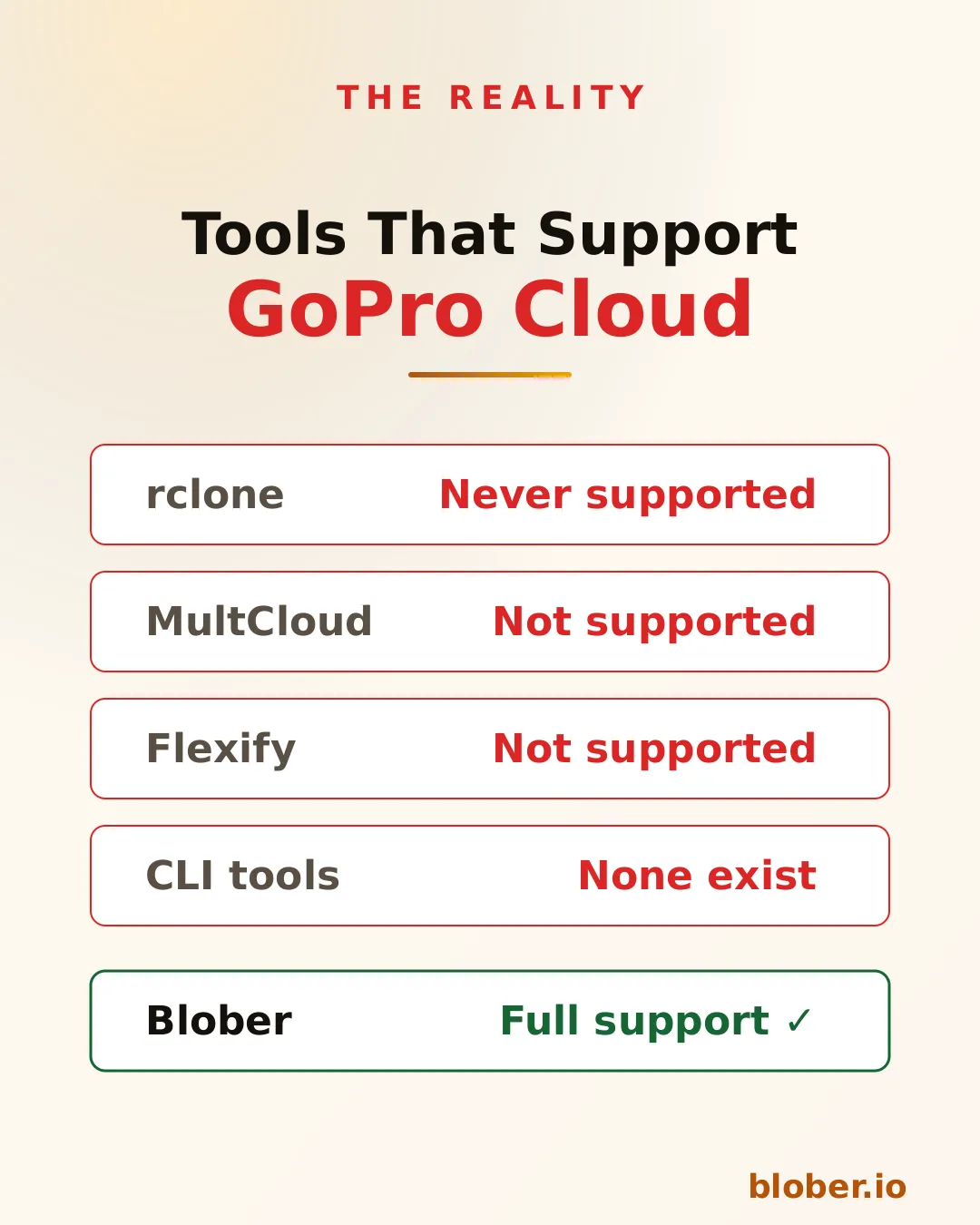
  • rclone has never had a GoPro Cloud backend. It does not appear in any version of the changelog going back to 2012.
  • MultCloud and Flexify list dozens of cloud providers but GoPro Cloud is not among them.
  • CLI tools for GoPro focus on camera firmware and settings, not cloud storage transfers.

The result: if your footage lives in GoPro Cloud, every other transfer tool on the market leaves you stranded.

Comparison showing rclone, MultCloud, Flexify, and CLI tools all fail to support GoPro Cloud while Blober has full support

Blober Connects Directly to GoPro Cloud

Section titled "Blober Connects Directly to GoPro Cloud"

Blober is a desktop application (Mac, Windows, Linux) that connects to GoPro Cloud as a first-class provider. You sign in with your GoPro account, and Blober gives you a visual file browser showing all your uploaded media.

From there, you can:

  • Download all your GoPro footage to your local disk or NAS in one transfer
  • Transfer GoPro Cloud media to Dropbox, Google Drive, or any of the 10 supported providers
  • Upload DJI media to GoPro Cloud, letting you consolidate action camera footage from multiple brands in one place
  • Copy files between any two providers without routing data through a remote server

Blober runs entirely on your machine. Files stream directly between your computer and the provider APIs. No middleman, no SaaS relay, no monthly subscription.

Blober connects to GoPro Cloud with full support for browsing, transferring, and downloading footage to any cloud or local disk

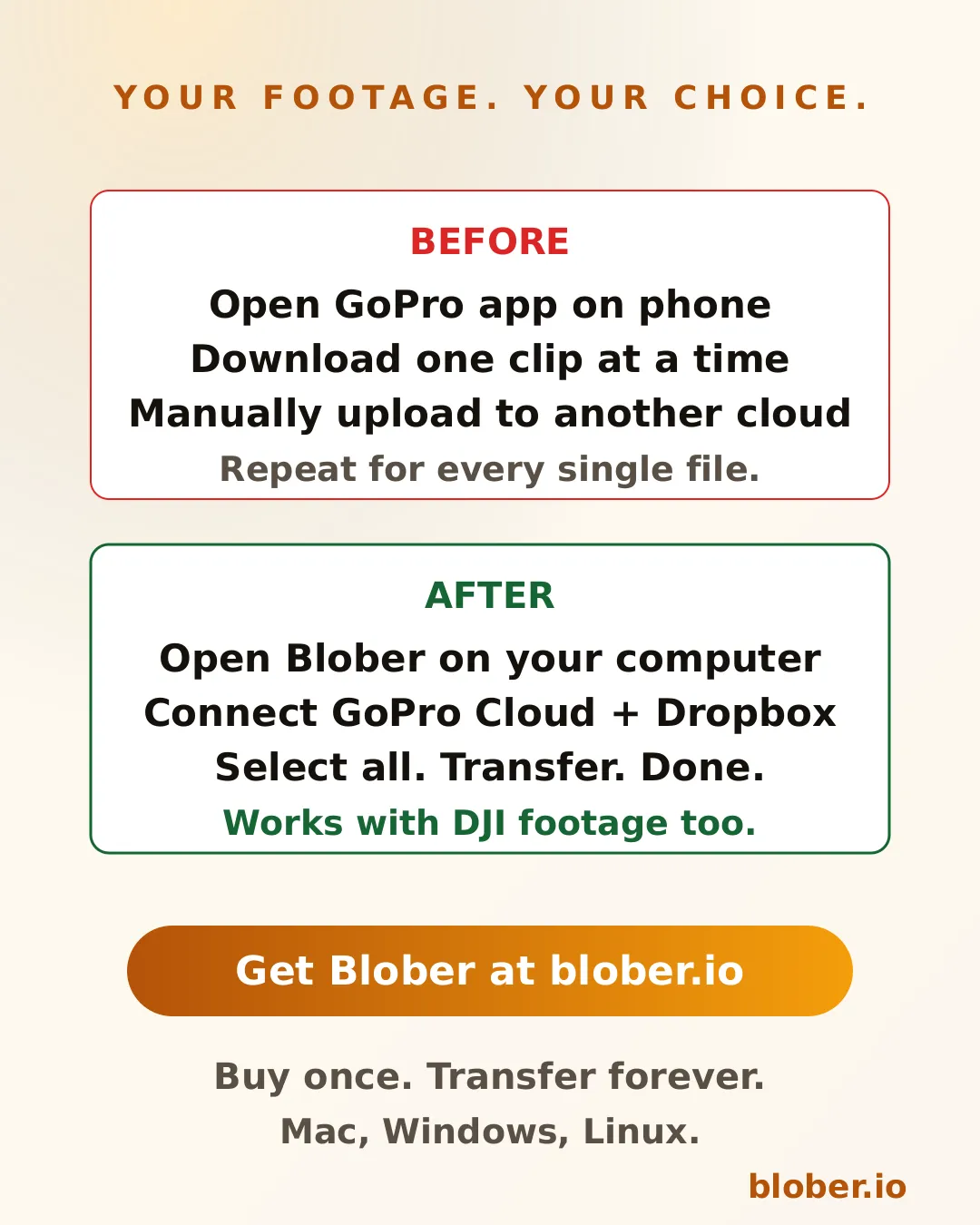
Without Blober, backing up GoPro Cloud footage to Dropbox looks like this:

  1. Open the GoPro app on your phone
  2. Select a video
  3. Download it to your phone storage
  4. Open the Dropbox app
  5. Upload the video
  6. Repeat for every file

With Blober:

  1. Open Blober on your computer
  2. Connect your GoPro Cloud account and your Dropbox account
  3. Select the files (or select all)
  4. Click transfer

Blober handles the rest, including auto-resume if your connection drops.

Before and after comparison showing manual GoPro Cloud workflow versus Blober's one-click transfer to Dropbox or Google Drive

DJI Users: Consolidate Your Footage

Section titled "DJI Users: Consolidate Your Footage"

If you shoot with both a GoPro and a DJI drone or action camera, your footage ends up scattered across local drives, SD cards, and cloud services. Blober lets you upload DJI media directly to GoPro Cloud, Google Drive, Dropbox, or any combination of providers.

This means you can keep all your action camera footage in one place, regardless of which brand captured it.


GoPro Cloud is not a backup if you cannot get your files out. A backup requires that you can retrieve your data when you need it. Without a download or transfer mechanism, GoPro Cloud is storage you cannot control.

Blober turns GoPro Cloud into a real part of your backup workflow:

  • Pull footage from GoPro Cloud to a local drive as a cold backup
  • Mirror GoPro Cloud to Backblaze B2 or Wasabi for cheap long-term archival
  • Sync GoPro Cloud with Google Drive so your footage is accessible from any device

  • GoPro users who want to download their entire cloud library to a computer or external drive
  • Content creators who shoot on GoPro and DJI and need to consolidate footage
  • Travelers and adventurers who auto-upload to GoPro Cloud and want a second copy elsewhere
  • Photographers switching away from GoPro Cloud who need to migrate their media
  • Anyone who tried to bulk-download from GoPro Cloud and found there is no option

Blober is a one-time purchase with a lifetime license. No subscriptions. No transfer fees. No transfer limits.

Download Blober at blober.io
Back Up Cloud Storage Directly to Your NAS

Back up cloud storage directly to your NAS - Synology, QNAP, TrueNAS, or any network drive

You have files in the cloud - GoPro footage, Dropbox archives, Google Drive projects, S3 buckets - and you want them on your NAS. Simple enough in theory. In practice, the available options are all some flavor of painful.

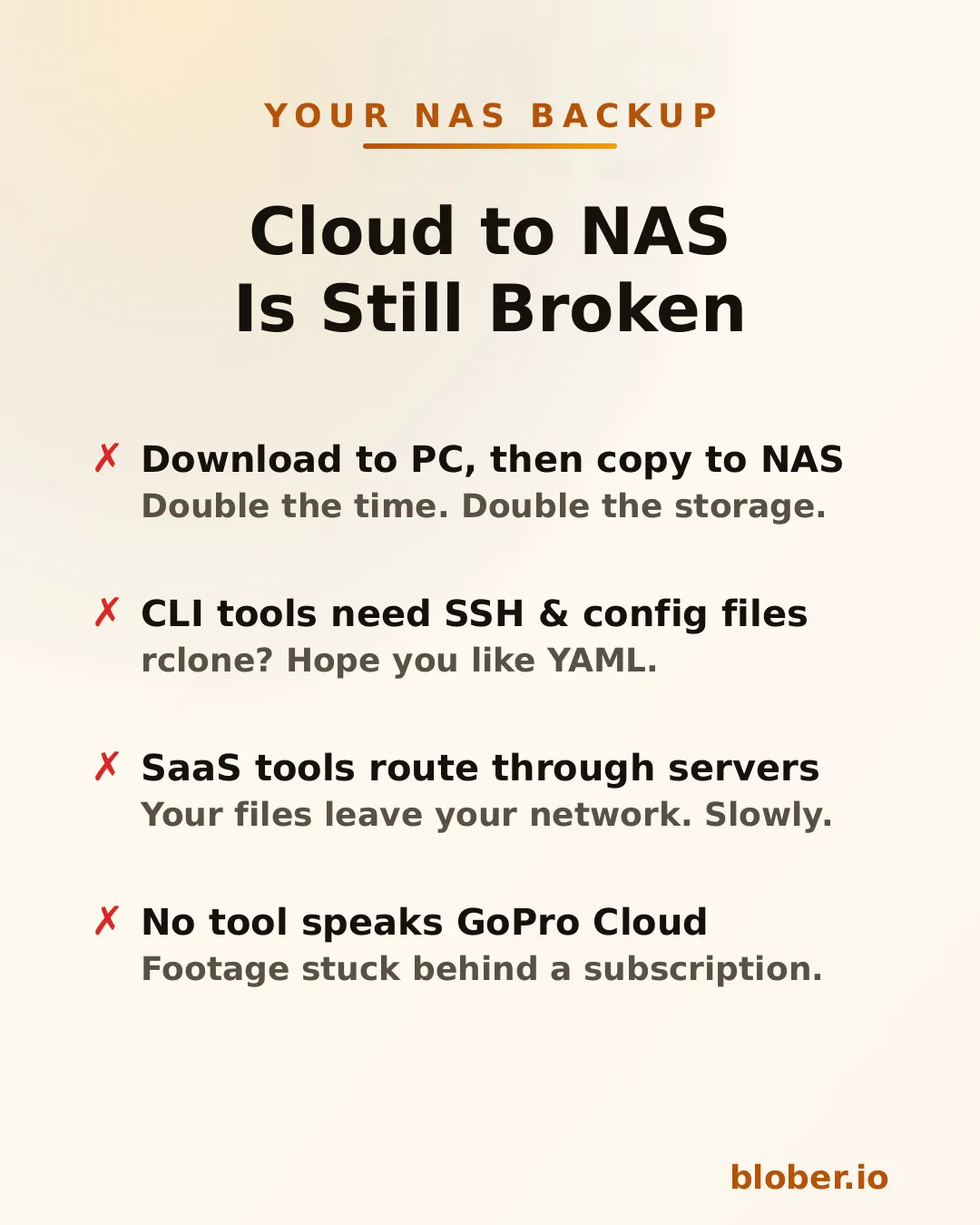
Four pain points of cloud-to-NAS backup: double-copy workflow, CLI config overhead, SaaS routing through third-party servers, and no GoPro Cloud tool support

Download then copy is the default workflow. Download everything from the cloud to your PC, then manually copy it to the NAS. You need enough free space on your PC for the entire dataset, you do every byte twice, and if the NAS connection drops mid-copy you start over.

CLI tools like rclone can mount cloud storage or sync directly, but you need to configure remotes, write YAML, manage credentials, and troubleshoot provider-specific flags. It works - eventually. It's not something most people reach for on a Saturday afternoon.

SaaS migration services like MultCloud or Cloudsfer route your files through their servers. Your data leaves your network, passes through a third party, then comes back down to your NAS. It's slower, it's a privacy concern, and it costs a monthly subscription - usually with transfer caps.

GoPro Cloud has no solution at all. No migration tool supports it. rclone doesn't. MultCloud doesn't. You're stuck batch-downloading 25 files at a time through a web browser, manually.


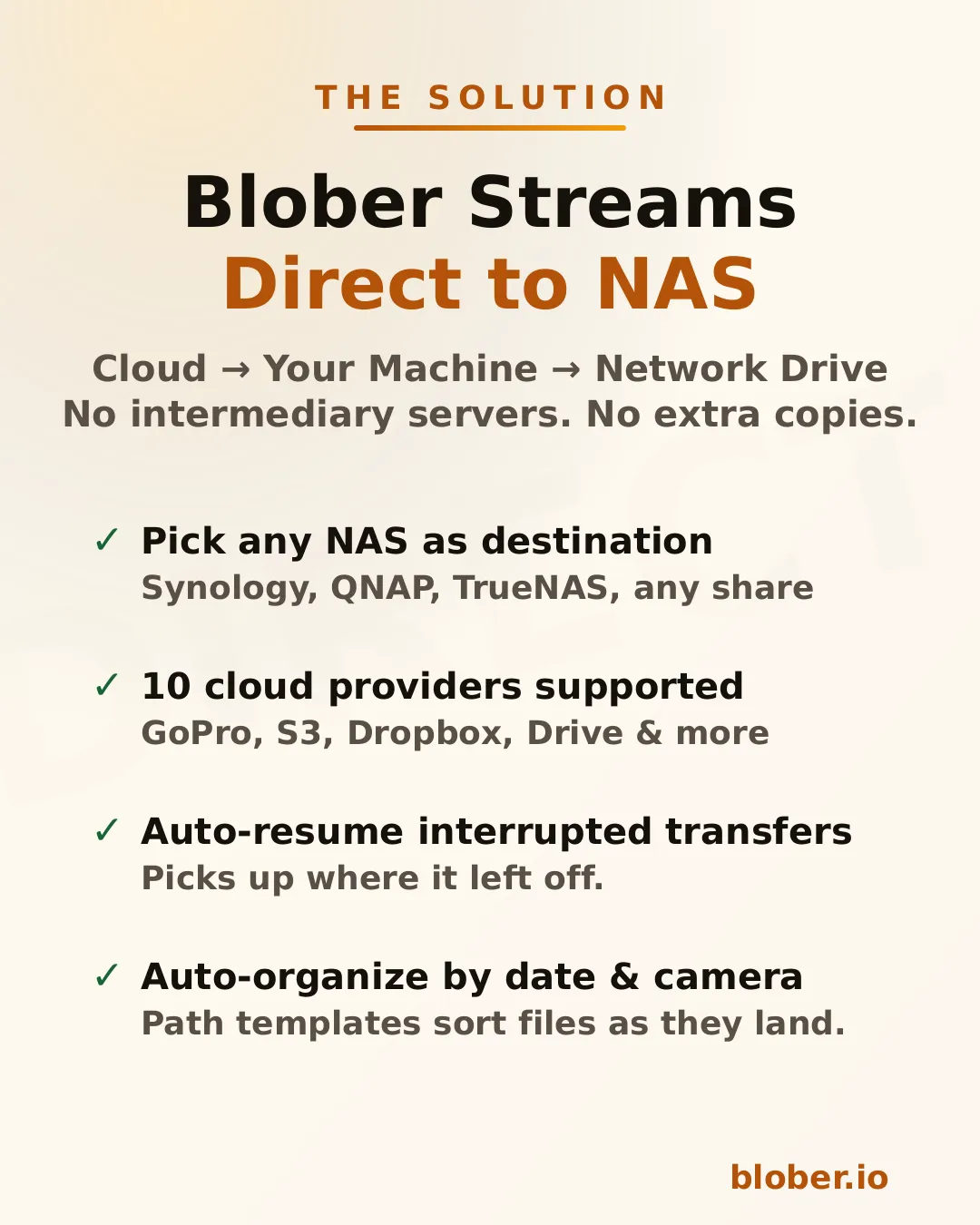
Blober Streams Directly to Your NAS

Section titled "Blober Streams Directly to Your NAS"

Blober is a desktop app that connects to 10 cloud providers and transfers files to any local or network destination - including NAS drives.

Blober streams files directly from cloud to NAS: supports Synology, QNAP, TrueNAS, and any SMB share, with auto-resume and path templates

The architecture is straightforward: Blober runs on your computer, pulls data from the cloud API, and writes it to whatever destination you select in the file picker. If that destination is a mapped network drive (\\SYNOLOGY\backup or /Volumes/NAS/media), the files go there.

No intermediate server. No extra copy on your local disk. No subscription.

Blober works with any NAS that your OS can see as a folder:

  • Synology DiskStation - map via SMB/CIFS (\synology\shared) or mount via NFS
  • QNAP - same: SMB share or NFS mount
  • TrueNAS / FreeNAS - SMB, NFS, or iSCSI-backed mount points
  • Unraid - SMB shares show up as network folders
  • Western Digital My Cloud - maps as a standard network drive
  • Any SMB/NFS share - if your OS can browse it, Blober can write to it

There's nothing NAS-specific to configure in Blober. You just pick the folder.


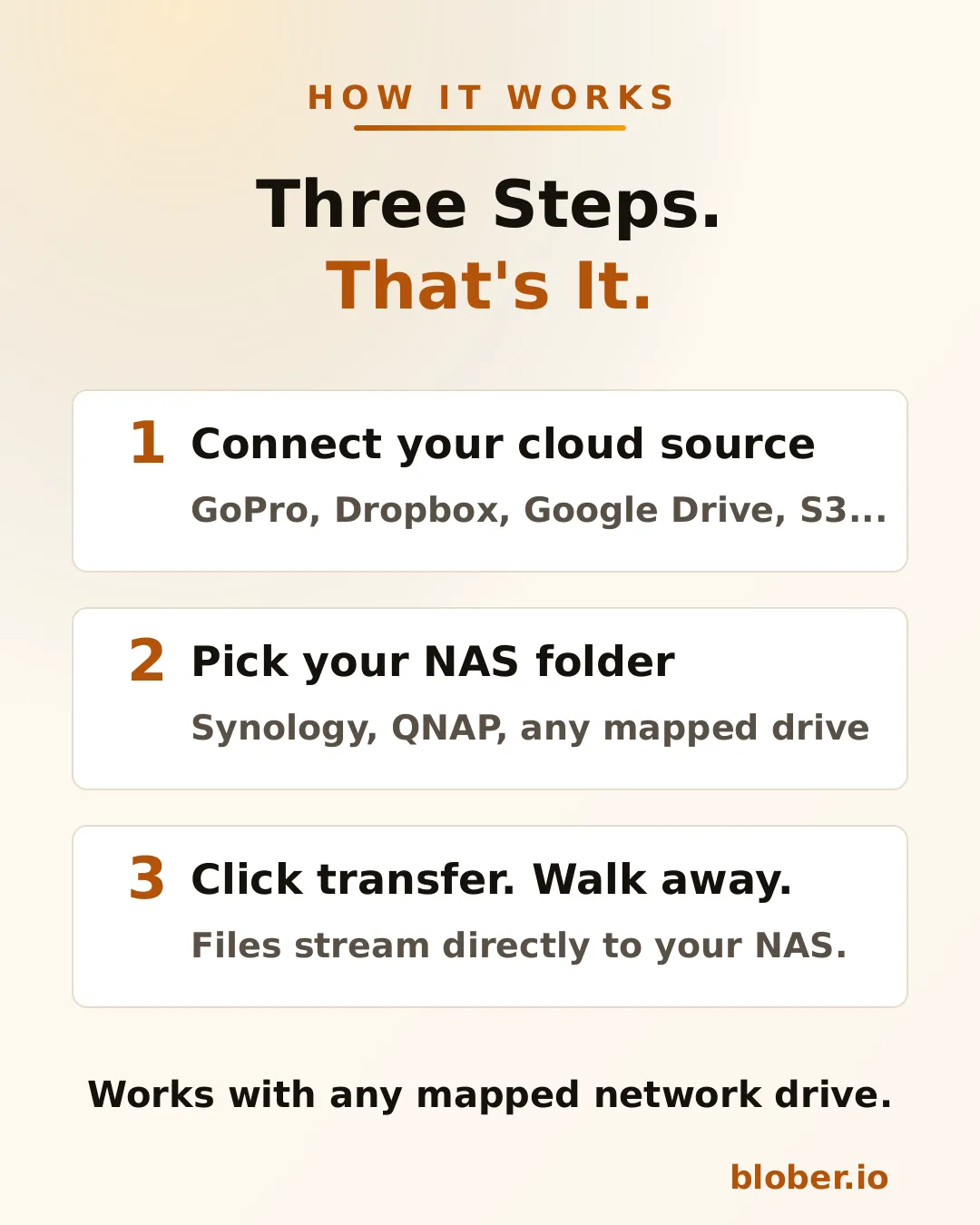
Three steps: connect your cloud source, pick your NAS folder, click transfer
  1. Connect your cloud source. Blober supports GoPro Cloud, Dropbox, Google Drive, AWS S3, Azure Blob, Backblaze B2, Cloudflare R2, Wasabi, and DigitalOcean Spaces. Authenticate once.

  2. Pick your NAS folder. The standard OS folder picker shows your mapped network drives. Select the target directory on your NAS.

  3. Transfer. Blober streams the files and writes them directly to the network path. If your connection drops or the NAS goes to sleep, the transfer resumes from where it stopped.

Blober supports path templates that sort files as they arrive:

{file_created_date}/{camera_model}/{media_type}/{filename}

This turns a flat cloud dump into an organized library:

2024-12-15/HERO12 Black/videos/GH010432.MP4
2024-12-15/HERO12 Black/photos/GOPR0900.JPG
2025-01-03/HERO7 Black/videos/GH010904.MP4

The template runs before the file is written - files land on your NAS already organized.


Why NAS Users Specifically Benefit

Section titled "Why NAS Users Specifically Benefit"

NAS owners tend to be people who care about data ownership, long-term archival, and not paying recurring fees for storage they already bought. Blober aligns with all three.

Buy once, transfer forever. No subscriptions, no per-GB fees, no limits. Files never leave your network.

Your files stay on your network. Unlike SaaS tools that route data through external servers, Blober pulls from the cloud API and writes locally. For NAS users who chose a NAS precisely to keep data under their control, this matters.

One-time payment. NAS users already rejected the subscription model when they bought hardware instead of renting cloud storage. Blober follows the same philosophy: pay once, use forever.

Scale doesn't matter. Whether you're backing up 50 GoPro clips or migrating 10 TB from S3, there are no transfer caps, no per-GB fees, and no throttling.


ScenarioSourceNAS destination
GoPro footage archiveGoPro Cloud\\NAS\media\gopro\
Photo library consolidationGoogle Drive + Dropbox\\NAS\photos\
S3 cold storage migrationAWS S3\\NAS\archive\s3-backup\
Shared family photo vaultDropbox\\SYNOLOGY\family-photos\
Video production offloadBackblaze B2\\NAS\projects\raw-footage\

Each of these is a single task in Blober. Set source, set destination, transfer.


The 3-2-1 Rule, Applied to Your Cloud Accounts

Section titled "The 3-2-1 Rule, Applied to Your Cloud Accounts"

The standard rule for data you cannot afford to lose is 3-2-1: keep three copies, on two kinds of media, with one of them offsite. Most people apply it to files on their computer and forget that a cloud account is just one copy, held on someone else's hardware, under someone else's terms.

A cloud account is not a backup. The provider can lock the account, change pricing, suffer an outage, or (as GoPro Cloud and rclone's Google Photos change both showed) alter API access overnight. Pulling your cloud data down to a NAS turns a single rented copy into a real backup you control.

Applied to cloud accounts, 3-2-1 looks like this:

  1. The cloud copy you already have (Google Photos, Drive, Dropbox, S3, GoPro Cloud).
  2. A NAS copy on hardware you own, pulled down with Blober.
  3. An offsite or second-cloud copy, for example a cheap object-storage bucket, so a fire or theft at home does not take the only local copy.

Blober covers steps 2 and 3 from the same workflow: pick a source, pick your NAS or a second provider, run.

Pulling Each Cloud Down to Your NAS

Section titled "Pulling Each Cloud Down to Your NAS"

The destination is the same NAS folder in every case. What differs is the source.

  • Google Photos. Google has no "download all" button, and since March 2025 rclone can only see photos it uploaded. Blober connects to Google Photos directly and writes your whole library to the NAS. See how to back up Google Photos without Takeout.
  • Google Drive. Native Google Docs, Sheets, and Slides are not real files. Blober converts them to Office formats (.docx, .xlsx, .pptx) as it writes them to your NAS, and keeps your folder structure intact.
  • Dropbox. Point the source at your Dropbox and the destination at the NAS share. Folder hierarchy is preserved exactly.
  • AWS S3 and other object storage. Select a bucket or prefix and write it to a NAS archive folder. Useful for pulling cold S3 data onto cheaper local storage.
  • GoPro Cloud. Blober is the only tool that connects to GoPro Cloud, so a NAS is the natural home for footage you want off a subscription. See the GoPro Cloud guide.

  • NAS owners who want cloud backups on hardware they control
  • GoPro users who need their footage off GoPro Cloud (Blober is the only tool that connects)
  • Photographers and videographers archiving years of work to local network storage
  • Home lab users consolidating data from multiple cloud services onto one NAS
  • Small businesses migrating away from cloud storage subscriptions to on-premise drives

Does Blober copy files to my NAS without storing them on my PC first? Yes. Blober pulls from the cloud provider's API and writes directly to the network path you select. There is no second copy left on your local disk and no double transfer.

Which NAS brands work? Any NAS your operating system can see as a folder: Synology, QNAP, TrueNAS, Unraid, Western Digital My Cloud, or any SMB or NFS share. There is nothing NAS-specific to configure in Blober; you just pick the folder.

Can I back up Google Photos to my NAS without Google Takeout? Yes. Blober connects to Google Photos directly and writes your library to the NAS, with no Takeout zips and no manual selection. See the Google Photos guide.

What happens if the transfer is interrupted? Blober resumes from where it stopped. If the NAS goes to sleep or the connection drops, you do not start over.

Can I back up to a NAS and a second cloud at the same time? Run two workflows: one to the NAS, one to a cheap object-storage provider like Backblaze B2. Together they give you the local and offsite copies of a 3-2-1 setup.

One app. Ten cloud providers. Any NAS.

Download Blober at blober.io
Data Holders: How Blober Fits Your Workflow

Data holders - how Blober fits your workflow for centralized cloud file management

Data holders are individuals and organizations that accumulate, manage, and preserve large volumes of digital files as a core part of their work. They aren't just storing files - they're responsible for keeping data accessible, organized, and safe across years and even decades.

Data holders include:

  • Photographers and videographers with terabytes of RAW footage and project archives
  • Researchers and academics maintaining datasets, papers, and experimental outputs
  • Small businesses managing client records, invoices, contracts, and media assets
  • IT administrators responsible for infrastructure backups and compliance archives
  • Content creators with libraries of video, audio, and design files across platforms
  • Legal and medical professionals bound by retention requirements for sensitive records
  • Personal archivists preserving family photos, home videos, and documents

What unites them is a common problem: data grows, scatters, and becomes harder to manage over time.


Most data holders didn't plan to end up with files in five different places. It happens organically:

  1. Files start local - on a laptop, NAS, or external drive
  2. Cloud adoption fragments storage - Google Drive for sharing, Dropbox for syncing, an S3 bucket for backups
  3. Platform lock-in creeps in - GoPro Cloud holds your footage, iCloud holds your photos, OneDrive holds your documents
  4. Manual management breaks down - folder naming conventions drift, backups become inconsistent, some files have three copies while others have none

The result is a scattered, fragile data footprint where no single tool gives you visibility across all your storage.

SymptomRoot Cause
"I know I have that file somewhere"Files spread across 3-5 providers with no unified view
"My backup is months out of date"Manual backup processes that require constant attention
"I'm paying for storage I barely use"Redundant copies in expensive tiers that should be archived
"I can't move my data without paying egress"Provider lock-in via egress fees and proprietary APIs
"Organizing everything would take weeks"Flat folder structures with no metadata-driven automation

Blober is a desktop application purpose-built for data holders who need to move, organize, and back up files across cloud providers and local storage - without recurring fees.

1. One Interface for All Your Storage

Section titled "1. One Interface for All Your Storage"

Blober connects to the storage providers data holders actually use:

ProviderTypical Use Case
AWS S3Production infrastructure, enterprise backups
Backblaze B2Affordable long-term archive
WasabiHot storage with no egress fees
Cloudflare R2CDN-adjacent delivery, zero egress
Google Cloud StorageWorkspace-integrated projects
Azure Blob StorageEnterprise and compliance workloads
DigitalOcean SpacesDev team object storage
GoPro CloudAction camera footage (Blober exclusive)
DropboxFile sharing and synchronization
Local / NASOn-premise primary storage

No other single tool covers this range - especially GoPro Cloud, which Blober is the only application to support.

2. Direct Cloud-to-Cloud Transfers

Section titled "2. Direct Cloud-to-Cloud Transfers"

Instead of downloading files to your machine and re-uploading them, Blober transfers data directly between providers. This matters for data holders because:

  • Saves time - a 2 TB migration doesn't bottleneck on your home internet
  • Saves bandwidth - your ISP data cap stays intact
  • Reduces failure points - no half-downloaded files sitting on your local disk

Data holders accumulate files over years. Manually sorting them into folders is unsustainable. Blober supports path templates that use file metadata to auto-organize during transfer:

/{year}/{month}/{camera_model}/{filename}

A flat dump of 50,000 files becomes a clean archive:

/2025/06/HERO13 Black/GX015742.MP4
/2025/06/Canon EOS R5/IMG_4521.CR3
/2026/01/iPhone 15 Pro/IMG_0032.HEIC

This works for any transfer - cloud-to-cloud, cloud-to-local, or local-to-cloud.

4. Scheduled and Resumable Transfers

Section titled "4. Scheduled and Resumable Transfers"

Backup workflows for data holders need to be reliable, not heroic. Blober supports:

  • Resumable transfers - if your connection drops or your machine restarts, pick up where you left off
  • Incremental syncs - only transfer files that are new or changed since the last run
  • Large-file handling - multi-part uploads for files in the tens of gigabytes

No babysitting required. Set up a transfer, let it run, and come back to a completed job.

Most cloud migration tools charge per-GB or require annual subscriptions with data caps. For data holders who move terabytes regularly, those costs compound:

ToolPricing ModelCost for 10 TB/year
Flexify.io~$0.03/GiB per migration~$300+ (plus egress)
MultCloud$99.98/year for 2.4 TB cap~$400+ (need multiple renewals)
rcloneFree but manual$0 (but hours of CLI configuration)
BloberOne-time purchaseOne price, unlimited transfers

You buy Blober once. Transfer 1 TB or 100 TB - the price doesn't change.


Setup: 8 TB of footage across GoPro Cloud, a local NAS, and Google Drive. Delivers finals via Dropbox.

With Blober:

  • Connects GoPro Cloud and pulls all footage to Backblaze B2 as a cold archive
  • Moves finished projects from local NAS to Cloudflare R2 for client delivery
  • Uses path templates to organize by project date and camera model
  • Runs periodic syncs from Google Drive to B2 to keep a second backup

Result: One tool replaces four manual processes. Total cost: one Blober license.

Setup: 500 GB of compliance documents in Azure Blob Storage. Daily operational files in Google Workspace. Regulatory requirement for off-site backup.

With Blober:

  • Transfers compliance archive from Azure to Backblaze B2 as a secondary backup
  • Syncs critical Google Drive folders to a local NAS nightly
  • Uses Blober's incremental sync so only changed files move each day

Result: Meets audit requirements for geographic redundancy without provisioning a second enterprise cloud account.

Setup: 12 TB of experimental datasets in AWS S3. New data generated weekly. Grants require data preservation for 10 years.

With Blober:

  • Migrates completed datasets from S3 Standard to Backblaze B2 (80% storage cost reduction)
  • Keeps active datasets in S3 for compute-adjacent access
  • Uses metadata templates to organize by experiment ID and date
  • Resumable transfers handle multi-GB dataset files without corruption

Result: Storage costs drop dramatically while preservation requirements are met.


rclone is a powerful open-source CLI tool, and many data holders start there. But it has real limitations for ongoing data management:

CapabilityrcloneBlober
GUI for browsing filesNo (CLI only)Yes
GoPro Cloud supportNoYes (exclusive)
Dropbox supportYesYes
Visual transfer progressLimitedFull progress dashboard
Resumable multi-part uploadsPartialBuilt-in
Path template organizationManual scriptingVisual template builder
Error handling and retryConfig flagsAutomatic
Setup timeHours (config per remote)Minutes (OAuth flows)

rclone is great for scripted, automated pipelines. Blober is built for data holders who want reliable transfers without writing shell scripts.


  1. Audit your storage - list every provider and local device where you keep files
  2. Identify your archive tier - choose an affordable destination like Backblaze B2 or Wasabi for long-term storage
  3. Connect everything in Blober - add each provider via OAuth or API key
  4. Set up your first migration - pick a source, pick a destination, configure a path template
  5. Let Blober handle the rest - resumable transfers, incremental syncs, and metadata organization do the heavy lifting

Data holders shouldn't need a subscription to manage their own files. Blober runs locally on your machine - your credentials never pass through third-party servers, your transfer bandwidth isn't metered, and your workflow isn't gated by monthly caps.

One license. Unlimited providers. Unlimited data.

Get Blober and take control of your data workflow.

Back Up Your GoPro Cloud to Backblaze B2, AWS S3, or Local Storage

Back up GoPro Cloud to Backblaze B2, AWS S3, or local storage

GoPro's cloud storage (GoPro Plus / GoPro Premium) offers unlimited storage for GoPro camera media. It's a great perk, until you want your footage somewhere else.

The reality for most GoPro users:

  • Painfully limited batch download. GoPro's web portal caps batch downloads at 25 files at a time, bundled into a ZIP. Large batches frequently fail or time out, and metadata like GPS data may be stripped during compression
  • No third-party tool support. rclone, MultCloud, Flexify, and every other transfer tool do not support GoPro Cloud
  • Subscription dependency. Cancel GoPro Plus and your cloud access disappears. Your footage remains hostage to a recurring charge
  • No "Download All" option. If you have hundreds or thousands of files, you're stuck doing dozens of 25-file batch downloads manually, hoping none fail

GoPro community forums are filled with users asking the same question: "How do I download all my GoPro Cloud content at once?" The practical answer is: not without hours of manual work and frequent failures.

Blober changes that.


Blober: The Only Tool That Connects to GoPro Cloud

Section titled "Blober: The Only Tool That Connects to GoPro Cloud"

Blober is the only desktop application that integrates with GoPro's cloud storage. No other migration tool, free or paid, supports GoPro Cloud as a source or destination.

With Blober, you can:

  • Browse all your GoPro Cloud media: photos and videos, organized by date, camera, and type
  • Download everything at once to your local drive, NAS, or external HDD
  • Transfer directly to Backblaze B2, AWS S3, Wasabi, Cloudflare R2, Azure Blob Storage, or DigitalOcean Spaces
  • Use metadata-based path templates to auto-organize files (e.g., by camera model, capture date, resolution)
  • Resume interrupted transfers, with no need to start over if your connection drops

GoPro Plus (now GoPro Premium) costs ~$59.99/year. As long as you pay, your footage stays accessible. The moment you cancel, your cloud media goes offline. For years of footage, that's a dangerous bet on a single subscription.

GoPro Cloud is your only copy in the cloud. There is no built-in backup, no versioning, no geographic replication. If GoPro ever changes their terms, shuts down the service, or experiences data loss, your footage is gone.

Long-term archival storage costs a fraction of ongoing subscriptions:

Storage OptionCost for 1 TB/yearEgress Fees
GoPro Plus~$59.99/year (ongoing)N/A (limited downloads)
Backblaze B2~$83/year ($6.95/TB/mo)Free up to 3x stored
Wasabi~$83.88/year ($6.99/TB/mo)Free
AWS S3 (Standard)~$276/year$0.09/GB
Local NASOne-time HDD costFree

For most GoPro users, Backblaze B2 or Wasabi combined with a Blober one-time license is the most cost-effective long-term strategy.

Your GoPro footage is yours. Keeping it locked behind a single provider's subscription model is not ownership. It is rental. Backing it up to storage you control gives you true data sovereignty.


Step 1: Connect GoPro Cloud in Blober

Section titled "Step 1: Connect GoPro Cloud in Blober"
  1. Open Blober and create a new workflow
  2. Select GoPro as the source
  3. Click Open GoPro Login - a browser window opens
  4. Sign in with your GoPro account
  5. Blober captures your session automatically

Select where you want your footage to go:

  • Local disk: your SSD, HDD, NAS, or external drive
  • Backblaze B2: affordable, S3-compatible, free egress
  • AWS S3: enterprise-grade, global availability
  • Wasabi: hot storage with no egress fees
  • Cloudflare R2: zero egress, fast edge delivery
  • Any other Blober-supported provider

Step 3: Configure Path Templates (Optional)

Section titled "Step 3: Configure Path Templates (Optional)"

Use Blober's metadata-based path templates to auto-organize files as they transfer:

/{camera_model}/{capture_date}/{filename}

This turns a flat GoPro dump into a clean archive:

/HERO13 Black/2026-01-23/GX015742.MP4
/HERO13 Black/2026-01-23/gorp0001.JPG
/HERO12 Black/2025-12-15/GX014521.MP4

Click Start and Blober handles the rest:

  • Parallel downloads for maximum throughput
  • Real-time progress tracking
  • Automatic resume on interruption
  • Full task history logged for every file

TypeExtensions
Videos.mp4, .mov, .avi, .mkv
Photos.jpg, .png, .raw, .dng

Blober downloads the highest available quality, with no compression and no re-encoding.


Each GoPro file includes rich metadata that Blober can use for organization:

FieldExample
Camera modelHERO13 Black
Capture date2026-01-23
Resolution5312 × 2988
File size142.5 MB
Duration0:32 (videos)

Can I upload to GoPro Cloud with Blober? Yes. Blober supports uploads to GoPro Cloud (up to 5 TB per file) with multipart upload and progress tracking.

Does Blober store my GoPro credentials? No. Blober uses a browser-based login flow. Your session lasts approximately 20 hours, after which Blober prompts you to sign in again. Credentials are never stored or transmitted to any server.

Can rclone, MultCloud, or Flexify do this? No. As of February 2026, Blober is the only transfer tool that supports GoPro Cloud. rclone (70+ providers), MultCloud (30+ services), and Flexify (~25 clouds) do not include GoPro Cloud integration.

What if my transfer is interrupted? Blober saves progress and resumes from the last successfully transferred file. No need to re-download everything.


Take Control of Your GoPro Footage

Section titled "Take Control of Your GoPro Footage"

Your footage is irreplaceable: years of adventures, events, and memories sitting in a cloud you can only access through a subscription. Blober gives you a way out: move it all to storage you own and control, in the highest quality, organized exactly how you want.

Get started with Blober =>