Skip to content

rclone

3 posts with the tag "rclone"

Proton Drive Is Hard to Migrate To or From. Blober Makes It Easy.

Proton Drive Is Hard to Migrate To or From. Blober Makes It Easy. Browser login, no password stored, Google Drive/Dropbox/S3 to Proton in one step.

The Privacy-First Cloud Storage That's Hard to Move Files Into

Section titled "The Privacy-First Cloud Storage That's Hard to Move Files Into"

Proton Drive is one of the most privacy-respecting cloud storage services available. End-to-end PGP encryption. Swiss jurisdiction. Open-source clients. Zero-access architecture, so not even Proton can read your files. Over 100 million accounts trust it. If privacy is your priority, Proton Drive is a strong choice.

But there's a catch: Proton built great sync clients, not transfer tools.

Their official apps sync a folder between your device and Proton Drive. That works perfectly when Proton Drive is your only cloud. The moment you need to move files from Google Drive, from Dropbox, from AWS S3, or to Proton Drive from another provider, you're on your own. Download everything locally, then re-upload. For a few gigabytes, that's fine. For 500 GB of photos across three Google accounts, it's a weekend you don't get back.

Where Proton Drive Is Officially Supported

Section titled "Where Proton Drive Is Officially Supported"

Proton offers native clients on four platforms, plus web access:

PlatformClientSyncFile BrowserBulk Transfer From
Other Clouds
Windows✅ Desktop app✅ Folder sync✅ Via web
macOS✅ Desktop app✅ Folder sync✅ Via web
iOS✅ Mobile app✅ Photo backup✅ In-app
Android✅ Mobile app✅ Photo backup✅ In-app
LinuxNo client✅ Web only
Web✅ Browser

Notice the last column. Across every platform, on every client, there is no built-in way to transfer files from another cloud provider into Proton Drive. The official path is: download to your machine, then let the sync client pick it up. That means you need enough free local storage to hold everything in transit.

And if you're on Linux, there is no desktop client at all. You get the web interface, which works but doesn't support drag-and-drop bulk uploads from other services either.

What The Proton Client Does Well (And What It Doesn't)

Section titled "What The Proton Client Does Well (And What It Doesn't)"

The Proton Drive clients are well-built for their intended purpose, which is sync, not migration:

What they do well:

  • Folder sync between your device and Proton Drive
  • Automatic photo backup on mobile
  • End-to-end encryption handled transparently
  • Proton Docs and Sheets integration

What they're not built for:

  • Moving files between Proton Drive and another cloud
  • Browsing or selecting files from another cloud as part of a transfer
  • Repeatable transfer workflows
  • Linux without a browser

That's the gap Blober fills.

rclone is the canonical open-source tool for cloud storage. It supports 70+ backends and is genuinely excellent at what it does. Its Proton Drive backend works, with a couple of things worth knowing up front:

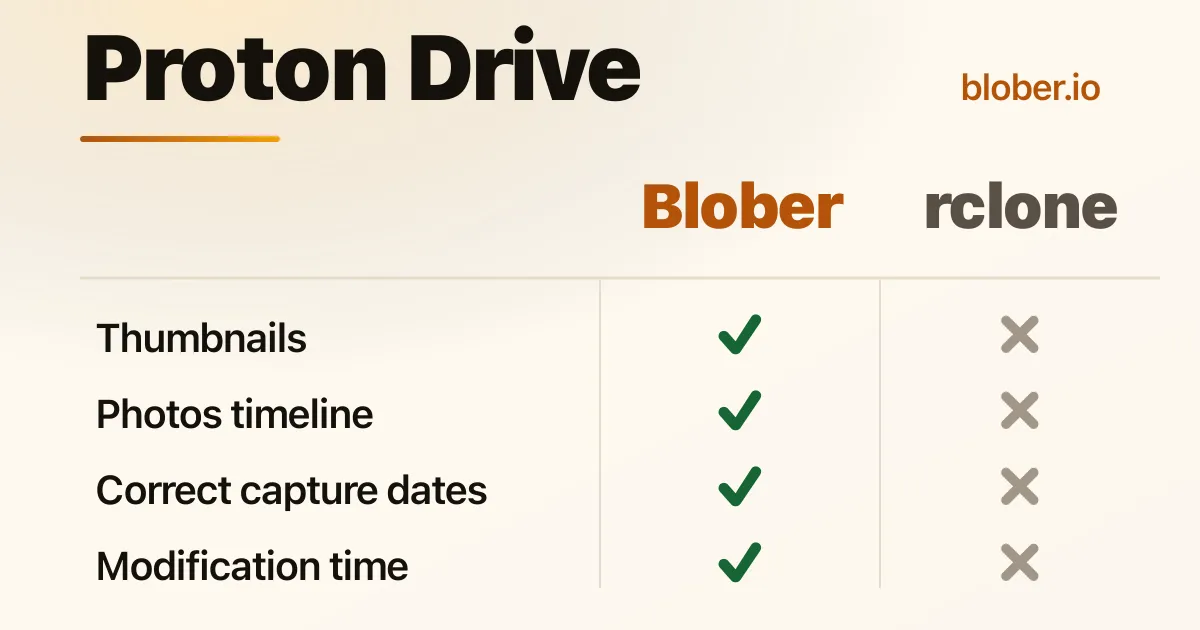
  • Tier 4 (Experimental). rclone classifies its Proton Drive support as Tier 4, meaning it's community-maintained and flagged as "use with care." Known gaps include unsupported modification times, draft conflicts on retries, and stale caching when other clients touch the same files. The underlying Proton-API-Bridge library notes there are "likely quite a few errors."
  • Password-based auth. To set up rclone with Proton Drive, you provide your Proton email, password, 2FA, and (if applicable) mailbox password through rclone config. These end up in rclone's config file on disk.

If you're already in the rclone ecosystem and these tradeoffs work for you, rclone is a perfectly good fit. Blober is a different style of tool for a different style of user, and the rest of this article is about that.

How Blober Handles Proton Drive Differently

Section titled "How Blober Handles Proton Drive Differently"

Blober takes a different approach to Proton Drive: instead of asking for your credentials in a config file, it asks Proton for them.

When you connect Proton Drive in Blober, a browser window opens to account.proton.me, which is Proton's own login page. You sign in with your email, password, and 2FA exactly as you would in any browser. Your password never touches Blober. It stays inside the isolated browser session, the same way it does when you log in at drive.proton.me.

What Blober Supports With Proton Drive

Section titled "What Blober Supports With Proton Drive"
OperationSupportedDetails
BrowseNavigate your full folder tree
DownloadParallel, resumable downloads
UploadParallel uploads, auto-creates folders
DeleteMoves to Proton Trash (recoverable)
MetadataFilename, size, created/modified dates
Multiple accountsEach account gets its own session. Run transfers in parallel

What Blober Does That Proton's Client Can't

Section titled "What Blober Does That Proton's Client Can't"
  1. Transfer from any supported provider directly to Proton Drive. Google Drive, Dropbox, AWS S3, Azure Blob, Backblaze B2, Cloudflare R2, DigitalOcean Spaces, Wasabi, Rabata, GoPro Cloud, local disk. No intermediate downloads.
  2. Transfer from Proton Drive to any other provider. Moving away from Proton? Moving a subset of files to cold storage on Backblaze? Blober handles it.
  3. Selective file transfer. Browse your source, pick exactly the files you want, transfer only those. Not a full sync of everything.
  4. Saved workflows. Set up "Dropbox to Proton Drive" once, run it whenever you want. The workflow remembers your source path, destination path, filters, and file naming templates.
  5. Works on Linux. Blober runs on Windows, macOS, and Linux. Since Proton doesn't ship a Linux desktop client, Blober is one of the few ways to get a desktop-native Proton Drive experience on Linux without using a browser.
  6. Resumable transfers. If your session expires mid-transfer, Blober prompts you to re-authenticate and picks up where it left off. No files are lost or duplicated.

Here's the situation Blober is built for:

You're on Google Drive or Dropbox. You've decided to move to Proton Drive for privacy. You have 200 GB of documents and photos spread across folders. Today, your options are:

Option A: Manual download and re-upload

  1. Download 200 GB from Google Drive to your local machine (hours, needs free disk space)
  2. Wait for Proton Drive sync client to upload it all (hours more, CPU-intensive due to encryption)
  3. Repeat for Dropbox
  4. Hope nothing failed silently

Option B: Google Takeout + manual upload

  1. Request a Takeout archive (can take days)
  2. Download the archive(s)
  3. Extract, organize, upload to Proton Drive
  4. Storage used: 3× (source cloud + local archive + Proton)

Option C: rclone

  1. Run rclone config to set up your Google/Dropbox and Proton remotes
  2. Provide your Proton credentials when prompted
  3. Run rclone copy gdrive: protondrive: with the flags that fit your scenario
  4. Drive everything from the CLI, including monitoring and restart

Option D: Blober

  1. Sign in to Google Drive (OAuth) or Dropbox (OAuth)
  2. Sign in to Proton Drive (browser login)
  3. Select the files you want
  4. Start the transfer, then come back and re-run the same workflow whenever you need to

Blober vs rclone for Proton Drive: Side by Side

Section titled "Blober vs rclone for Proton Drive: Side by Side"
Bloberrclone
Auth methodBrowser login via Proton's own pageCredentials in rclone config
InterfaceNative desktop GUICLI
Modification timesPreserved from sourceNot preserved
Resume on failureAutomaticManual restart
LinuxNative desktop appCLI
Cross-provider transferBuilt-in (select source and destination)rclone copy source: dest:
Multiple Proton accountsEach one its own sessionSeparate config remotes
Scriptable automationWorkflows, no cronCron-friendly CLI
Mount as filesystemNot supportedSupported (FUSE)

Blober is a good fit if:

  • You're migrating into Proton Drive from Google Drive, Dropbox, or another cloud
  • You're moving out of Proton Drive to another provider, or shifting a subset to cold storage
  • You're on Linux and want a desktop-native way to manage Proton Drive files
  • You'd rather log in through a browser than configure credentials in a file
  • You want a repeatable, named workflow you can re-run later

rclone is a good fit if:

  • You're already in the rclone ecosystem and want one tool for everything
  • You need scriptable, cron-based automation
  • You want to mount Proton Drive as a filesystem (FUSE)
  • You prefer CLI control over a GUI

Proton Drive is a genuine privacy-first storage service. End-to-end PGP. Zero-knowledge architecture. Open clients. The trade-off Proton makes for that privacy is that getting files in or out, at scale, isn't a first-class experience.

That's where Blober comes in. You sign in to Proton Drive through Proton's own login page, pick the cloud you're moving from or to (Google Drive, Dropbox, S3, Backblaze B2, R2, Wasabi, GoPro, NAS, or local disk), choose what you want to move, and let it run. No config files, no CLI, no separate sync clients to install. The same workflow runs on Linux, macOS, and Windows.

If you have files in other clouds and you want them in Proton Drive, or files in Proton Drive you want elsewhere: that's what Blober is for.

Blober vs Flexify vs rclone

Blober vs Flexify vs rclone - three cloud transfer tools compared

Three tools dominate cloud data transfer in 2026 - each solving the problem from a completely different angle. Here's how they compare.


DimensionBloberFlexify.iorclone
Architecture✅ Local-first desktopManaged SaaSCLI utility
Pricing✅ One-time licenseUsage-based (~$0.03-$0.04/GiB + egress)Free
Ease of use✅ High (native GUI)Medium (web dashboard)Low (terminal only)
Provider count9+ and growing~25 (object storage)70+
GoPro Cloud supportYes (exclusive)❌ No❌ No
Credential control✅ Local onlyCloud-managedLocal config file
Data path✅ Direct (no middleman)Through Flexify serversDirect (local)
Workflow persistence✅ Built-inDashboard-basedNone (manual scripts)
Task history & resume✅ Built-inDashboard-basedLogs only
Metadata path templates✅ YesNoManual scripting
AutomationLimitedHighVery high
API virtualizationNoYes (S3-to-Azure gateway)No
Enterprise scaleHighHighHigh
Open sourceNoNoYes
Best forAgencies, creators, engineersEnterprises (petabyte migrations)Engineers, sysadmins

ScenarioBloberFlexify.iorclone
100 GB migration✅ One-time~$8 - $12Free
1 TB migration✅ One-time~$80 - $120+Free
10 TB migration✅ One-time~$800 - $1,200+Free
Recurring monthly✅ $0Compounds every runFree

Flexify charges per GiB transferred plus cloud provider egress fees. Costs add up fast for recurring workflows. rclone is free but demands engineering time. Blober sits in the sweet spot: pay once, transfer forever.


ConcernBloberFlexify.iorclone
Credentials stored✅ Local onlyFlexify serversLocal config file
Data transits 3rd party✅ NoYes (Flexify infra)No
Account required✅ NoYesNo
Offline operation✅ YesNoYes

For regulated industries, sensitive media archives, or personal data - avoiding third-party intermediaries is not a preference, it is a requirement. Both Blober and rclone keep your data path clean. Flexify introduces a managed middleman.


Blober is the only transfer tool that supports GoPro Cloud. Neither Flexify nor rclone can access GoPro's storage. If you manage GoPro footage - whether as a creator, agency, or production house - Blober is the only option for migrating that media to professional storage like Backblaze B2, AWS S3, or your local NAS.


  • rclone is the most powerful tool if you are deeply technical, automation-driven, and comfortable with terminal workflows. It is free and supports 70+ providers.
  • Flexify.io is ideal for enterprises running massive one-time migrations under strict SLAs, especially when virtual S3 endpoints or managed infrastructure are required. Budget accordingly - costs scale with data volume.
  • Blober fills the gap between them: professional-grade transfers with a native desktop GUI, local credential control, visual workflows, predictable one-time pricing, and exclusive GoPro Cloud support.

Blober's beta pricing locks in a lifetime license at a fraction of the cost competitors charge for a single large migration. For users who value simplicity, sovereignty, and long-term savings - Blober is the clear choice.

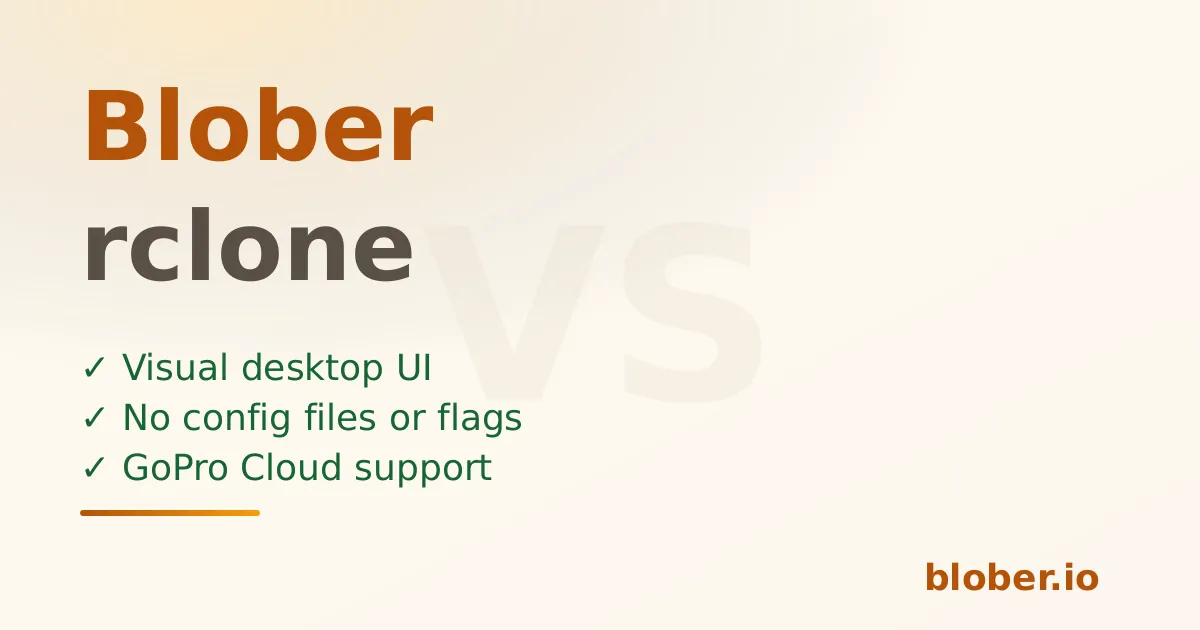
Blober vs rclone

Blober vs rclone - visual UI versus CLI for cloud transfers

rclone is the industry-standard CLI tool for cloud storage automation among developers and sysadmins. It is extremely powerful, supports over 70 storage providers, and is completely free and open-source. Its tradeoff is complexity - every job requires flags, config files, and terminal expertise.

Blober is built for users who want rclone-level capability without managing flags, scripts, or terminal state. It replaces stateless CLI execution with persistent, visual workflows that anyone can set up and repeat.


rclone

  • Command-line only (experimental web GUI exists, but limited)
  • Configuration files and flags - every job requires manual setup
  • Excellent for scripting and cron-based automation
  • Steep learning curve for non-technical users
  • No built-in workflow persistence - you must manage your own scripts

Blober

  • Native desktop GUI (Windows, macOS, Linux)
  • Visual setup of sources, destinations, and filters
  • Saved workflows with one-click execution
  • Built-in task history with resumable state
  • Designed for repeatability and clarity - no terminal required

FeatureBloberrclone
Interface✅ GUICLI
Provider countGrowing70+
GoPro Cloud support✅ Yes❌ No
Local filesystem✅ YesYes
Cloud-to-cloud✅ YesYes
Workflow persistence✅ YesNo (manual scripts)
Metadata path templates✅ YesManual scripting
Task history & resume✅ YesLogs only
EncryptionPlannedBuilt-in
AutomationLimitedExtensive
Open sourceNoYes
Data path✅ DirectDirect (local)

rclone supports over 70 providers - but GoPro Cloud is not one of them. If you shoot with GoPro cameras and want to move your media from GoPro's cloud to Backblaze B2, AWS S3, Wasabi, or your local NAS, rclone simply cannot help.

Blober is the only transfer tool with native GoPro Cloud integration, making it the obvious choice for photographers, videographers, action sports creators, and agencies managing GoPro media libraries.


rclone requires upfront configuration, careful flag selection, and scripting discipline to safely repeat jobs:

Terminal window
rclone copy remote:bucket/path dest:bucket/path \
--transfers 4 --checkers 8 --retries 3 \
--filter-from filters.txt --log-file transfer.log

Forget a flag? Change a path? The job silently behaves differently. There is no built-in history of what ran, when, or whether it succeeded.

Blober stores each workflow as a durable configuration with immutable execution history. If a transfer is interrupted, Blober resumes based on stored state rather than re-running a stateless command.

This difference becomes critical for:

  • Long-running transfers over unreliable connections
  • Media archives with thousands of files
  • Users who run transfers infrequently and forget the exact flags
  • Teams where multiple people need to trigger the same workflow

Both rclone and Blober are local-first tools - your credentials stay on your machine. This is a shared advantage over SaaS competitors like Flexify and MultCloud where credentials and potentially data flow through third-party servers.

Where Blober adds value over rclone:

  • No terminal exposure - credentials are managed in a secured desktop app, not plaintext config files
  • Encrypted credential storage - not a ~/.config/rclone/rclone.conf file on disk
  • Visual audit trail - every transfer logged with timestamps, file counts, and status

AspectBloberrclone
CostOne-time licenseFree
SupportProduct supportCommunity forums
UpdatesIncluded with licenseCommunity-driven
Target userCreators, agencies, engineersEngineers, sysadmins

rclone being free is a genuine advantage. Blober earns its price by saving time, reducing errors, and opening cloud transfers to users who would never touch a terminal.


Choose Blober if you:

  • Prefer visual tools over terminal commands
  • Want repeatable workflows without writing scripts
  • Need GoPro Cloud support (only Blober has it)
  • Need clarity, task history, and one-click resumption
  • Transfer data occasionally but need it to work reliably every time
  • Value convenience and productivity over maximum flexibility
  • Want credentials stored securely - not in a plaintext config file

Download Blober at blober.io