Skip to content

Articles

Back Up Cloud Storage Directly to Your NAS
Back up cloud storage directly to your NAS — Synology, QNAP, TrueNAS, or any network drive

You have files in the cloud — GoPro footage, Dropbox archives, Google Drive projects, S3 buckets — and you want them on your NAS. Simple enough in theory. In practice, the available options are all some flavor of painful.
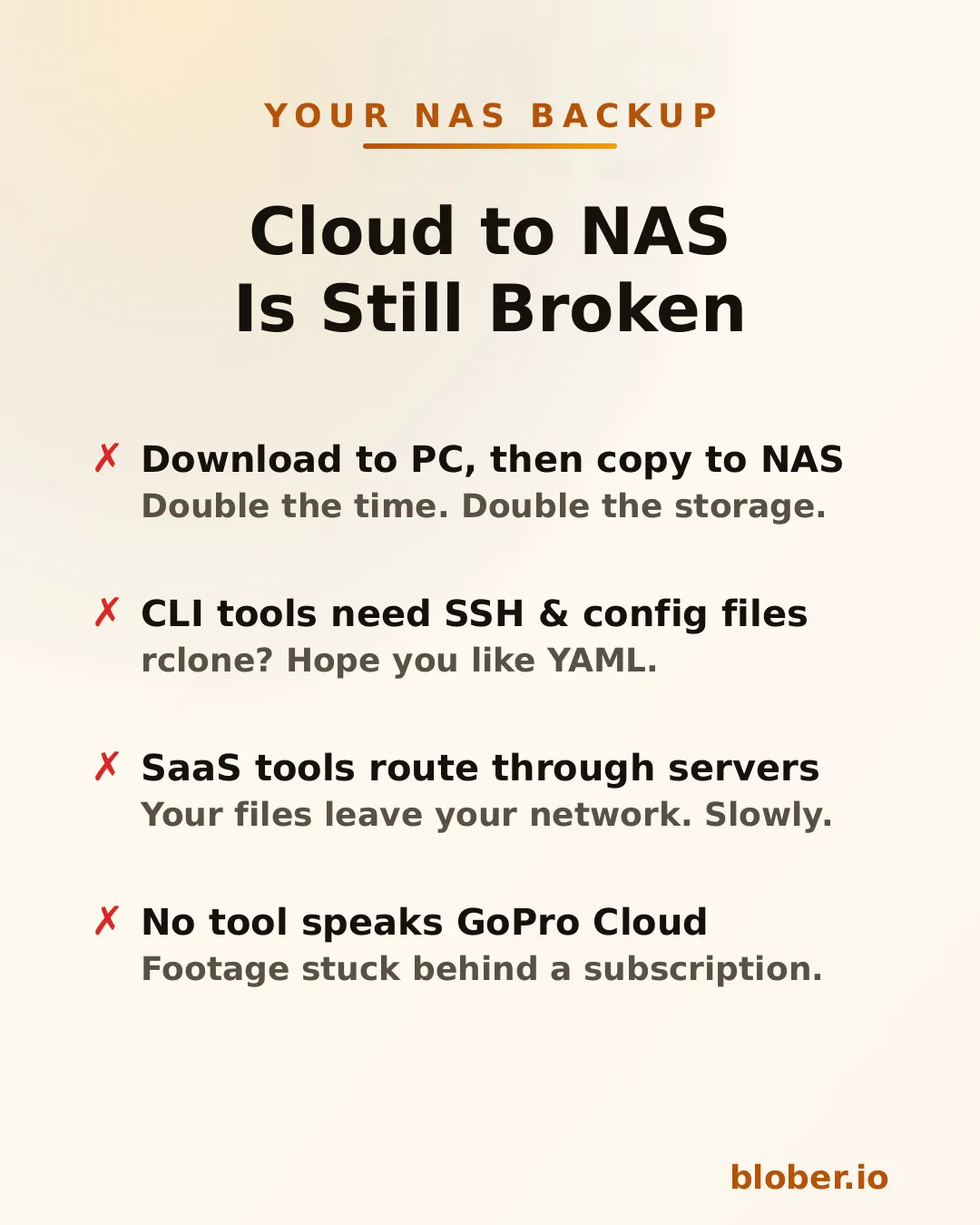
Four pain points of cloud-to-NAS backup: double-copy workflow, CLI config overhead, SaaS routing through third-party servers, and no GoPro Cloud tool support

Download then copy is the default workflow. Download everything from the cloud to your PC, then manually copy it to the NAS. You need enough free space on your PC for the entire dataset, you do every byte twice, and if the NAS connection drops mid-copy you start over.

CLI tools like rclone can mount cloud storage or sync directly, but you need to configure remotes, write YAML, manage credentials, and troubleshoot provider-specific flags. It works — eventually. It’s not something most people reach for on a Saturday afternoon.

SaaS migration services like MultCloud or Cloudsfer route your files through their servers. Your data leaves your network, passes through a third party, then comes back down to your NAS. It’s slower, it’s a privacy concern, and it costs a monthly subscription — usually with transfer caps.

GoPro Cloud has no solution at all. No migration tool supports it. rclone doesn’t. MultCloud doesn’t. You’re stuck batch-downloading 25 files at a time through a web browser, manually.


Blober is a desktop app that connects to 10 cloud providers and transfers files to any local or network destination — including NAS drives.
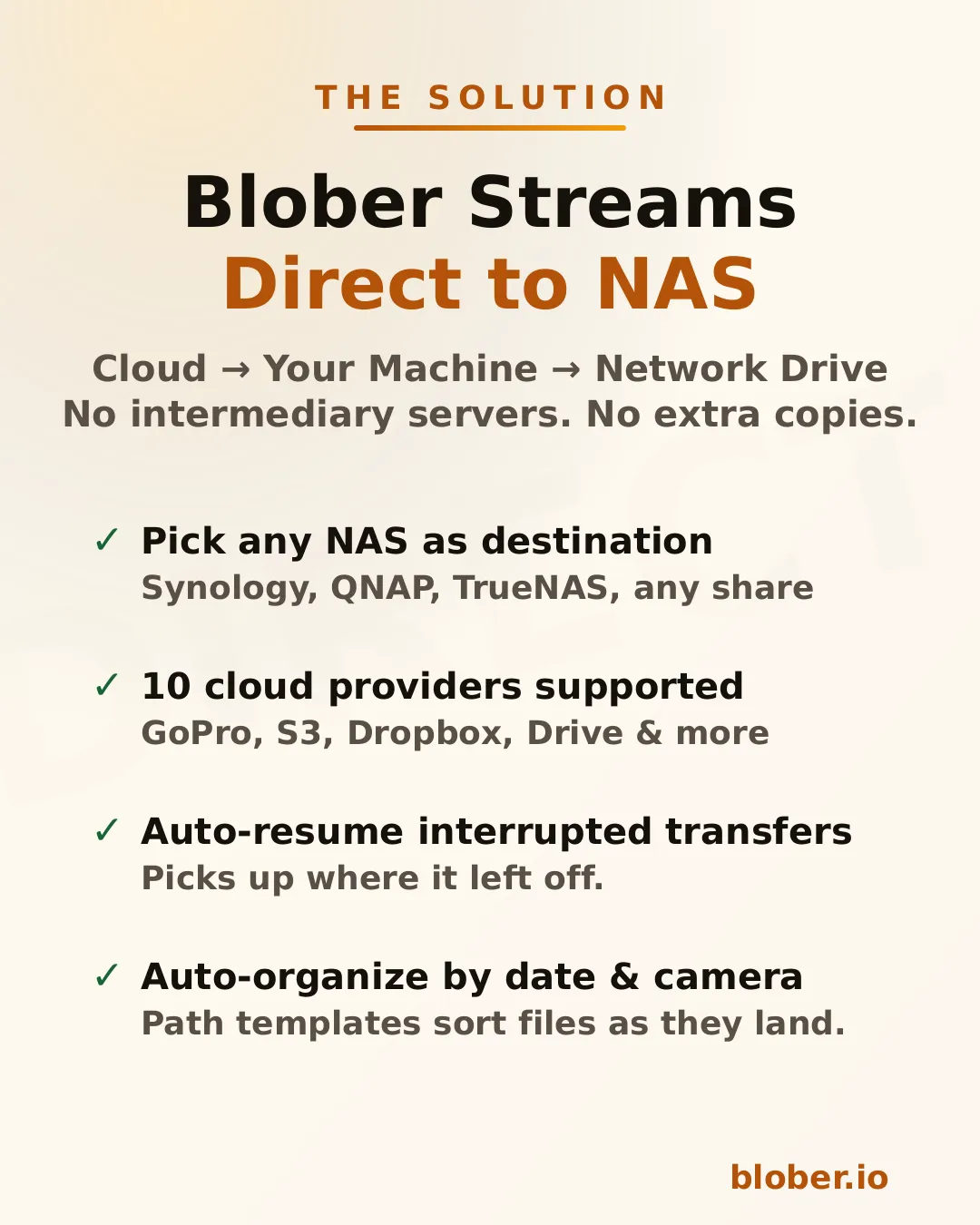
Blober streams files directly from cloud to NAS: supports Synology, QNAP, TrueNAS, and any SMB share, with auto-resume and path templates

The architecture is straightforward: Blober runs on your computer, pulls data from the cloud API, and writes it to whatever destination you select in the file picker. If that destination is a mapped network drive (\\SYNOLOGY\backup or /Volumes/NAS/media), the files go there.

No intermediate server. No extra copy on your local disk. No subscription.

Blober works with any NAS that your OS can see as a folder:

  • Synology DiskStation — map via SMB/CIFS (\synology\shared) or mount via NFS
  • QNAP — same: SMB share or NFS mount
  • TrueNAS / FreeNAS — SMB, NFS, or iSCSI-backed mount points
  • Unraid — SMB shares show up as network folders
  • Western Digital My Cloud — maps as a standard network drive
  • Any SMB/NFS share — if your OS can browse it, Blober can write to it

There’s nothing NAS-specific to configure in Blober. You just pick the folder.


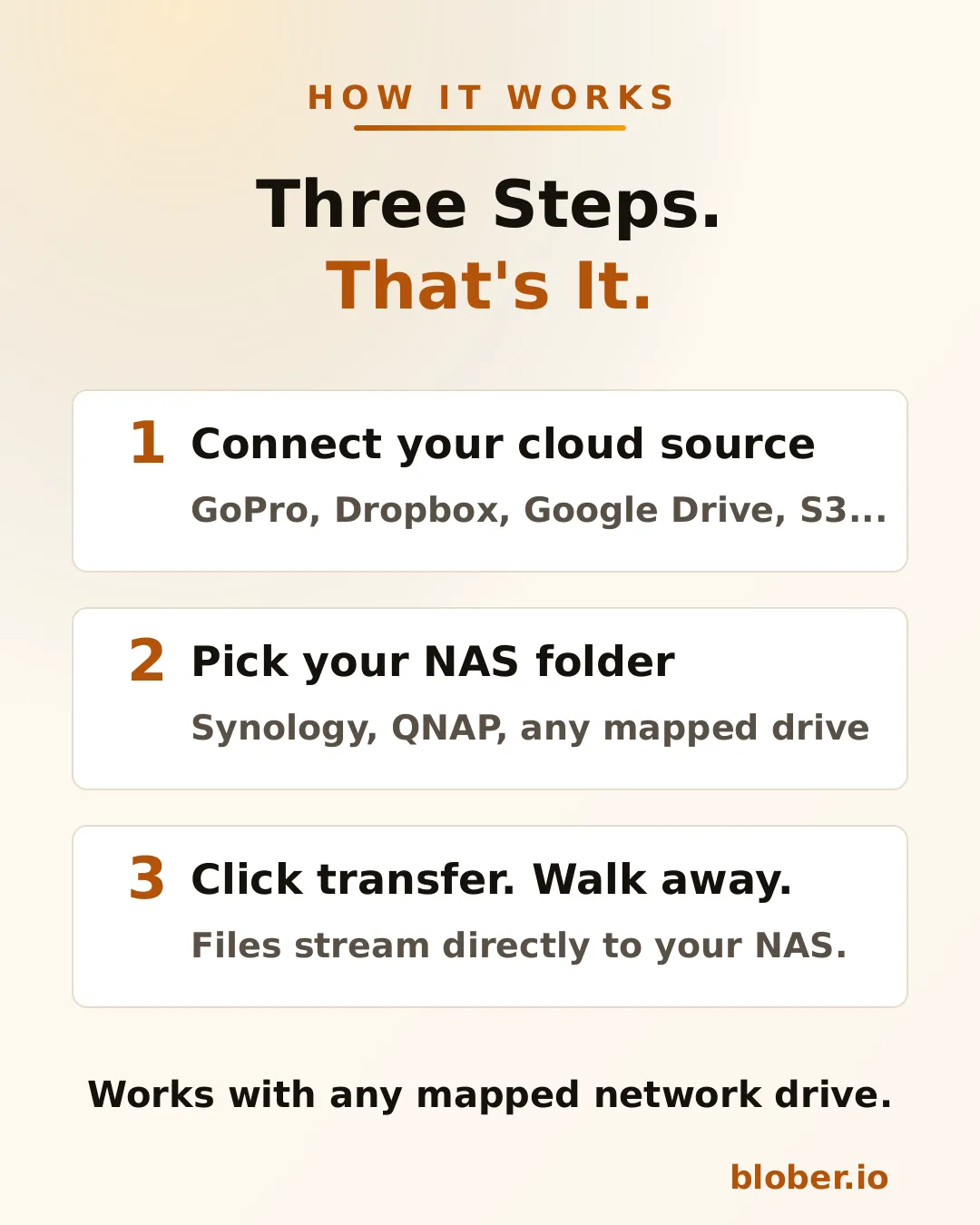
Three steps: connect your cloud source, pick your NAS folder, click transfer
  1. Connect your cloud source. Blober supports GoPro Cloud, Dropbox, Google Drive, AWS S3, Azure Blob, Backblaze B2, Cloudflare R2, Wasabi, and DigitalOcean Spaces. Authenticate once.

  2. Pick your NAS folder. The standard OS folder picker shows your mapped network drives. Select the target directory on your NAS.

  3. Transfer. Blober streams the files and writes them directly to the network path. If your connection drops or the NAS goes to sleep, the transfer resumes from where it stopped.

Blober supports path templates that sort files as they arrive:

{file_created_date}/{camera_model}/{media_type}/{filename}

This turns a flat cloud dump into an organized library:

2024-12-15/HERO12 Black/videos/GH010432.MP4
2024-12-15/HERO12 Black/photos/GOPR0900.JPG
2025-01-03/HERO7 Black/videos/GH010904.MP4

The template runs before the file is written — files land on your NAS already organized.


NAS owners tend to be people who care about data ownership, long-term archival, and not paying recurring fees for storage they already bought. Blober aligns with all three.
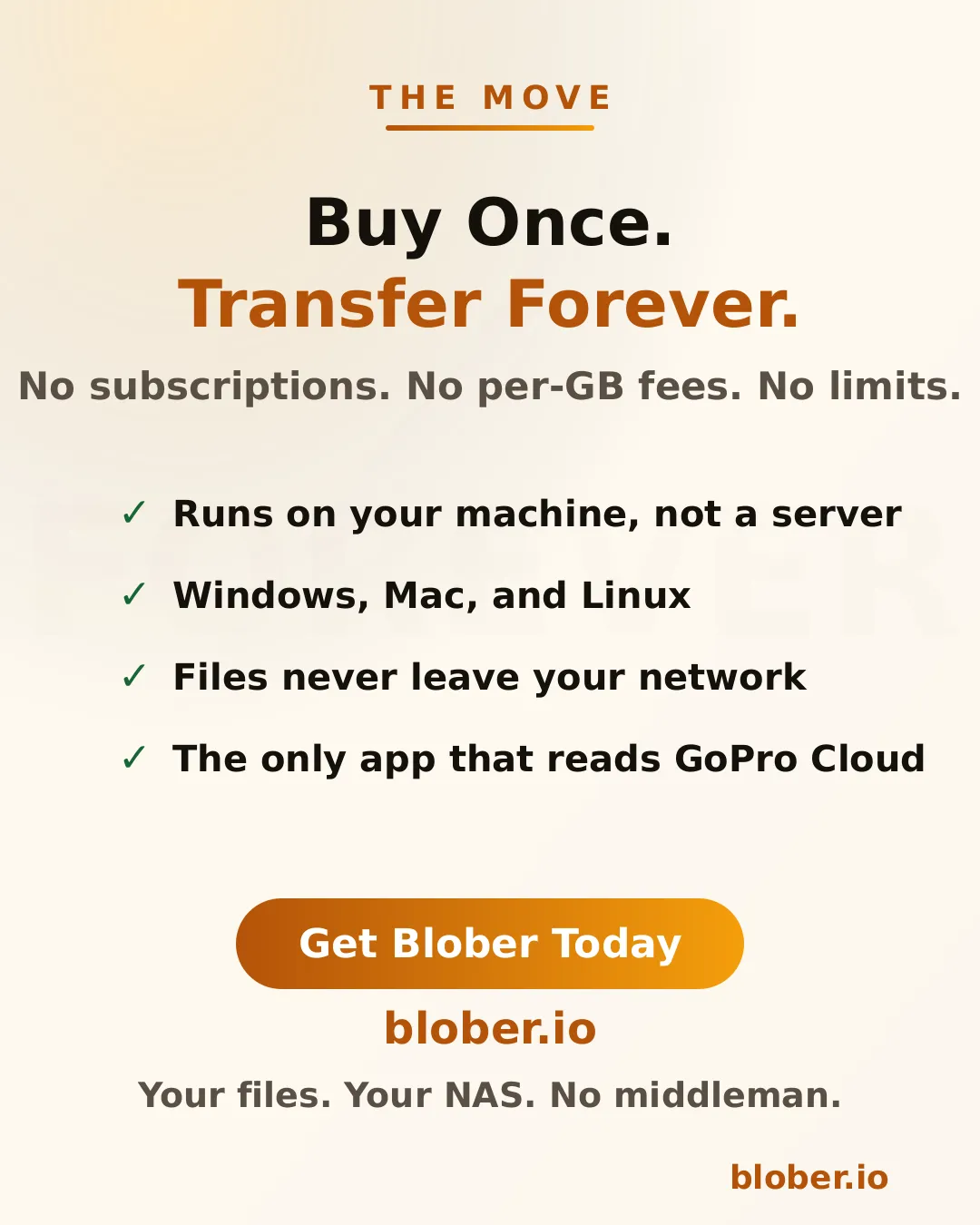
Buy once, transfer forever. No subscriptions, no per-GB fees, no limits. Files never leave your network.

Your files stay on your network. Unlike SaaS tools that route data through external servers, Blober pulls from the cloud API and writes locally. For NAS users who chose a NAS precisely to keep data under their control, this matters.

One-time payment. NAS users already rejected the subscription model when they bought hardware instead of renting cloud storage. Blober follows the same philosophy: pay once, use forever.

Scale doesn’t matter. Whether you’re backing up 50 GoPro clips or migrating 10 TB from S3, there are no transfer caps, no per-GB fees, and no throttling.


ScenarioSourceNAS destination
GoPro footage archiveGoPro Cloud\\NAS\media\gopro\
Photo library consolidationGoogle Drive + Dropbox\\NAS\photos\
S3 cold storage migrationAWS S3\\NAS\archive\s3-backup\
Shared family photo vaultDropbox\\SYNOLOGY\family-photos\
Video production offloadBackblaze B2\\NAS\projects\raw-footage\

Each of these is a single task in Blober. Set source, set destination, transfer.


  • NAS owners who want cloud backups on hardware they control
  • GoPro users who need their footage off GoPro Cloud (Blober is the only tool that connects)
  • Photographers and videographers archiving years of work to local network storage
  • Home lab users consolidating data from multiple cloud services onto one NAS
  • Small businesses migrating away from cloud storage subscriptions to on-premise drives

One app. Ten cloud providers. Any NAS.
Download Blober at blober.io

Data Holders: How Blober Fits Your Workflow

Data holders - how Blober fits your workflow for centralized cloud file management

Data holders are individuals and organizations that accumulate, manage, and preserve large volumes of digital files as a core part of their work. They aren’t just storing files — they’re responsible for keeping data accessible, organized, and safe across years and even decades.

Data holders include:

  • Photographers and videographers with terabytes of RAW footage and project archives
  • Researchers and academics maintaining datasets, papers, and experimental outputs
  • Small businesses managing client records, invoices, contracts, and media assets
  • IT administrators responsible for infrastructure backups and compliance archives
  • Content creators with libraries of video, audio, and design files across platforms
  • Legal and medical professionals bound by retention requirements for sensitive records
  • Personal archivists preserving family photos, home videos, and documents

What unites them is a common problem: data grows, scatters, and becomes harder to manage over time.


Most data holders didn’t plan to end up with files in five different places. It happens organically:

  1. Files start local — on a laptop, NAS, or external drive
  2. Cloud adoption fragments storage — Google Drive for sharing, Dropbox for syncing, an S3 bucket for backups
  3. Platform lock-in creeps in — GoPro Cloud holds your footage, iCloud holds your photos, OneDrive holds your documents
  4. Manual management breaks down — folder naming conventions drift, backups become inconsistent, some files have three copies while others have none

The result is a scattered, fragile data footprint where no single tool gives you visibility across all your storage.

SymptomRoot Cause
”I know I have that file somewhere”Files spread across 3–5 providers with no unified view
”My backup is months out of date”Manual backup processes that require constant attention
”I’m paying for storage I barely use”Redundant copies in expensive tiers that should be archived
”I can’t move my data without paying egress”Provider lock-in via egress fees and proprietary APIs
”Organizing everything would take weeks”Flat folder structures with no metadata-driven automation

Blober is a desktop application purpose-built for data holders who need to move, organize, and back up files across cloud providers and local storage — without recurring fees.

Blober connects to the storage providers data holders actually use:

ProviderTypical Use Case
AWS S3Production infrastructure, enterprise backups
Backblaze B2Affordable long-term archive
WasabiHot storage with no egress fees
Cloudflare R2CDN-adjacent delivery, zero egress
Google Cloud StorageWorkspace-integrated projects
Azure Blob StorageEnterprise and compliance workloads
DigitalOcean SpacesDev team object storage
GoPro CloudAction camera footage (Blober exclusive)
DropboxFile sharing and synchronization
Local / NASOn-premise primary storage

No other single tool covers this range — especially GoPro Cloud, which Blober is the only application to support.

Instead of downloading files to your machine and re-uploading them, Blober transfers data directly between providers. This matters for data holders because:

  • Saves time — a 2 TB migration doesn’t bottleneck on your home internet
  • Saves bandwidth — your ISP data cap stays intact
  • Reduces failure points — no half-downloaded files sitting on your local disk

Data holders accumulate files over years. Manually sorting them into folders is unsustainable. Blober supports path templates that use file metadata to auto-organize during transfer:

/{year}/{month}/{camera_model}/{filename}

A flat dump of 50,000 files becomes a clean archive:

/2025/06/HERO13 Black/GX015742.MP4
/2025/06/Canon EOS R5/IMG_4521.CR3
/2026/01/iPhone 15 Pro/IMG_0032.HEIC

This works for any transfer — cloud-to-cloud, cloud-to-local, or local-to-cloud.

Backup workflows for data holders need to be reliable, not heroic. Blober supports:

  • Resumable transfers — if your connection drops or your machine restarts, pick up where you left off
  • Incremental syncs — only transfer files that are new or changed since the last run
  • Large-file handling — multi-part uploads for files in the tens of gigabytes

No babysitting required. Set up a transfer, let it run, and come back to a completed job.

Most cloud migration tools charge per-GB or require annual subscriptions with data caps. For data holders who move terabytes regularly, those costs compound:

ToolPricing ModelCost for 10 TB/year
Flexify.io~$0.03/GiB per migration~$300+ (plus egress)
MultCloud$99.98/year for 2.4 TB cap~$400+ (need multiple renewals)
rcloneFree but manual$0 (but hours of CLI configuration)
BloberOne-time purchaseOne price, unlimited transfers

You buy Blober once. Transfer 1 TB or 100 TB — the price doesn’t change.


Setup: 8 TB of footage across GoPro Cloud, a local NAS, and Google Drive. Delivers finals via Dropbox.

With Blober:

  • Connects GoPro Cloud and pulls all footage to Backblaze B2 as a cold archive
  • Moves finished projects from local NAS to Cloudflare R2 for client delivery
  • Uses path templates to organize by project date and camera model
  • Runs periodic syncs from Google Drive to B2 to keep a second backup

Result: One tool replaces four manual processes. Total cost: one Blober license.

Setup: 500 GB of compliance documents in Azure Blob Storage. Daily operational files in Google Workspace. Regulatory requirement for off-site backup.

With Blober:

  • Transfers compliance archive from Azure to Backblaze B2 as a secondary backup
  • Syncs critical Google Drive folders to a local NAS nightly
  • Uses Blober’s incremental sync so only changed files move each day

Result: Meets audit requirements for geographic redundancy without provisioning a second enterprise cloud account.

Setup: 12 TB of experimental datasets in AWS S3. New data generated weekly. Grants require data preservation for 10 years.

With Blober:

  • Migrates completed datasets from S3 Standard to Backblaze B2 (80% storage cost reduction)
  • Keeps active datasets in S3 for compute-adjacent access
  • Uses metadata templates to organize by experiment ID and date
  • Resumable transfers handle multi-GB dataset files without corruption

Result: Storage costs drop dramatically while preservation requirements are met.


rclone is a powerful open-source CLI tool, and many data holders start there. But it has real limitations for ongoing data management:

CapabilityrcloneBlober
GUI for browsing filesNo (CLI only)Yes
GoPro Cloud supportNoYes (exclusive)
Dropbox supportYesYes
Visual transfer progressLimitedFull progress dashboard
Resumable multi-part uploadsPartialBuilt-in
Path template organizationManual scriptingVisual template builder
Error handling and retryConfig flagsAutomatic
Setup timeHours (config per remote)Minutes (OAuth flows)

rclone is great for scripted, automated pipelines. Blober is built for data holders who want reliable transfers without writing shell scripts.


  1. Audit your storage — list every provider and local device where you keep files
  2. Identify your archive tier — choose an affordable destination like Backblaze B2 or Wasabi for long-term storage
  3. Connect everything in Blober — add each provider via OAuth or API key
  4. Set up your first migration — pick a source, pick a destination, configure a path template
  5. Let Blober handle the rest — resumable transfers, incremental syncs, and metadata organization do the heavy lifting

Data holders shouldn’t need a subscription to manage their own files. Blober runs locally on your machine — your credentials never pass through third-party servers, your transfer bandwidth isn’t metered, and your workflow isn’t gated by monthly caps.

One license. Unlimited providers. Unlimited data.

Get Blober and take control of your data workflow.

Your Files, Your Machine, No Middleman: Why Local-First Transfers Matter

Your Files. Your Machine. No Middleman. Blober local-first cloud file transfer

Every time you use a SaaS cloud transfer tool (MultCloud, Flexify, or any browser-based service), your files pass through someone else’s servers. Your vacation photos, your client deliverables, your financial backups: all routed through infrastructure you don’t control, operated by companies you’ve never audited.

Most people don’t think about this. They click “transfer,” see a progress bar, and assume their files went from A to B. In reality, the path is A to middleman to B. That middleman sees your filenames, your folder structure, and in many cases, the file contents themselves.

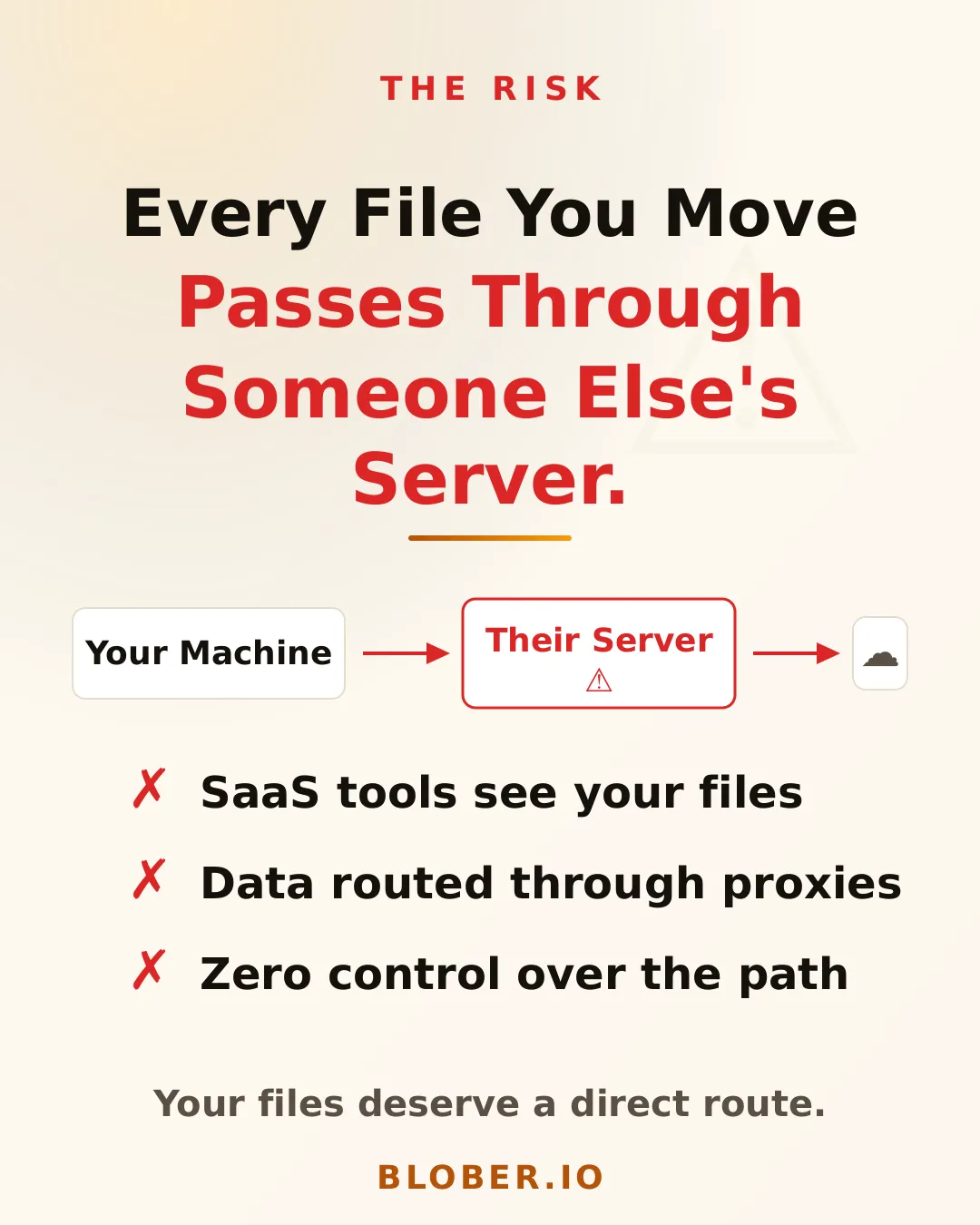
The risk of SaaS cloud transfer tools: your files pass through someone else's servers, data is routed through proxies, and you have zero control over the path

Blober is a desktop app. It runs on your machine (Mac, Windows, or Linux) and talks directly to your cloud provider’s API. When you transfer files from AWS S3 to Backblaze B2, the data flows from your machine to the provider endpoint. No relay. No proxy. No middleman.

This isn’t just a privacy feature. It’s a fundamentally different architecture:

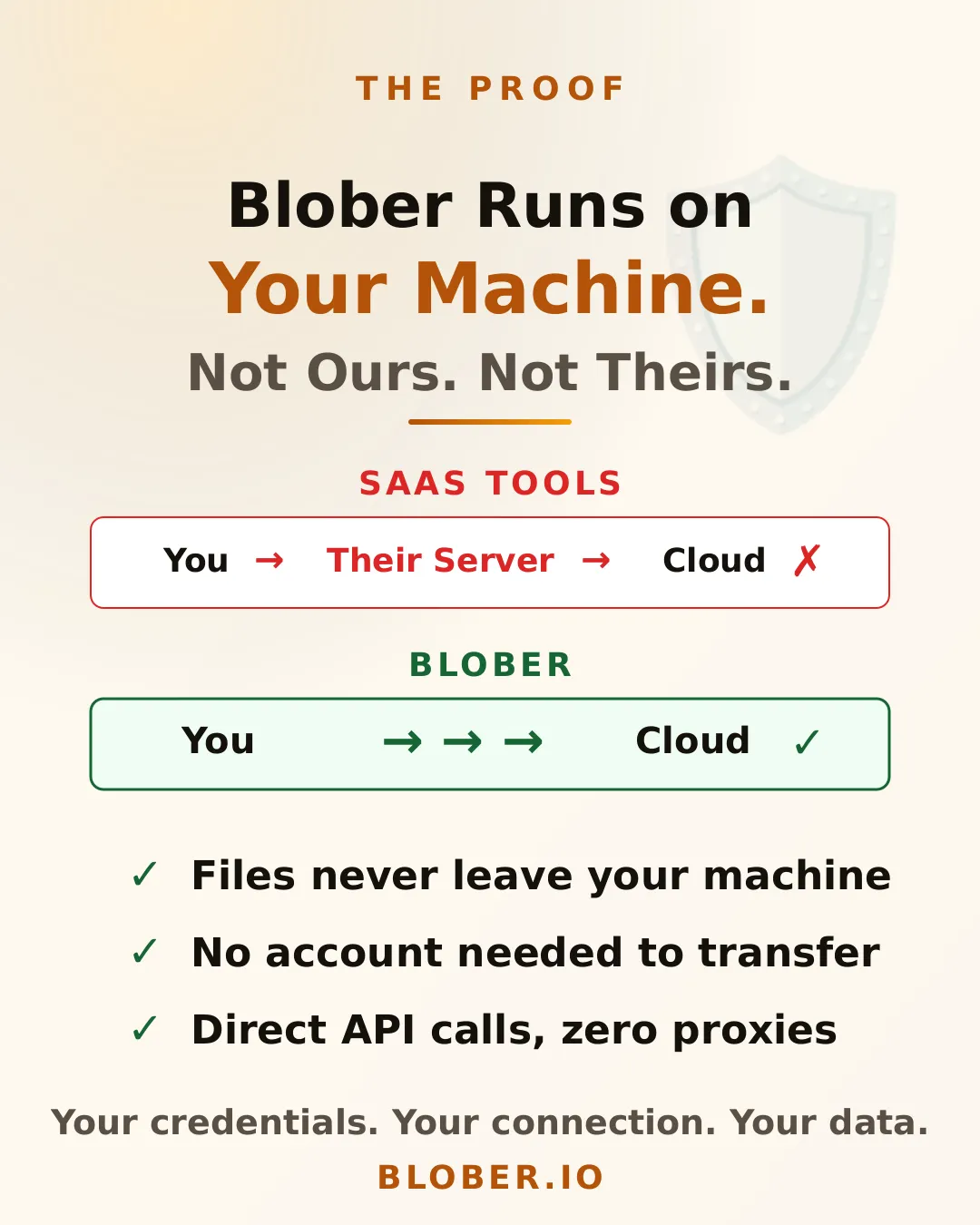
  • SaaS tools: Your Machine > Their Server > Cloud Provider
  • Blober: Your Machine > Cloud Provider (direct)

Your credentials never leave your device. Your files never touch a server you didn’t choose. And because there’s no middleman bandwidth to pay for, there are no per-GB transfer charges from the tool itself. You only pay what your cloud provider charges.

Blober runs on your machine with direct API calls. SaaS tools proxy through their servers while Blober connects you directly to your cloud providers

Blober connects to 10 providers (AWS S3, Azure Blob Storage, Backblaze B2, Cloudflare R2, DigitalOcean Spaces, Dropbox, Google Drive, GoPro Cloud, Local Disk, and Wasabi), all from a single app with a visual file browser.

No subscriptions. No per-transfer fees. One purchase, lifetime access. And every byte stays between you and your cloud provider.

Take back control with Blober. 10 cloud providers, 100% local transfers, one-time purchase, available on Mac, Windows, and Linux
  • Privacy-conscious users who don’t want their files routed through third-party servers
  • Photographers and videographers transferring large media libraries between providers
  • Small businesses that need to move data without compliance headaches
  • Anyone leaving a cloud provider who wants a clean, direct migration path
  • GoPro users who want their footage somewhere they actually control

Your files. Your machine. No middleman. Download Blober

How to Move GoPro Cloud Media to Dropbox the Easy Way

GoPro Cloud (included with GoPro Plus / GoPro Premium) stores your camera footage automatically. It’s convenient, until you need to actually do something with it.

The problems with keeping everything in GoPro Cloud:

  • No easy bulk export. GoPro’s web portal limits batch downloads to 25 files at a time, bundled as a ZIP. Large downloads frequently fail or time out.
  • No third-party integrations. No other file transfer tool (rclone, MultCloud, Flexify) can connect to GoPro Cloud. You’re stuck with the GoPro web interface.
  • Subscription lock-in. Cancel GoPro Plus and you lose access to your footage. Your media is held hostage by a recurring charge.
  • No redundancy. If GoPro changes their cloud offering or shuts it down, you have no backup unless you’ve already downloaded everything manually.

Why Dropbox makes a good destination:

  • Accessible everywhere. Desktop, mobile, web. Dropbox works across all devices.
  • Selective sync. Keep large video files in the cloud and only download what you need locally.
  • Sharing built in. Send footage to clients, collaborators, or editors with a link.
  • Established and reliable. Dropbox has been around since 2007 and isn’t going anywhere.
  • Integration with editing tools. Many video editors and photo apps integrate directly with Dropbox.

Moving your footage from GoPro Cloud to Dropbox gives you a second copy in a provider you control, one that doesn’t depend on a GoPro subscription to access.

Blober is the only desktop app that connects directly to GoPro Cloud. No browser extensions, no manual downloads, no CLI config files. You create a workflow, press play, and your media transfers automatically.

Play

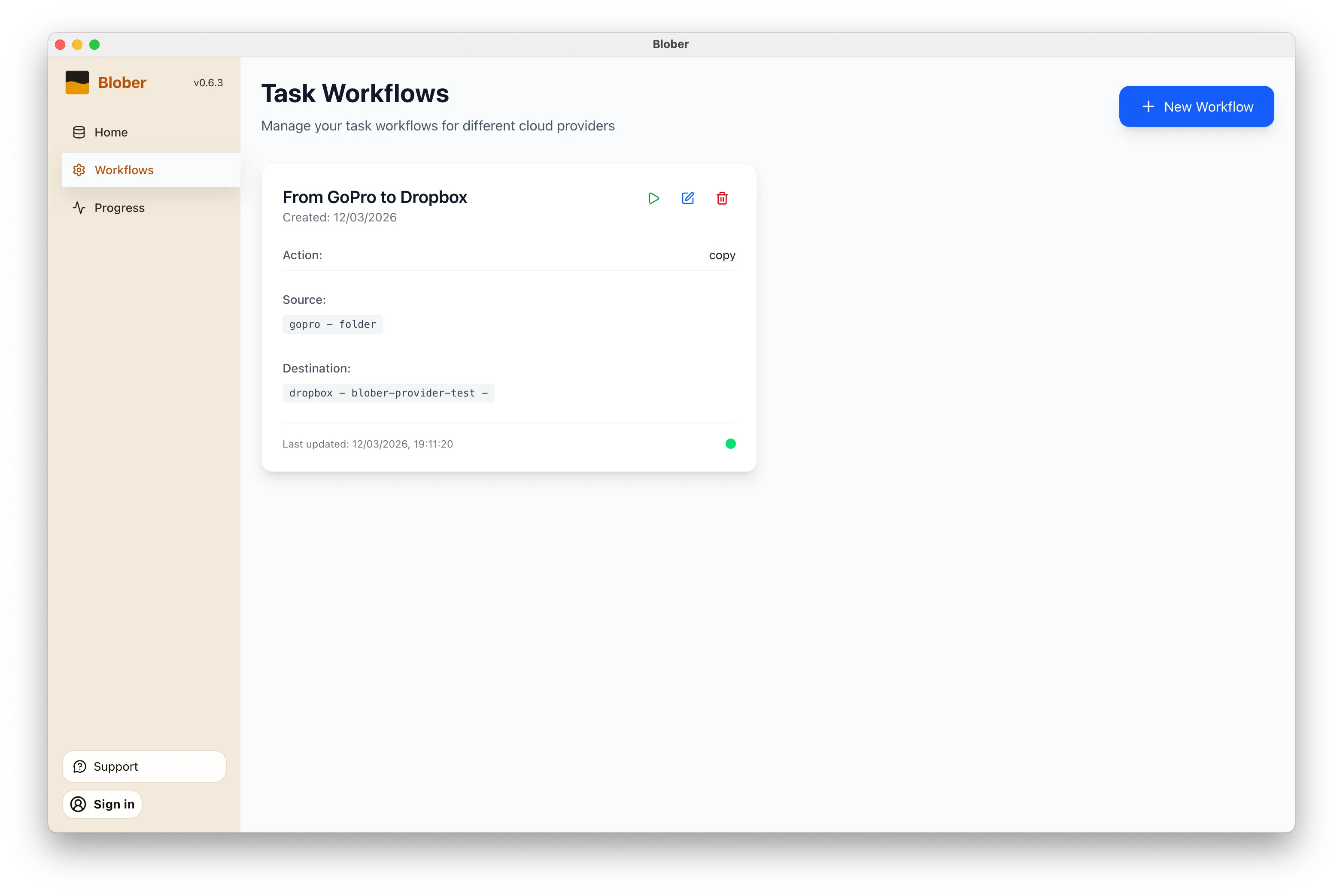
Open Blober, go to the Workflows page, and click New Workflow. Select GoPro as the source and Dropbox as the destination. Pick the folders you want to transfer from and where they should land.

Blober workflow configured to copy media from GoPro Cloud to Dropbox

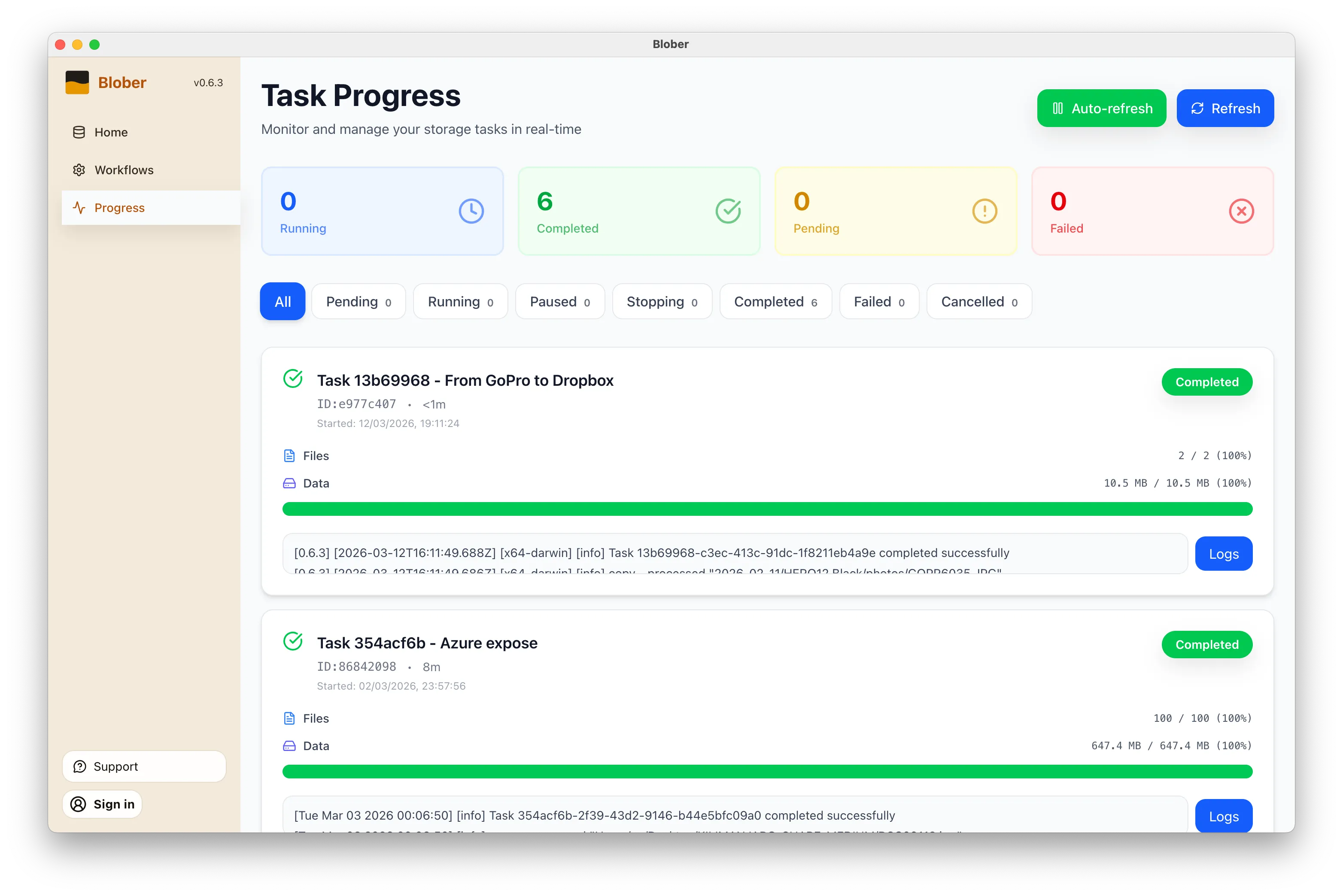
Click the play button on your workflow. Blober connects to both providers and starts transferring files immediately. Every file (photos, videos, time-lapses) gets moved directly from GoPro Cloud to Dropbox without touching your local disk first (unless you want it to).

Blober task progress showing files transferring from GoPro to Dropbox

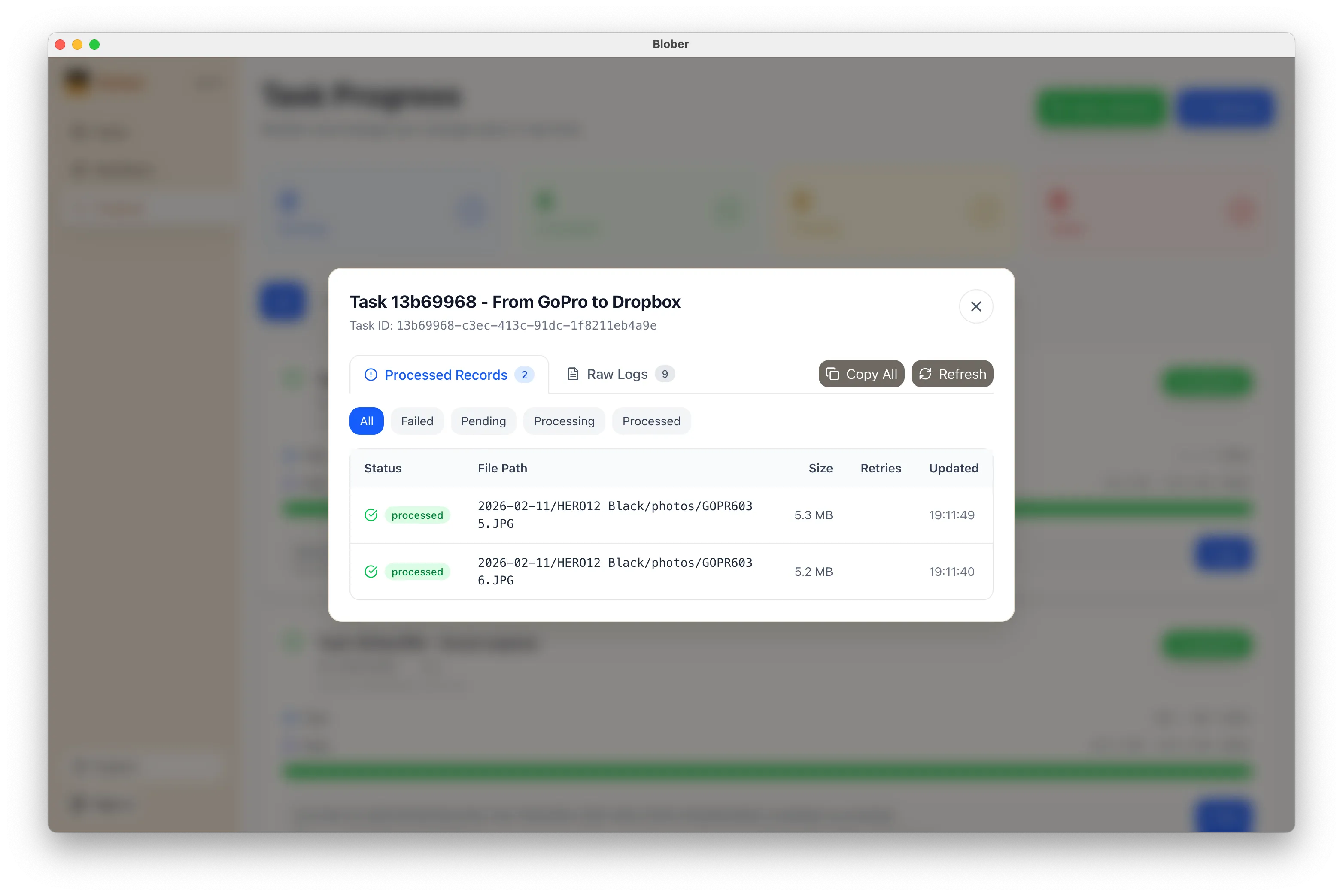
The Progress page shows exactly what’s happening: files transferred, bytes moved, current speed, and estimated time remaining. If something goes wrong, you can pause, retry, or cancel at any time.

Blober task logs showing detailed transfer activity
  • No manual work. You don’t download ZIPs, unzip them, then re-upload to Dropbox. Blober handles the entire pipeline.
  • No file limits. Transfer 10 files or 10,000. Blober processes them all in one run.
  • No subscription. Blober is a one-time purchase. No monthly fees, no per-GB transfer charges, no limits on how many times you run a workflow.
  • Runs locally. Your credentials stay on your machine. Files transfer directly between providers. Nothing passes through Blober’s servers.
  • Before canceling GoPro Plus. Get your footage out before you lose access.
  • Regular backups. Set up a workflow now and run it whenever you want a fresh copy in Dropbox.
  • Switching providers. Moving off GoPro Cloud entirely? Transfer everything to Dropbox first, then cancel.
  • Sharing with a team. Put footage in a shared Dropbox folder so editors and collaborators can access it immediately.
  1. Download Blober (available for macOS, Windows, and Linux)
  2. Connect your GoPro and Dropbox accounts
  3. Create a workflow and press play

That’s it. Your GoPro footage in Dropbox in minutes, not hours.

Stop Paying Rent to Move Your Own Files

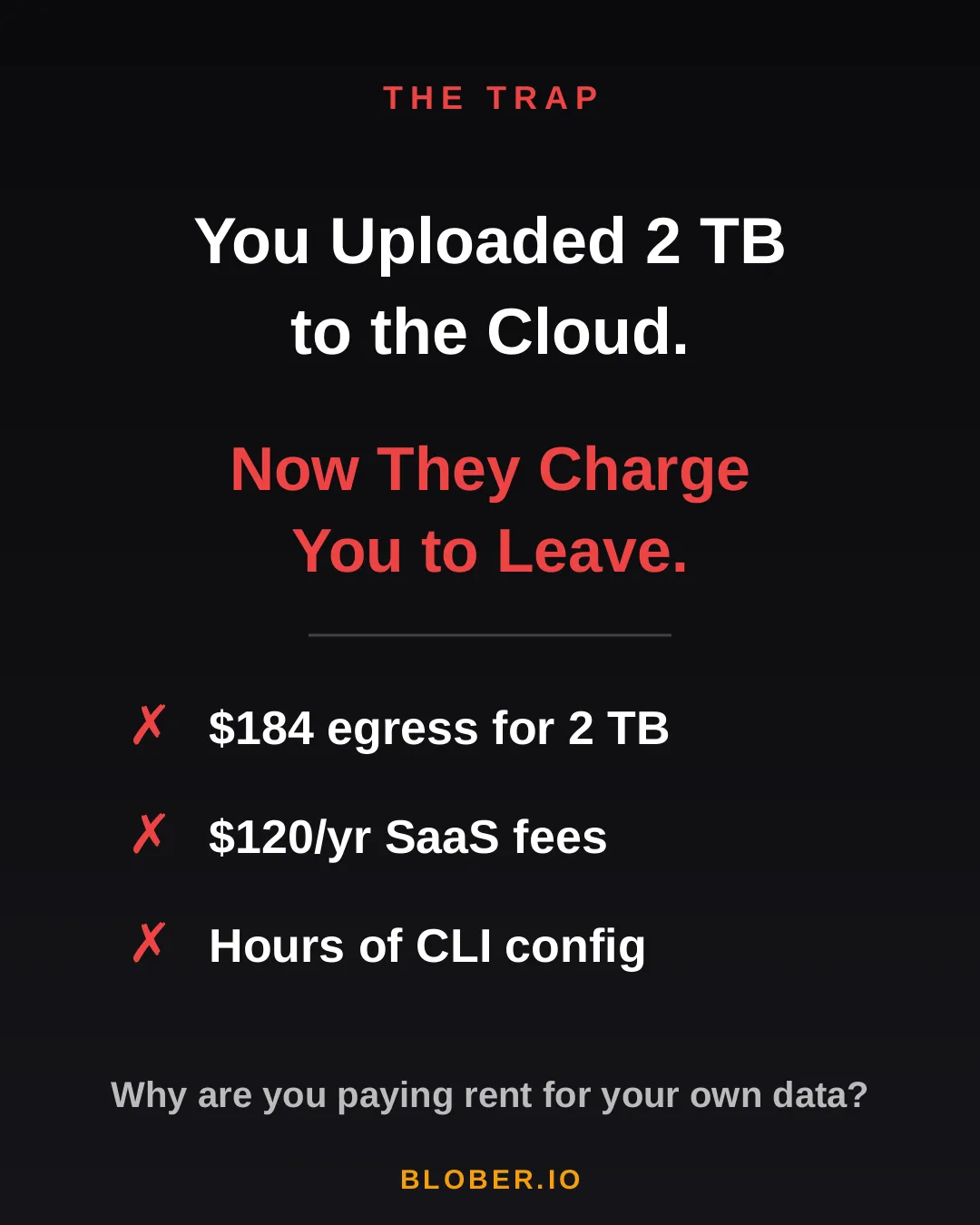
You uploaded 2 TB of photos, videos, and backups to the cloud. Life was good — until you wanted to move them somewhere else.

Suddenly, you’re hit with egress fees, per-GB migration charges, and the realization that your cloud provider has been counting on you never leaving. It’s your data. But moving it costs real money — every single time.

AWS charges ~$0.09/GB for egress. That’s $184 just to download 2 TB of your own files. Want to use a SaaS migration tool? That’s another $10–20/month, with transfer caps. Prefer the open-source CLI route? Clear your afternoon — you’ll need it for YAML configs, credential files, and provider-specific quirks.

The trap: cloud providers charge you egress fees, SaaS tools charge subscriptions, and CLI tools cost you hours of setup time

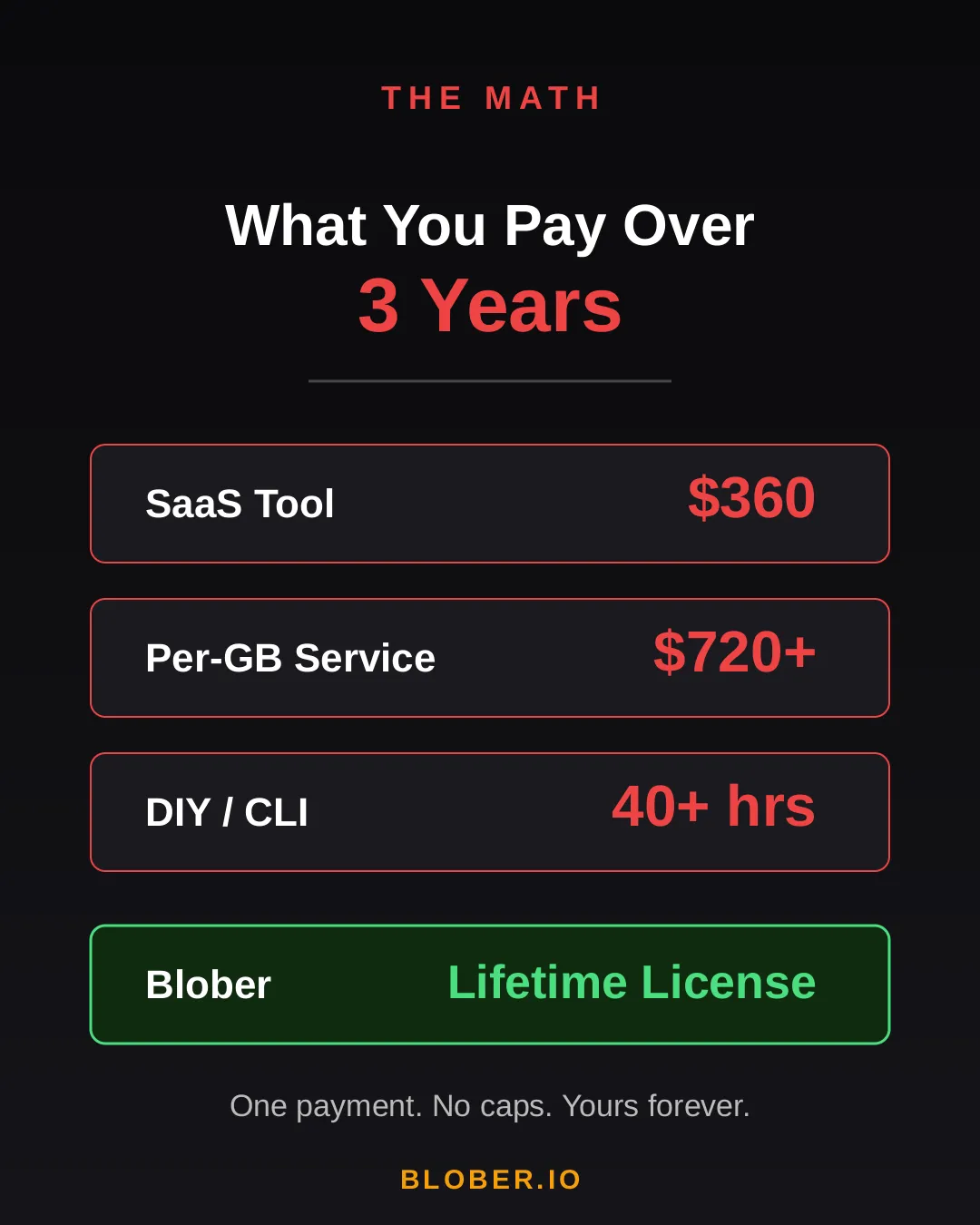
Let’s talk real numbers. Over three years, here’s what you’ll pay using common approaches:

Approach3-Year CostCatch
SaaS Migration Tool~$360Monthly sub + data caps
Per-GB Service~$720+$0.03/GB, billed every transfer
DIY with CLI40+ hoursConfig per provider, no UI, breaks silently
BloberOne paymentUnlimited transfers. Forever.

The subscription model is designed to extract value from you month after month. The per-GB model punishes you for having more data. The CLI path trades money for your time.

Blober breaks the cycle. Pay once. Transfer as much as you want, as many times as you want. No meter running. No renewal emails. No “upgrade to unlock more.”

Cost comparison over 3 years: SaaS tools cost $360, per-GB services cost $720+, DIY CLI costs 40+ hours, Blober costs one single payment

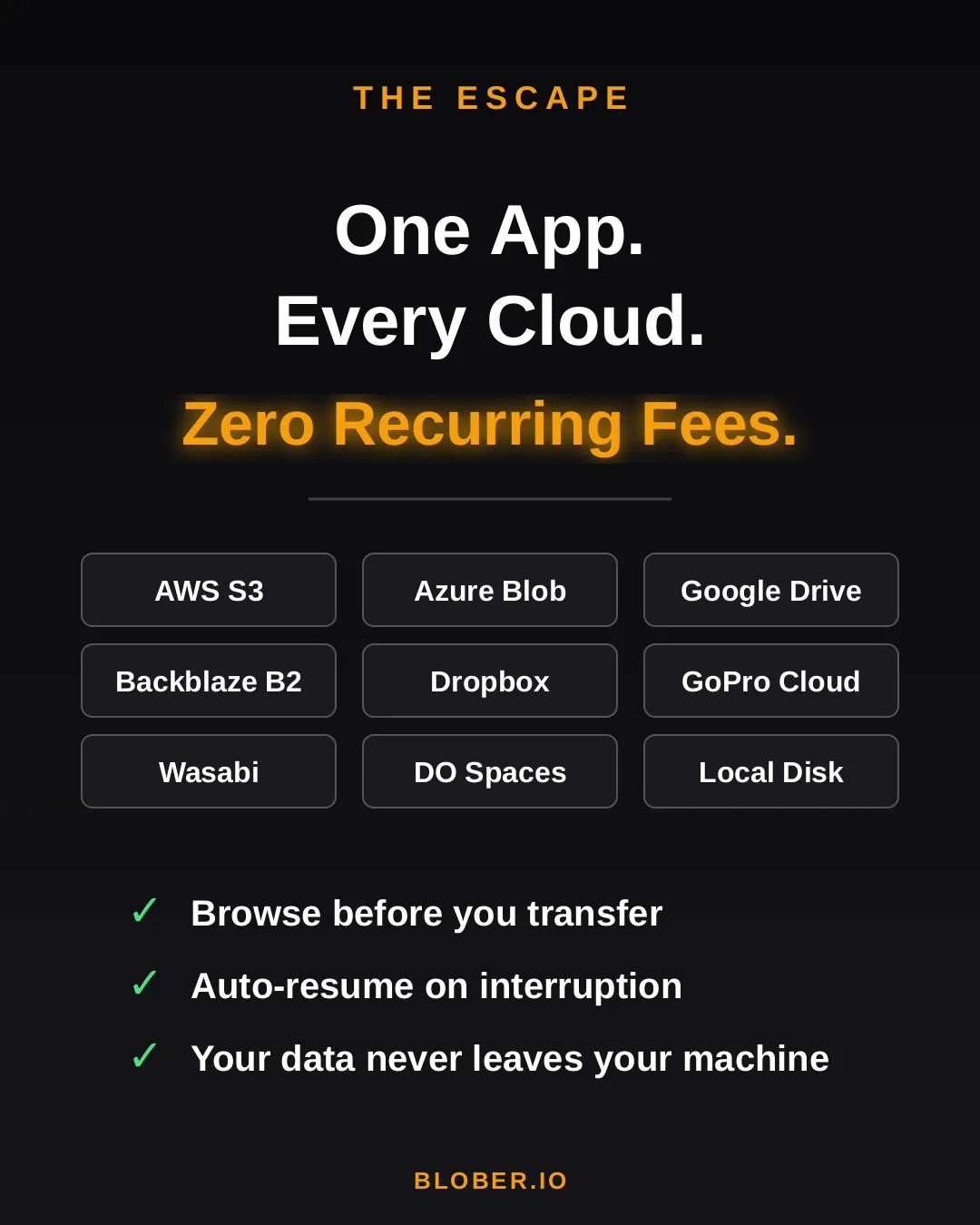
Blober is a desktop app — not a SaaS, not a CLI tool, not a cloud service. It runs on your Mac, Windows, or Linux machine and connects directly to your cloud providers:

  • AWS S3 — buckets and objects, any region
  • Azure Blob Storage — containers and blobs
  • Google Drive — files and folders, including shared drives
  • GoPro Cloud — back up your action footage locally or to any cloud
  • Backblaze B2 — the affordable S3 alternative
  • Dropbox — personal and business accounts
  • Cloudflare R2 — zero-egress object storage
  • Wasabi — hot storage without the cold fees
  • DigitalOcean Spaces — all regions, auto-detected
  • Local Disk — any folder on your machine

Your files never touch a middleman server. Blober streams directly between your machine and the provider APIs. Browse your cloud storage visually, select what you want, pick a destination — done.

If a transfer gets interrupted (bad WiFi, laptop closed, provider hiccup), Blober picks up where it left off. No re-uploading. No duplicate files.

Blober connects 10+ cloud providers in one app: AWS S3, Azure Blob, Google Drive, GoPro Cloud, Backblaze B2, Dropbox, Cloudflare R2, Wasabi, DigitalOcean Spaces, and local disk

Here’s what switching to Blober actually looks like:

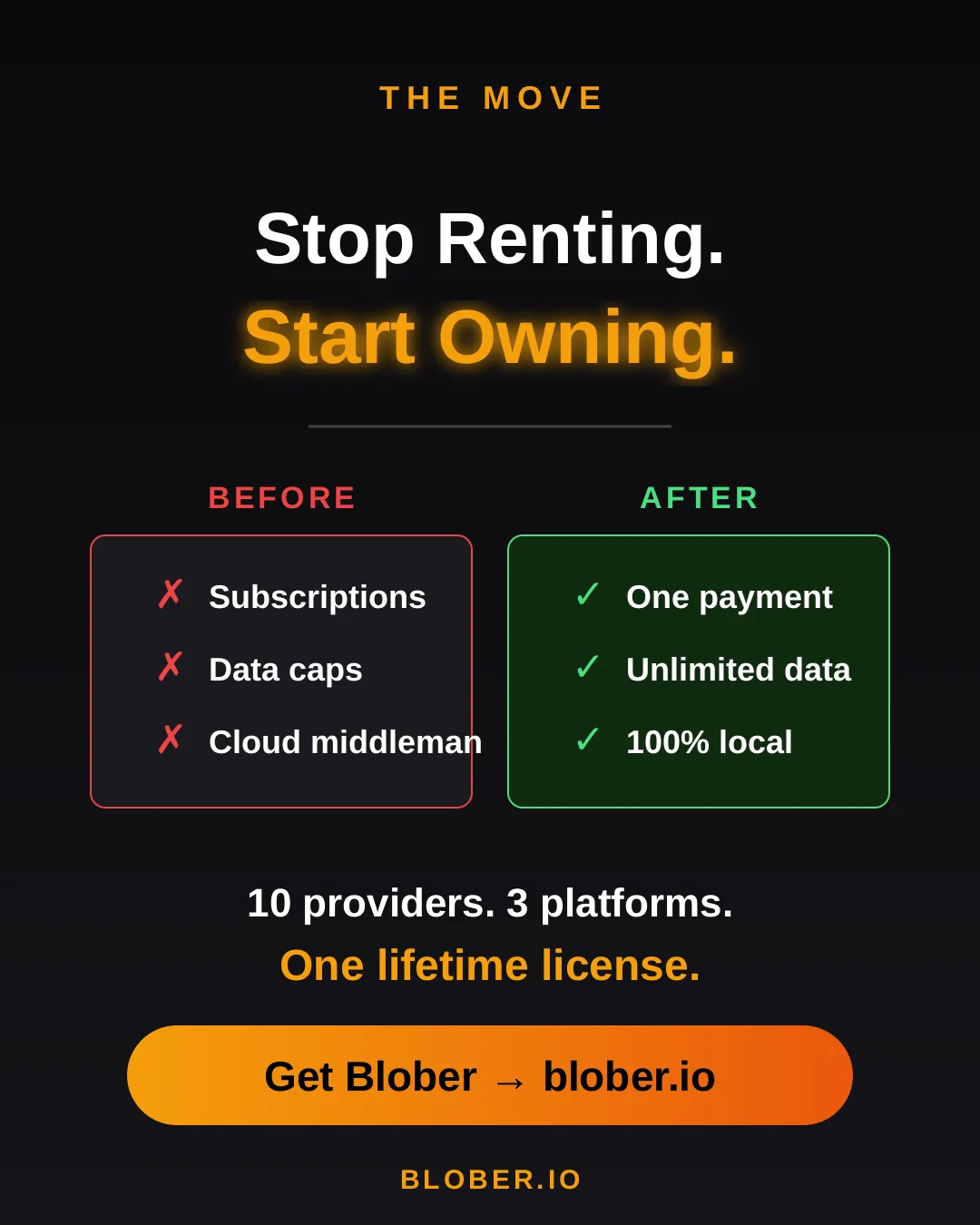
Before: You’re juggling browser tabs, CLI sessions, and a spreadsheet tracking which files went where. A SaaS tool emails you that you’ve hit your 1.2 TB monthly cap. You Google “rclone config azure” for the third time.

After: You open Blober. Connect your accounts. Drag from source to destination. Walk away. It just works.

No account required to transfer. No internet needed for local-to-local moves. No data ever leaves your machine unless you’re sending it to a cloud provider you chose.

Before and after comparison: monthly subscriptions, data caps, and files routed through servers vs. one-time payment, unlimited transfers, and 100% local execution with Blober
  • Photographers & videographers moving terabytes of footage from GoPro Cloud or Google Drive to cheaper archival storage
  • Developers & DevOps engineers migrating between S3-compatible providers without writing scripts
  • Small businesses consolidating cloud storage without paying an enterprise migration service
  • Privacy-conscious users who want their files transferred directly, not through a third-party cloud
  • Anyone tired of paying monthly fees to tools that move files you already own

Your data. Your machine. Your rules.

One payment. Unlimited transfers. No expiration.

Download Blober → blober.io