Articles
Articles about blober
108 articles
Seafile WebDAV vs the REST API: What to Use for Transfers
Seafile's WebDAV is off until an administrator enables it, and Seafile's own manual calls it slow for many files. Here is how to move files in bulk, and how Blober connects.
Filen vs Proton Drive: How Their End-to-End Encryption Differs
Filen and Proton Drive both keep your files unreadable to the provider, but they build it differently: AES-256-GCM versus OpenPGP, German versus Swiss law, audits, and how easily your files can leave.
How to Back Up Filen (or Move Files Out) Without the CLI
Filen's own routes for WebDAV, S3 and rclone all go through the Filen CLI, which is being replaced. Blober backs up Filen, or moves files out of it, without the CLI.
How to Move Files Between Koofr and Google Drive, Dropbox, or OneDrive
Koofr can connect Dropbox, Google Drive and OneDrive on paid plans and nothing else. How Blober moves files between Koofr and any other cloud, and what the free plan limits.
iCloud Drive and iCloud Photos: How to Transfer Files In and Out
Blober connects to iCloud Drive and iCloud Photos through Apple's own web login. What the integration can do, how uploads to iCloud Photos work, how it compares to rclone, and the limits to know before you move a library.
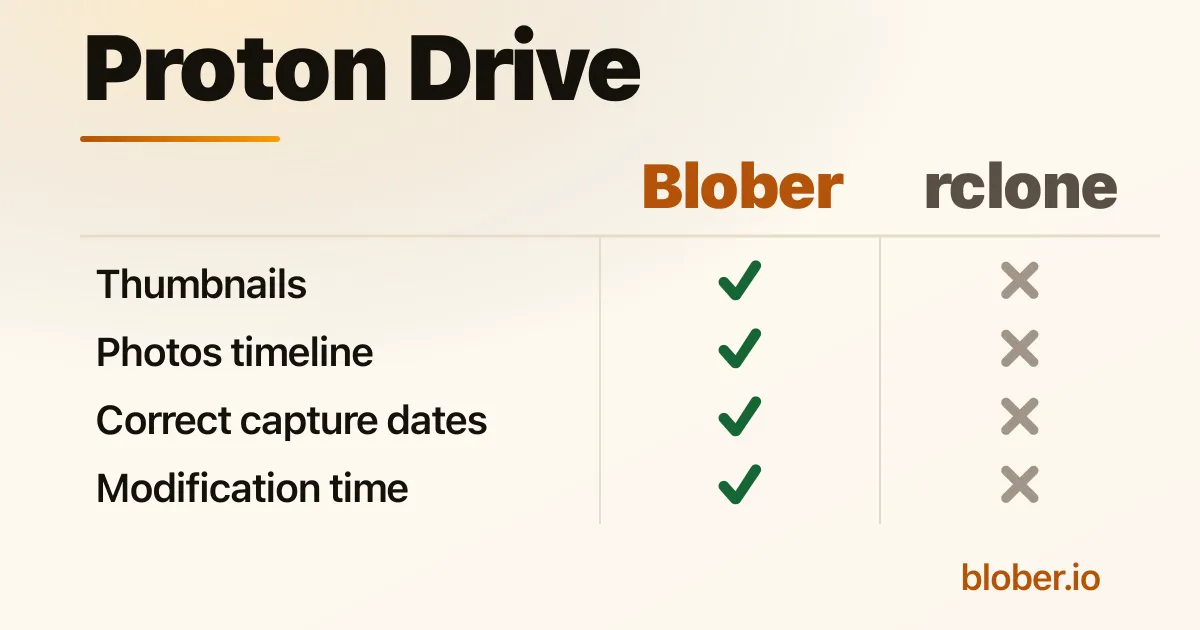
Blober vs rclone for Proton Drive and Proton Photos
rclone syncs files into Proton Drive, but photos arrive as generic icons in a folder, with no previews, capture dates, or place in the Photos timeline. Blober uploads the thumbnails and metadata Proton needs. Why that happens, and when each tool fits.
How to Move Photos from Proton Drive Files to Proton Photos (and Back)
Proton has no way to move photos from My Files into Proton Photos, because the two live in separate storage areas. Blober selects all your photos with a glob, moves them in one workflow, and can send non-photos back out of Photos to Files.
How to Move Google Photos to Proton Drive (Without Google Takeout)
Proton's official Google Photos import needs Google Takeout, and its desktop import is Windows-only. Blober transfers your entire Google Photos library to Proton Drive directly, without Takeout, on macOS, Windows and Linux.
Proton Drive Is Hard to Migrate To or From. Blober Makes It Easy.
Proton Drive's apps are good sync clients with no way to transfer from another cloud. Google Photos import runs through Takeout, rclone's backend is Tier 4, Linux has no desktop client, and the iOS Files integration is gone for now. Where Blober fits, and when rclone is the better choice.
Blober vs RcloneView
RcloneView puts a GUI on rclone and inherits its 70+ providers and its limits. Blober is a separate desktop app with GoPro Cloud support and full Google Photos downloads. Where they overlap and where each fits better.
Back Up Google Photos to pCloud Without Takeout
Moving a Google Photos library to pCloud by hand means Takeout batches, zip extraction and uploads that break and restart. Blober copies the library straight to pCloud with each file's embedded date, and resumes if the connection drops.
Download All Your Box Files Without the ZIP-and-Time-Out Trap
Select several files in Box and it builds a server-side zip that is slow to prepare and can time out. Blober downloads each Box file over the API, resumes after drops, and saves the files to a local folder, a NAS, or another cloud.