
Transfer GoPro Cloud Files in 45 Seconds with Blober
· 2 min read · Updated
This video shows the full process of creating a Blober workflow with GoPro Cloud as the source. To follow along, download Blober for macOS, Windows, or Linux.

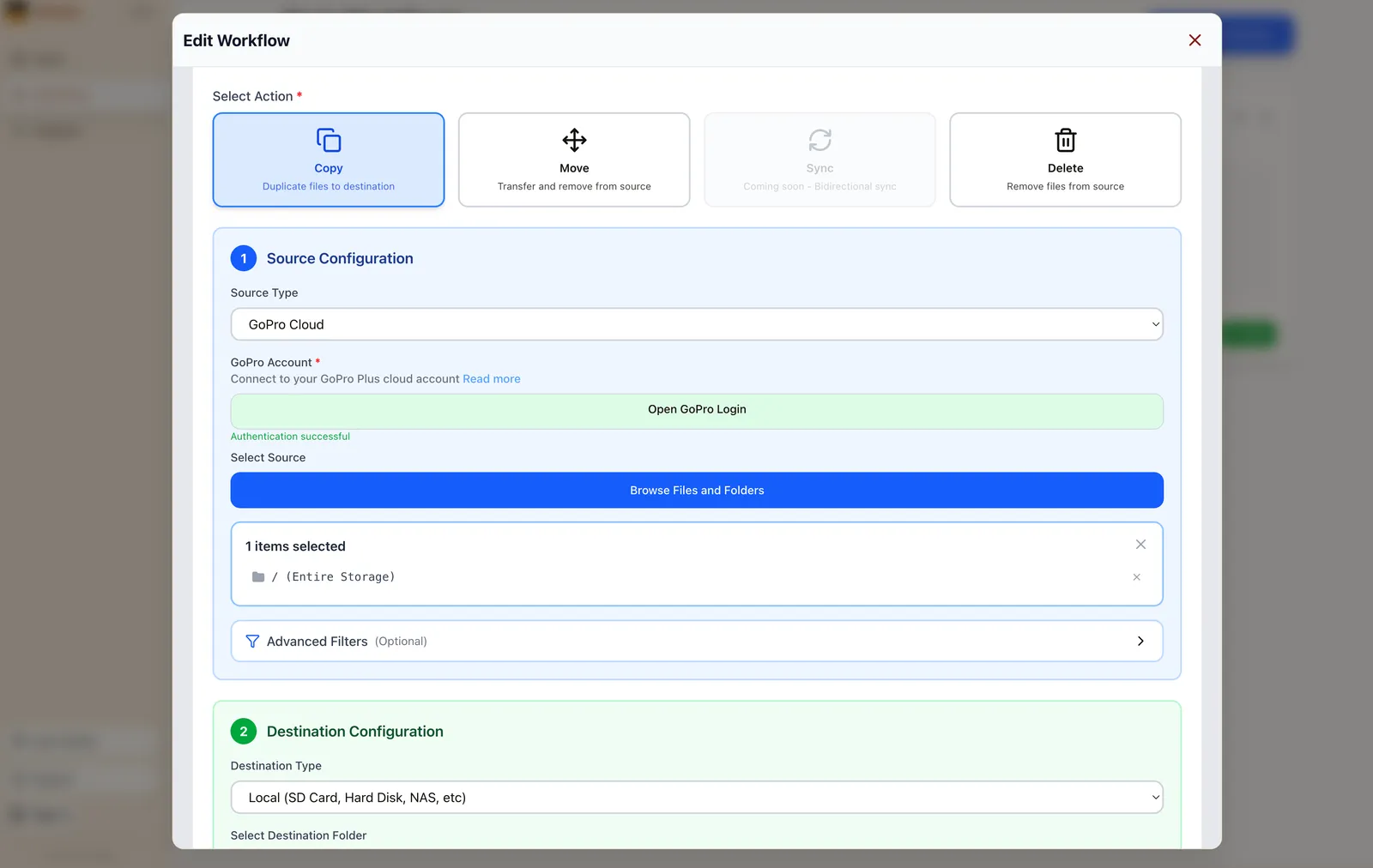
Select GoPro Cloud as your source, click Open GoPro Login, and sign in. Blober captures your session, so you don't need API keys, config files, or the command line.
Click Browse Files and Folders and Blober loads your GoPro Cloud library, listing each file with its date and size.
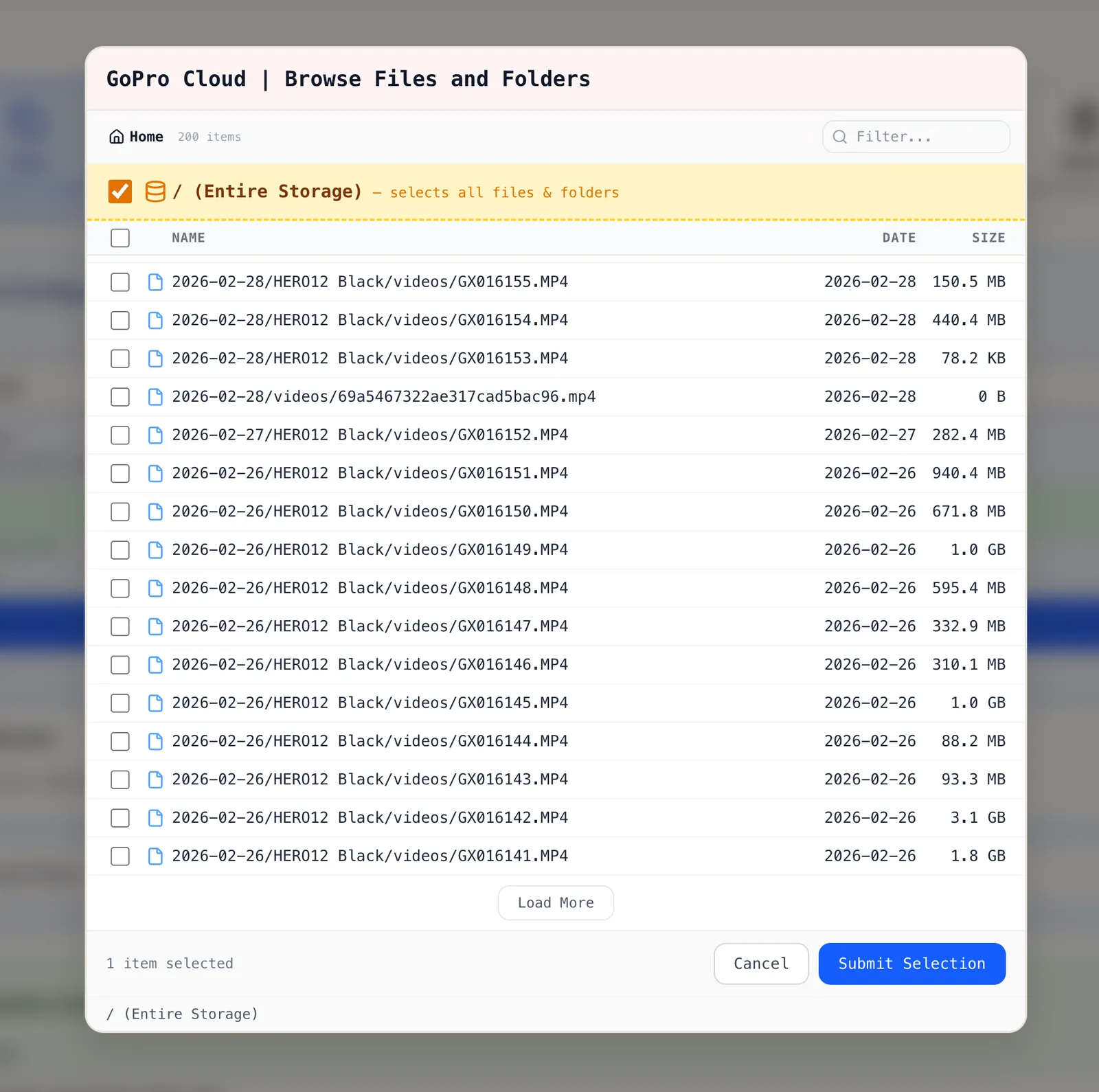
Click a file to pick just that one, or check several files, even from different folders. To take the whole library, tick the / (Entire Storage) checkbox.
Click Submit Selection. The workflow editor shows your GoPro Cloud source with the selected items. Pick your destination (local disk, Backblaze B2, AWS S3, Dropbox, or another supported provider), configure options, and click Save Workflow.
Close the workflow editor with the X button in the top-right corner. On the Workflows page, click the green Run button on your workflow card. Blober starts the transfer with parallel downloads, progress tracking, and automatic resume.
GoPro's web portal limits batch downloads to 25 files at a time, bundled as ZIPs, and large downloads often fail. It has no bulk export and no "Download All" button.
Blober is the only tool that connects to GoPro Cloud; rclone, MultCloud, and Flexify can't use GoPro as a source. The files stream through your computer from GoPro Cloud to the destination, so you never download them by hand, and a single run can hold 10 files or 10,000. Everything runs on your machine, your credentials stay local, and Blober is a one-time purchase.
How do I select my whole GoPro Cloud library? In the file browser, tick the / (Entire Storage) checkbox, then click Submit Selection.
Does saving the workflow start the transfer? No. After Save Workflow, close the editor and click the green Run button on the workflow card.
Do I need a GoPro API key? No. You sign in to GoPro in the window that Open GoPro Login opens, and Blober captures the session.