
What Is Proton Drive? Features, Plans, and What It's Used For
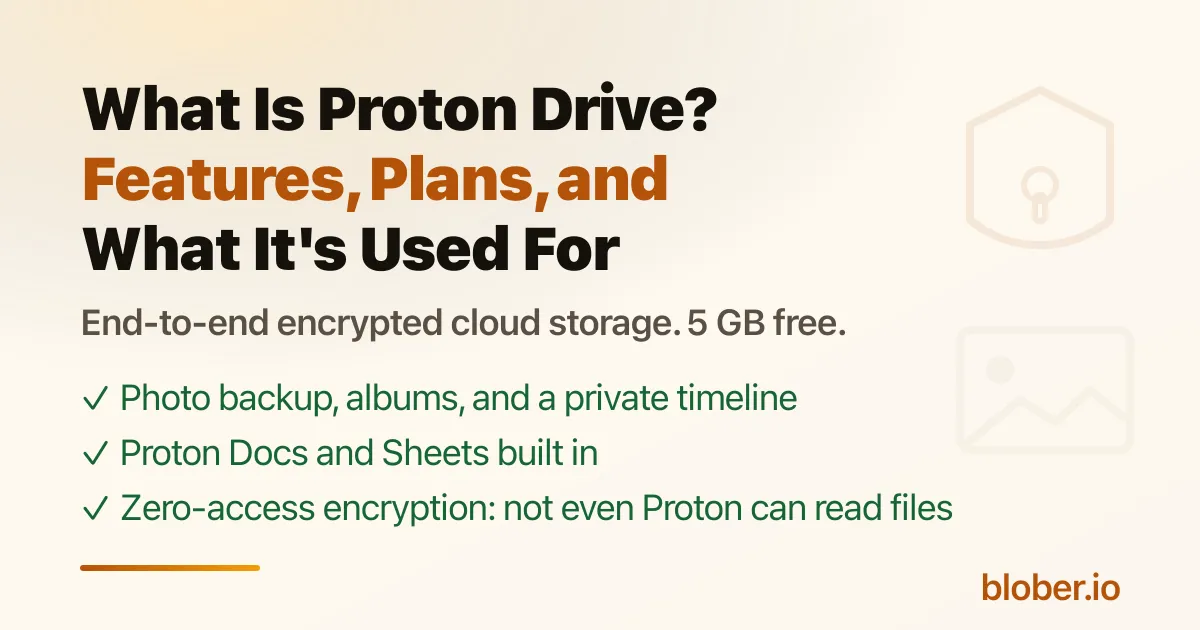
Proton Drive Is the Privacy-First Cloud Storage Service
Section titled "Proton Drive Is the Privacy-First Cloud Storage Service"Mainstream cloud storage, meaning Google Drive, Dropbox, and iCloud, can read your files, scan your photos, and use them for ad profiles or AI training. If you do not want a storage company looking at your data, most standard options are a poor fit[1].
Proton Drive is the encrypted alternative from the makers of Proton Mail. Files are encrypted on your device before upload, so not even Proton can read them. It covers the same basics as Google Drive or Dropbox: file storage, folder sync, sharing, photo backup, Docs and Sheets, plus a free 5 GB plan. This guide covers what Proton Drive is used for, how the security works, what it costs, and where it falls short.
What Proton Drive Is Used For
Section titled "What Proton Drive Is Used For"Proton Drive is general-purpose file storage, but in practice it is most used for:
- Private file storage and sync. Back up documents, photos, and work files, and keep a folder synced between your computer and the cloud with the Windows and macOS desktop apps.
- Photo and video backup. The iOS and Android apps back up your camera roll automatically, and Proton Drive organizes photos into albums and a searchable timeline. Proton states the free 5 GB plan is "enough space to store more than 1000 photos," based on an average file size of 4 MB[2].
- Private documents and spreadsheets. Proton Docs and Proton Sheets are online editors bundled with Drive, positioned as a private alternative to Google Docs and Google Sheets.
- Secure file sharing. You can share files and folders with password protection and expiry dates, and revoke access at any time. Proton says it does "not impose file-size limits or restrict the number of times your contacts can download them"[3].
- Sensitive records. Passwords, passports, contracts, and tax files are a natural fit because of the encryption.
- A destination when leaving Google, Dropbox, or iCloud. Privacy-conscious users migrating away from Big Tech often land here.
The Security Model: End-to-End and Zero-Access
Section titled "The Security Model: End-to-End and Zero-Access"Proton's own description of how it works: "We encrypt your files, their names, and more right on your device before they're uploaded to the cloud, so only you hold the keys to unlock them"[4].
This is the zero-access model: the encryption keys never leave your device, so Proton cannot read your data even if asked. The main security points:
- End-to-end encryption. Files, folder names, and filenames are encrypted client-side using the open-source OpenPGP standard with Curve25519 encryption[5].
- Zero-access. "No one, not even Proton, can access your files and folders or see their names without your permission"[6].
- Swiss jurisdiction. Proton is based in Switzerland. Under Article 271 of the Swiss Criminal Code, Proton is prohibited from sharing data with foreign authorities[7].
- Open source and audited. The clients and encryption libraries are public, and Proton Drive has been audited by Securitum, an independent European security auditor[8].
- Scale. Proton says it is "trusted by over 100 million users and organizations"[9].
Feature Overview
Section titled "Feature Overview"| Feature | Details |
|---|---|
| File storage | Store any file type; files are split into 4 MB blocks for high-performance encryption |
| Desktop sync | Windows and macOS apps sync a local folder with the cloud |
| Photo backup | Automatic camera-roll backup on iOS and Android, with albums and a timeline |
| Proton Docs | Private online document editor |
| Proton Sheets | Private online spreadsheet editor with formulas and charts |
| Secure sharing | Password-protected links with expiry dates and revocable access |
| File versioning | Recover previous file versions (10 years on paid plans) |
| Encrypted sharing links | Shared content is end-to-end encrypted |
| Linux | CLI available; full desktop client announced as in progress |
Plans and Pricing
Section titled "Plans and Pricing"Proton's consumer plans are the ones most people choose between. Exact prices change, so check the Proton Drive pricing page before deciding[10]:
| Plan | Storage | Includes |
|---|---|---|
| Free | 5 GB | Photos, documents, Docs and Sheets |
| Drive Plus | 200 GB | 10 years of file version recovery |
| Proton Unlimited | 500 GB | Plus Proton VPN, Mail, Calendar, and Pass |
| Proton Duo | 2 TB | Up to 2 users, everything in Unlimited |
All paid plans come with a 30-day money-back guarantee, and higher tiers are available through business plans.
Platforms
Section titled "Platforms"Proton Drive runs on Windows, macOS, Android, iOS, and the web[11]. There is no full-featured Linux desktop sync client yet: Proton released a Proton Drive CLI for Windows, macOS, and Linux in June 2026, and states a "full-featured desktop client with sync is on its way"[12].
How Fast Is Proton Drive in 2026?
Section titled "How Fast Is Proton Drive in 2026?"Proton has been investing heavily in performance. In June 2026 Proton announced it "rebuilt Proton Drive's engine" on a shared SDK, with uploads up to 3x faster and downloads up to 2x faster across platforms[13]. A companion cryptography update made file encryption up to 4x faster: encrypting a 4 MB file dropped from 97 ms to 32 ms on mobile and from 12 ms to 3 ms on desktop[14]. For heavy transfers this matters, because Proton encrypts every block locally, which is CPU work no other storage provider does.
Where Proton Drive Falls Short
Section titled "Where Proton Drive Falls Short"The trade-off for the privacy is that getting files in and out of Proton Drive, at scale, is not a first-class experience. The official clients are sync tools, not migration tools: there is no built-in way to pull files directly from Google Drive, Dropbox, or S3, and the official Google Photos import runs through Google Takeout and is currently Windows-only. Linux users have a CLI but no full sync client, and the iOS Files integration is temporarily unavailable while Proton rebuilds it. Each of these pain points is covered in detail in Migrating To or From Proton Drive.
Frequently Asked Questions
Section titled "Frequently Asked Questions"Is Proton Drive really private? Yes, for what it claims. Files are encrypted on your device before upload using OpenPGP with Curve25519, and Proton runs a zero-access model where it does not hold the decryption keys. Proton says "no one, not even Proton, can access your files"[15]. The code is open source and audited by Securitum.
Is Proton Drive free? Yes. The free plan includes 5 GB of storage for files and photos, plus Proton Docs and Sheets, all end-to-end encrypted[16]. Paid plans start with 200 GB on Drive Plus[17].
Can Proton Drive replace Google Photos? For secure, private photo storage, yes: it has automatic camera-roll backup, albums, favorites, filters, and a timeline. It does not offer Google's unlimited free compression, AI search, or face recognition. See How to Move Google Photos to Proton Drive for the migration path.
How much storage do I get on the free plan? 5 GB, which Proton says holds more than 1000 photos at an average size of 4 MB[18].
Does Proton Drive have a desktop app for Linux? Not a full sync client yet. Proton ships a CLI for Linux and is building a full-featured Linux desktop client on its shared SDK[19][20]. Third-party tools like Blober fill the gap today.
Can I move my files from Google Drive or Dropbox into Proton Drive? Proton offers manual import flows (Takeout for Google Photos, drag-and-drop for Google Drive). There is no direct cross-cloud transfer in the official apps. Blober connects to Proton Drive and can transfer in from Google Drive, Dropbox, S3, Backblaze B2, and 20+ other sources directly. See Migrating To or From Proton Drive for the full comparison.